What Is a Learning Management System and Why Do Schools Need One in 2026?
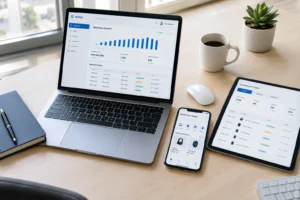
A Learning Management System (LMS) is software that helps schools organize teaching, learning, assessment, communication, and student progress in one digital environment. Depending on the platform, an LMS can manage courses, assignments, quizzes, attendance, grades, learning materials, schedules, and communication between teachers, students, administrators, and parents.
Tecveq LMS brings these functions together for K-12 schools, including class scheduling, assignment management, quizzes, attendance tracking, parent communication, and student progress reporting.
Most schools still run on spreadsheets, paper attendance sheets, and email chains between teachers and parents. That worked 15 years ago. It does not work now.
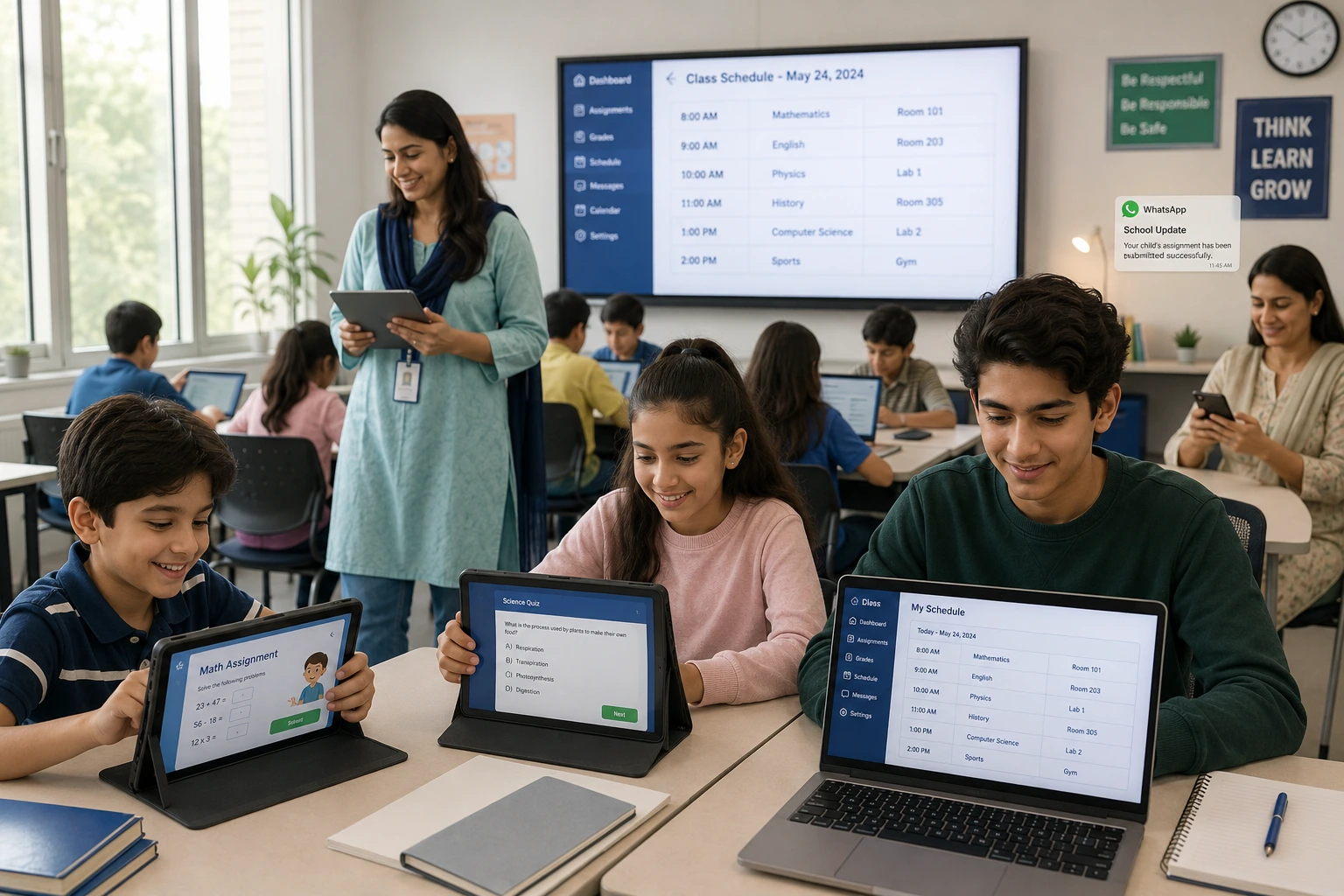
We designed Tecveq specifically for K-12 schools that need to coordinate hundreds of students, dozens of teachers, and parents who want real-time updates on their child’s progress. Everything happens in one system. Teachers post assignments. Students submit work online. Parents check grades and attendance from their phone. Admins see the whole school at a glance.
And it all syncs automatically.
GET IN TOUCH
See the Best LMS for Schools 2026 in Action Free Tecveq demo with AI detection + WhatsApp access.
How an LMS Transforms Traditional Classroom Management
Traditional classroom management means teachers spend hours every week on administrative work that has nothing to do with teaching. Tracking attendance by hand. Collecting paper assignments. Emailing parents individually when a student misses class. Manually calculating grades at the end of each term.
Tecveq eliminates most of that work.
When a teacher schedules a class in our system, students see it on their personal calendar. Attendance gets marked digitally during class. If a student skips, the system sends an automatic notification to the teacher and the principal within minutes. No phone calls. No manual tracking. The system handles it.
Teachers create assignments once and upload them to the platform. Students download the assignment, complete it, and submit it back through Tecveq. Teachers grade it online and students see their score immediately. Parents can log in and see exactly which assignments their child completed and which ones they missed.
We have also built in AI detection for assignments and quizzes.Tecveq can screen submitted assignments and quizzes for signals associated with AI-generated text and flag submissions for teacher review.
The result should be treated as an indicator rather than definitive proof that a student used an AI tool. Teachers can review the submission alongside the student’s previous work and apply the school’s academic integrity policy before making a decision.
Teachers get an alert and can review the submission before grading. This protects academic integrity without teachers having to manually check every assignment for AI-generated content.the time savings are significant.
Tecveq is designed to reduce repetitive administrative work by digitizing attendance, assignment collection, grading workflows, scheduling, and routine parent communication. The exact time savings will vary depending on the school’s size, existing processes, and how much work was previously handled manually.
What Is a Cloud-Based LMS?
A cloud-based LMS is a learning management system hosted online rather than installed and maintained on individual school computers. Teachers, students, administrators, and parents can access the platform through supported devices while school data and learning activities remain connected in one central system. For schools, a cloud-based LMS can make it easier to manage assignments, attendance, schedules, grades, and communication without maintaining separate software installations.
| LMS Approach | How It Works | Potential Benefits | Considerations for Schools |
|---|---|---|---|
| Cloud-based LMS | Hosted online and accessed through supported devices | Easier centralized access, provider-managed infrastructure, remote accessibility | Schools should evaluate security, integrations, support, and data policies |
| Open source LMS | Source code is available under its applicable license and can be customized | High customization potential and greater control | May require technical resources for hosting, maintenance, updates, and customization |
| Locally hosted LMS | Installed and maintained on school-controlled infrastructure | Greater control over infrastructure and configuration | Requires internal infrastructure, maintenance, backups, and technical support |
Key Problems Schools Face Without a Proper LMS
Schools without a centralized learning management system run into the same problems repeatedly. We have seen it at every school that contacts us before switching to Tecveq.
Communication breakdowns between teachers and parents. Parents have no easy way to check their child’s attendance or assignment grades without emailing the teacher directly. Teachers get overwhelmed with individual parent requests for updates. Everyone wastes time repeating the same information to different people.
No real-time visibility into student performance. Admins and principals cannot see how students are performing across different classes without asking every teacher for a manual report. By the time they identify a struggling student, weeks have passed and the student has fallen further behind.
Attendance tracking chaos. Teachers mark attendance on paper. Someone has to manually enter that data into a spreadsheet. If a student is absent frequently, no one notices until it becomes a serious problem. There is no automated system to alert anyone when attendance patterns indicate trouble.
Lost assignments and grade disputes. Students claim they submitted an assignment. Teachers have no record of it. Parents get involved. Everyone spends time trying to figure out what actually happened. With no digital submission system, there is no clear proof either way.
Inconsistent scheduling and missed classes. Class schedules get updated but students do not get notified. Students show up at the wrong time or miss classes entirely because no one told them about a schedule change. Teachers waste time tracking down absent students who never knew class was happening.
Parent frustration and disengagement. Parents want to stay involved in their child’s education but they have no easy way to monitor progress without constantly emailing teachers. Most parents eventually stop asking because they feel like they are bothering the teacher. Student performance suffers when parents are not engaged.
No way to manage bulk administrative tasks. Admins need to assign 30 students to a new subject. Without an LMS, they have to do it one student at a time. It takes hours. Simple administrative changes become all-day projects.
Tecveq is designed to address these common problems by bringing scheduling, attendance, assignments, assessments, reporting, and parent communication into one centralized system.
We built the system specifically to eliminate the communication gaps, data silos, and manual processes that waste time and hurt student outcomes. Schools that switch to Tecveq see immediate improvements in parent engagement, teacher efficiency, and student accountability within the first month.
What Makes Tecveq the Best LMS for Schools in 2026?
Tecveq is the best LMS for schools in 2026 because we built separate dashboards for admins, teachers, students, and parents instead of forcing everyone to use the same generic interface. Each user sees exactly what they need and nothing they do not. Admins get full control over scheduling and user management. Teachers get assignment grading and attendance tracking. Students get their course calendar and submission tools. Parents get real-time updates on their child’s progress through WhatsApp without downloading another app.
Most learning management systems try to be everything to everyone and end up being confusing for actual school use. We designed Tecveq specifically for K-12 schools where administrators need bulk management tools, teachers need quick grading workflows, students need clear assignment instructions, and parents need simple progress monitoring.
And we included features no other LMS platform offers. AI detection for assignments and quizzes. Automatic bunk notifications sent to teachers and principals the moment a student skips class. WhatsApp integration so parents can check grades and attendance without logging into a separate portal.
Schools using Tecveq report higher parent engagement, faster teacher workflows, and better student accountability within the first 30 days of switching from their old system.
Built for Four Key Roles Admin, Teacher, Student & Parent
We built Tecveq with four separate user dashboards because what an admin needs to see is completely different from what a student needs to see. Forcing everyone to navigate the same interface wastes time and creates confusion.
Admins get full school oversight. They can view every registered user across the entire school. Add new students, teachers, and parents in bulk or individually. Edit user profiles and approve pending registration requests. Create class schedules and assign teachers, subjects, and classrooms in minutes instead of hours. Generate attendance reports filtered by classroom, subject, or date range. Publish announcements and motivational quotes that appear on every user’s dashboard automatically.
The bulk subject assignment feature saves administrators hours every week. Select a classroom. Select the subjects that entire classroom needs. Assign them all at once. No more adding 30 students to a subject one at a time.
Teachers get everything they need to run their classes. View all student performance data in one place. Create assignments with deadlines and point values. Create quizzes that students take online and get graded automatically. Mark attendance during class and see which students were present or absent. Access real-time notifications when a student skips class so they can follow up immediately instead of finding out days later.
Teachers using Tecveq spend less time on administrative tasks and more time actually teaching. The system handles attendance tracking, assignment collection, grade calculation, and parent communication automatically.
Students get a clean dashboard showing their schedule, assignments, and grades. They see upcoming assignment deadlines at a glance. Download assignments, complete them, and submit them directly through the platform. Attempt quizzes online and get instant feedback. View their attendance percentage per subject so they know exactly where they stand. Join live online classes with one click directly from their calendar without switching to another tool.
Students know exactly what is due, when it is due, and whether they submitted it. No more confusion about missing assignments or grade disputes.
Parents get real-time updates without needing technical skills. Send a WhatsApp message to the system and instantly see their child’s attendance, recent assignment grades, and quiz scores. No app download required. No password to remember. Just open WhatsApp and check their child’s progress in 30 seconds.
Parents can also log into a web portal if they want more detailed reports. View attendance history by subject. See every assignment their child submitted or missed. Check quiz scores and teacher feedback. Monitor academic performance across all subjects from one screen.
This level of parent visibility keeps families engaged in their child’s education even when both parents work full time and do not have hours to spend emailing teachers for updates.
What exactly does an LMS do?
An LMS typically acts as a central digital environment for managing learning activities. Depending on the platform, schools may use it to organize courses and schedules, distribute learning materials, collect assignments, conduct assessments, record grades and attendance, provide feedback, and communicate with students and families. The goal is to connect these activities instead of managing each one through separate tools.
Tecveq LMS Product Overview
| Detail | Information |
|---|---|
| Product Name | Tecveq Learning Management System (LMS) |
| Target Audience | K-12 Schools, Elementary Schools, Middle Schools, High Schools |
| Core Services | Class Scheduling, Assignment Management, AI Content Detection, Real-time Attendance Tracking, Parent Communication, Quiz Management |
| Platform Type | Web-based Application, Mobile Compatible |
| Technology Stack | React, Node.js, MongoDB,nodejs,tailwind css |
| Supported Languages | English |
| Geographic Coverage | M3CH+JG7, Farid Town, Sahiwal, 57000 |
| Company Location | [Your actual company address] |
| Product URL | https://tecveq.com/products/lms |
| Pricing | Custom Pricing for Educational Institutions |
| Support | 24/7 Customer Support, Live Chat, Email Support |
| Unique Features | AI Assignment Detection, WhatsApp Parent Integration, Real-time Bunk Notifications |
| User Roles | Admin, Teacher, Student, Parent |
| Integration Options | WhatsApp, Email Systems, Calendar Applications |
| Data Security | FERPA Compliant, SSL Encrypted |
| Launch Year | 2026 |
| Free Trial | Available upon request |
Why Tecveq Stands Out Among the Best LMS Platforms for Schools
Most LMS platforms for schools are either too complicated for K-12 use or missing critical features that schools actually need. We built Tecveq to solve the real problems schools face every day.
AI-generated content detection is built into the system. When a student submits an assignment or quiz, Tecveq automatically scans the content and flags anything that appears to be written by ChatGPT or another AI tool. Teachers get an alert and can review the flagged submission before grading. This protects academic integrity without forcing teachers to manually check every assignment for AI-generated text.
No other school LMS platform includes AI detection as a standard feature. Schools using other systems have to rely on third-party tools or manual teacher review. Tecveq handles it automatically.
Bunk and absence notifications happen in real time. If a student skips a scheduled class, the system sends an automatic notification to the teacher and the principal within minutes. Not at the end of the day. Not when someone manually runs an attendance report. Immediately.
This lets schools respond to attendance problems before they become patterns. A teacher can contact a student the same day they miss class instead of waiting until the problem shows up on a weekly report.
WhatsApp integration means parents actually use the system. We know most parents do not want to download another school app or remember another login password. That is why we built WhatsApp access directly into Tecveq. Parents send one message and get instant access to their child’s attendance, assignments, and quiz scores without leaving the app they already use every day.
Parent engagement rates increase dramatically when the barrier to checking student progress drops from logging into a web portal to sending a single WhatsApp message.
Bulk administrative tools save hours of manual work. Admins can assign subjects to an entire classroom at once. Schedule multiple classes across different rooms and teachers in one workflow. Generate attendance reports for the whole school filtered by any criteria they need. These bulk management features are designed specifically for schools managing hundreds of students and dozens of teachers.
Other LMS systems force admins to handle most tasks one student or one class at a time. Tecveq automates the repetitive work so admins can focus on running the school instead of managing spreadsheets.
Head teacher assignment adds supervision to every class. Admins can assign a head teacher to oversee any scheduled class. This creates an additional layer of academic supervision and accountability without requiring extra manual coordination. The head teacher sees the class on their dashboard and can monitor attendance, assignments, and student performance for that specific class.
Schools tell us this feature is especially valuable for large institutions where department heads or senior teachers need visibility into multiple classrooms without taking over the primary teacher’s role.
Tecveq is the best LMS for K-12 schools in 2026 because we built features that actually match how schools operate. Not generic corporate training tools adapted for education. A system designed from the ground up for administrators managing large student populations, teachers juggling multiple classes, students tracking their own progress, and parents who want simple real-time updates.
Tecveq Admin Features Complete Control Over Your School
School administrators need full visibility into every student, teacher, class, and subject without having to check five different systems or ask teachers for manual reports. Tecveq gives admins a single dashboard where they can see everything happening across the entire school and make changes in seconds instead of hours.
We built the admin panel specifically for people managing large K-12 institutions where hundreds of students need to be enrolled, scheduled, monitored, and tracked throughout the academic year. Every admin feature in Tecveq is designed to eliminate repetitive manual work and give you real-time oversight of your school operations.
View and Manage All Users in One Place
Admins can view every registered user in the school from one central list. Students, teachers, parents, and other administrators all appear in the same interface with their contact details, assigned roles, and current status visible at a glance.
Click any user profile to see complete information. Student profiles show which subjects they are enrolled in, their attendance percentage across all classes, assignment completion rates, and quiz performance. Teacher profiles show which classrooms and subjects they are assigned to, how many classes they have conducted, and their overall schedule.
Need to find a specific student or teacher? Use the search and filter tools to pull up anyone in seconds instead of scrolling through hundreds of names manually. Filter by classroom, subject, academic level, or user role to narrow down exactly who you need to see.
The user management interface updates in real time. When a teacher marks attendance or a student submits an assignment, the data appears on the admin dashboard immediately. No waiting for end-of-day reports or manual data entry.
Smart Timetable and Class Scheduling System
Creating class schedules used to mean hours of manual coordination between teachers, classrooms, and subjects. Tecveq automates most of that work.
Admins create a new class schedule by selecting the subject, teacher, classroom, date, and time range. The system shows which teachers and classrooms are available at that time so you never accidentally double-book a teacher or assign two classes to the same room at the same time.
Once a class is scheduled, students enrolled in that subject see it on their personal calendar automatically. Teachers see it on their timetable. No separate emails or announcements needed. The system handles the communication.
You can also assign a head teacher to any scheduled class. This creates an oversight role where a senior teacher or department head can monitor the class without taking over the primary instructor’s responsibilities. The head teacher sees attendance data, student performance, and assignment completion for that specific class on their own dashboard.
Filter the schedule by subject, teacher, or academic level to quickly view all classes happening in a specific category. This makes it easy to spot scheduling conflicts, balance teacher workloads, or adjust timetables when things change mid-semester.
Student Details and Subject Enrollment Management
Every student profile includes complete academic information. Which subjects they are enrolled in. Which teachers are assigned to each subject. Current attendance percentage per subject. Recent assignment and quiz scores. All visible from one screen without switching between different tools.
Admins can edit subject enrollments directly from the student profile. Click the Subject Edit button and add or remove subjects as needed. The changes sync across the entire system immediately so students see their updated course list and teachers see the updated class roster right away.
This level of detail means admins can identify struggling students before small problems become academic failures. If a student’s attendance drops below a certain threshold or they start missing assignments consistently, the admin can see the pattern developing and intervene early.
Bulk Subject Assignment Save Hours of Admin Work
Assigning subjects to students one at a time is slow and error-prone when you are managing an entire classroom of 30 students who all need the same five subjects. Tecveq eliminates that manual process with bulk assignment.
Select an academic level. Select a classroom. Select the subjects that entire classroom needs. Assign them all at once.
Every student in that classroom gets enrolled in all the selected subjects in a single action. Teachers assigned to those subjects see the updated rosters immediately. Students see the subjects appear on their dashboard and calendar without any delay.
Schools tell us this feature alone saves them 5 to 10 hours every semester during enrollment periods. What used to take an entire day of clicking through individual student profiles now takes less than five minutes.
And if you need to make individual adjustments after the bulk assignment, you can still edit specific students using the individual view. The system gives you both bulk efficiency and individual control when you need it.
Teacher Details and Performance Monitoring
Admin access to teacher profiles includes everything needed to monitor performance and manage assignments. See which classrooms and subjects each teacher is currently assigned to. View their complete schedule showing all classes they are conducting. Check their attendance record for classes they were supposed to teach.
Click into a specific teacher to see a breakdown of the classes they have conducted versus classes they were scheduled for. This makes it easy to identify attendance patterns or scheduling issues before they affect students.
Teachers cannot see other teachers’ profiles or performance data. This information is visible only to admins who need school-wide oversight. The system maintains appropriate access controls so everyone sees only the information relevant to their role.
Create and Manage Student Proficiency Levels
Academic levels structure your curriculum so students progress through appropriate difficulty stages. Tecveq lets admins create custom proficiency levels that match how your school organizes learning.
Create levels like Beginner, Intermediate, Advanced, Expert, and Professional. Or use grade-based levels like Grade 1, Grade 2, Grade 3. Or use any other classification system that fits your school’s curriculum structure.
Once levels are created, you assign subjects to specific levels. Math Beginner goes to Level 1. Math Intermediate goes to Level 2. Computer Architecture Expert goes to Level 5. This ensures students at different skill levels get age-appropriate and skill-appropriate course content.
Students move between levels as they progress. Admins can reassign a student to a higher level when they complete the current one. The system updates their subject enrollments and class schedules automatically based on the new level assignment.
Subject Management Aligned to Student Levels
Subjects in Tecveq are always linked to a specific academic level. This prevents confusion about which version of a subject a student should be enrolled in and ensures curriculum progression follows a logical path.
Admins create subjects by entering the subject name and selecting which level the subject belongs to. Math for Beginners is a different subject entry than Math for Advanced students even though both are math courses. This separation lets teachers create different assignments, quizzes, and course materials for each level without mixing content meant for different skill groups.
When you assign a subject to a student, you are assigning both the subject and the appropriate difficulty level at the same time. Students cannot accidentally enroll in Advanced Physics when they should be in Beginner Physics because the system treats them as separate course entries.
This structure also makes reporting clearer. Admins can see exactly how many students are in each level of each subject and identify where enrollment bottlenecks or gaps exist in the curriculum.
Classroom Creation and Management
Classrooms in Tecveq are more than just room names. They are organizational units that group students together for scheduling and management purposes.
Admins create a new classroom by assigning it a name and selecting which students and teachers belong to that classroom. Once created, the classroom appears as a filter option throughout the system. Schedule a class for Classroom A and only students assigned to Classroom A see it on their calendars.
The classroom view shows how many students are enrolled, how many teachers are assigned, and how many classes have been scheduled for that room. This gives admins a quick overview of classroom utilization and helps balance class loads across different rooms and student groups.
Teachers can also create and manage classrooms if the admin grants them that permission. This flexibility lets department heads organize their own sections without requiring admin intervention for every small change.
Comprehensive Attendance Report Generation
Attendance reports in Tecveq are fully customizable by date range, classroom, and subject. Admins select the filters they need and generate a report showing exactly which students were present or absent during the selected time period.
The report shows attendance percentage per student and breaks down absences by date so you can see patterns. A student who misses every Monday might have a scheduling conflict. A student who suddenly starts missing multiple days in a row might need intervention.
Attendance data updates in real time as teachers mark students present or absent during class. Admins do not have to wait for teachers to submit manual attendance sheets or enter data into spreadsheets. The system captures everything automatically and makes it available for reporting immediately.
Run reports weekly to monitor trends or generate semester-end summaries for academic records. The system stores historical attendance data so you can pull reports from any past date range without losing information.
Announcements and Motivational Quotes for All Users
Admins can publish announcements that appear on every user’s dashboard the moment they log in. School closures, schedule changes, upcoming events, policy updates, or any other message that needs to reach the entire school population can be posted once and delivered to everyone automatically.
Announcements stay visible until the admin removes them or sets an expiration date. Students see them when they log in to check assignments. Teachers see them when they access their class schedules. Parents see them when they check their child’s progress.
Motivational quotes work the same way. Post an inspirational message and it appears across all dashboards to encourage students and keep the school community engaged. Change the quote as often as you want without needing to send separate emails or print posters.
This centralized communication system eliminates the need for mass emails, text messages, or phone calls for routine updates. Post it once in Tecveq and everyone sees it.
Manage Users — Add, Edit, Delete and Approve Requests
Admins have full control over user accounts. Add new students, teachers, or parents manually by entering their information and assigning their role. Edit existing accounts to update contact details, change assigned classrooms, or adjust permissions.
Delete accounts when a student graduates, a teacher leaves, or a parent account is no longer needed. Deleted accounts are removed from active rosters immediately so they no longer appear in class lists, attendance reports, or scheduling tools.
When new users register for accounts through the system, their requests appear in a pending approval queue. Admins review each request, verify the user should have access, and approve or reject the account. This prevents unauthorized users from creating accounts and accessing school data without permission.
The entire user lifecycle from registration to deletion happens inside Tecveq. Admins do not need separate account management tools or manual spreadsheets to track who has access to what. The system handles everything in one place with full audit visibility.
AI-Powered Assignment and Quiz Detection A Feature No Other LMS Offers
Students are using ChatGPT and other AI writing tools to complete assignments and quizzes without doing the actual learning. Teachers suspect it but proving AI-generated content takes time they do not have. Tecveq solves this problem automatically by scanning every assignment and quiz submission for AI-generated text and flagging anything suspicious before the teacher even starts grading.
No other school LMS platform includes built-in AI detection as a standard feature. Schools using other systems have to pay for separate third-party tools, manually copy student work into AI checkers, or rely entirely on teacher intuition to catch AI-generated submissions. Tecveq handles the detection automatically the moment a student submits their work.
This feature protects academic integrity without adding extra work to teacher workflows. The system does the scanning. Teachers get alerts only when something looks wrong. They can review flagged submissions and decide whether the work is legitimate or needs to be addressed with the student.
How Tecveq Detects AI-Generated Assignments and Quizzes
When a student submits an assignment or quiz through Tecveq, the system automatically scans the content for patterns that indicate AI-generated text. The detection happens in real time as part of the normal submission process. Students do not see the scanning. Teachers do not have to request it. The system runs the check on every submission without anyone needing to activate it manually.
The AI detection engine analyzes writing patterns, sentence structure, vocabulary choices, and content flow. AI-generated text tends to follow predictable patterns that differ from how most students naturally write. The system looks for those patterns and calculates a confidence score showing how likely the submission is to be AI-generated rather than student-written work.
If the score crosses a certain threshold, the system flags the submission and marks it for teacher review. The flagged assignment appears in the teacher’s grading queue with a clear indicator showing that AI-generated content was detected. Teachers can then read the submission, compare it to the student’s previous work, and decide how to handle the situation.
The detection is not perfect. No AI checker catches every instance or avoids every false positive. But Tecveq reduces the workload significantly by automatically screening every submission and only alerting teachers when something looks suspicious. Teachers review flagged content instead of manually checking hundreds of assignments one at a time.
And the system learns over time. As AI writing tools evolve and student usage patterns change, the detection algorithm updates to keep pace with new methods students use to generate content without doing the actual work themselves.
Why Academic Integrity Matters in K-12 Schools Today
Academic integrity has always mattered but AI writing tools changed the scale of the problem.
Traditional plagiarism involved copying from books or websites, but recent studies on AI in education show that AI writing tools now pose a fundamentally different challenge to academic integrity. Now they can ask ChatGPT to write a unique essay on any topic and receive content that passes most plagiarism checkers because the text is technically original even though the student did not write it.
When students submit AI-generated work as their own, they skip the learning process. Writing an essay teaches critical thinking, research skills, and the ability to organize ideas clearly. Typing a prompt into ChatGPT and submitting the result teaches none of those things. The student gets the grade but misses the education.
This creates long-term problems. Students who rely on AI to complete assignments never develop the skills they need for higher education or professional work. They pass courses without actually learning the material. When they reach college or enter the workforce, the skill gaps become obvious and they struggle to keep up.
Teachers also lose the ability to accurately assess student understanding. Grades are supposed to reflect what a student knows and can do. If half the class is submitting AI-generated work, teacher assessments become meaningless. The teacher has no idea which students actually understand the material and which ones are just good at prompting AI tools.
Schools need to address this problem now before an entire generation of students graduates without developing fundamental academic skills. Tecveq helps schools maintain academic standards by automatically detecting AI-generated submissions so teachers can intervene when students try to shortcut the learning process.
How Teachers and Admins Are Notified of AI-Generated Submissions
When Tecveq flags a submission as potentially AI-generated, the teacher receives an immediate notification. The alert appears in their dashboard the moment the student submits the flagged work. Teachers do not have to wait for a daily report or run manual checks. The system notifies them in real time so they can address the issue while the assignment is still fresh.
The notification includes the student’s name, the assignment title, and the confidence score showing how likely the content is to be AI-generated. Teachers can click directly from the notification to view the full submission and decide whether the flag is accurate or a false positive.
If the teacher confirms the submission was AI-generated, they can handle the situation according to school policy. Talk to the student. Require a rewrite. Document the incident for academic records. Give a reduced grade or no credit. Tecveq provides the detection and documentation. The teacher decides what happens next based on the specific circumstances and school guidelines.
Admins also get visibility into AI detection patterns across the school. They can see how many submissions were flagged, which subjects show the highest rates of AI-generated work, and whether certain students or classrooms have recurring issues. This data helps admins identify trends and adjust policies or curriculum to address academic integrity challenges before they become widespread problems.
The notification system is designed to be helpful without being overwhelming. Teachers only get alerts for flagged submissions. They do not receive notifications for every assignment that passes the AI check. This keeps the focus on problems that need attention instead of flooding teachers with unnecessary alerts about work that appears legitimate.
Advanced Class Scheduling and Bunk Notification System
Most schools manage class schedules through spreadsheets, printed timetables, and manual coordination between teachers and admin staff. When something changes, someone has to update the spreadsheet, print a new copy, and hope every teacher and student gets the memo before the next class. Tecveq replaces that entire process with a digital scheduling system where every change updates automatically across every user’s dashboard the moment it is made.
Tecveq includes one of the most practical schedule builders available in a school LMS today. Admins create class schedules in minutes. Teachers see their assigned classes instantly. Students see their updated timetable without anyone sending an email or posting a notice on a board.
But the scheduling system is only half the story.
The more important feature is what happens when a student does not show up. Tecveq sends automatic bunk notifications to the teacher and the principal the moment a scheduled absence is detected. No waiting for end-of-day reports. No manual phone calls between staff. The right people find out immediately and can act on the same day instead of discovering the problem a week later.
How the Head Teacher Assignment Feature Works
When an admin creates a class schedule in Tecveq, they have the option to assign a head teacher to that class in addition to the primary teacher. This is not just a label. The head teacher gets real dashboard access to that specific class including attendance records, student performance data, assignment completion rates, and quiz scores.
Think of it as built-in academic supervision without the administrative overhead of creating separate reports or holding weekly check-in meetings.
The head teacher role works particularly well for large schools where department heads or senior faculty need oversight across multiple classrooms without taking over the primary teacher’s day-to-day responsibilities. A head teacher assigned to three different science classrooms can monitor all three from their own dashboard without asking each individual teacher for status updates.
The primary teacher still runs the class. They post assignments, mark attendance, create quizzes, and grade student work. The head teacher observes and monitors. If they spot a problem with student attendance patterns or assignment completion dropping in a particular class, they can flag it and work with the primary teacher to address it.
And the admin can see all of this from their own panel without being involved in every individual classroom conversation. The oversight structure works automatically because the system keeps everyone connected to the data they need.
Real-Time Bunk and Absence Notifications to Teachers and Principal
When a student skips a scheduled class in Tecveq, the system sends an automatic notification to both the teacher who runs that class and the school principal. Not at the end of the school day. Not when someone manually generates an attendance report. Immediately.
This is the part most school management systems skip entirely.
Standard attendance tracking tells you who was absent after the fact. You find out at the end of the day or when you run a weekly report. By that point the student has already gone home, parents have not been contacted, and the opportunity to intervene on the same day is gone. Tecveq sends the bunk notification while the school day is still happening so staff can respond while there is still time to act.
Here is exactly how the notification process works in Tecveq:
- A class is scheduled and students are assigned to it through the system
- When class begins, the teacher marks attendance digitally through their dashboard
- Any student marked absent or any student who simply does not show up triggers the system automatically
- The teacher receives an immediate notification confirming the absence is recorded
- The principal receives a separate notification at the same time showing which student missed which class
- Both parties can act on the information right away without waiting for anyone else to pass the message along
The notification includes the student’s name, the class that was missed, the scheduled class time, and the teacher’s name. The principal has full context without needing to call the teacher or pull up a separate report.
Parents can also be looped into absence communication through Tecveq’s WhatsApp integration, giving families real-time awareness of their child’s attendance on the same day a class is missed rather than finding out at the end of term when grades have already been affected.
Why Automated Attendance Alerts Improve School Discipline
Attendance problems almost never start as serious issues. They start as a single missed class. Then two. Then a pattern develops where the student is absent regularly from one specific subject or across multiple classes, and by the time anyone notices it is weeks into the semester.
The reason this pattern goes undetected in most schools is simple. No one is watching attendance data in real time. Teachers mark attendance but rarely have time to cross-reference patterns across weeks. Admins run reports periodically but not daily. Principals find out about chronic absenteeism when teachers raise concerns or when grade reports flag failing students.
Tecveq changes when the school finds out.
Because bunk notifications go to the teacher and principal the same day a class is missed, schools can respond to the very first absence instead of the fifth or tenth. A teacher can reach out to the student directly. The principal can contact the parent. Admin staff can check whether the absence is part of a pattern developing across multiple subjects.
Early intervention matters because attendance problems are much easier to address when they are new. A student who missed one class this week can be spoken to and redirected before missing class becomes a habit. A student who has missed fifteen classes across six weeks is a much harder problem to solve in time to save the academic term.
Automated attendance alerts also create clear accountability. Students know the system records absences automatically and notifies staff immediately. There is no gap between missing class and school leadership finding out. That awareness alone changes student behavior because the consequence of skipping class is no longer delayed or uncertain.
Schools using Tecveq report that teachers feel more supported because they are not solely responsible for tracking and reporting attendance problems. The system handles the notification. The principal is already informed. The teacher can focus on teaching rather than spending time outside class hours compiling attendance reports and chasing down absent students through manual processes.
GET IN TOUCH
Join 500+ K-12 Schools Using Tecveq LMS – One Platform for Scheduling, AI Detection & Parent Communication.
Tecveq Teacher Features Everything a Teacher Needs in One Dashboard
Teachers spend too much of their working day on tasks that have nothing to do with actual teaching. Marking paper attendance sheets. Collecting physical assignments. Sending individual emails to parents about missing submissions. Tecveq consolidates every one of those tasks into a single teacher dashboard so educators can focus on what they were hired to do.
View Announcements and Motivational Quotes on the Dashboard
Every time a teacher logs into Tecveq, they see all active school announcements and motivational quotes published by the admin directly on their dashboard. No separate email inbox to check. No notice board to walk past. Important school updates appear automatically the moment the admin posts them.
Timetable Management for Teachers
Teachers can create and manage their own class schedules directly inside Tecveq. Set the subject, date, time, and classroom for each session. The schedule appears on every enrolled student’s calendar automatically without any manual communication required.
Need to filter your schedule by subject or date range? The timetable view lets teachers do that in seconds instead of scrolling through weeks of entries manually.
Student Reports Monitor Academic Progress Easily
Teachers can view a complete list of every student in their classes along with each student’s attendance percentage, assignment completion rate, and quiz scores. Click any student’s name to see a detailed breakdown of their academic activity across every subject that teacher covers.
This gives teachers early warning when a student starts falling behind. Not at the end of term when grades are already damaged. Early enough to actually do something about it.
Create and Manage Assignments
Teachers create assignments inside Tecveq by entering a title, description, due date, total marks, and the relevant classroom and subject. Students see the assignment on their dashboard immediately after it is posted. They download it, complete their work, and submit it back through the platform.
Teachers review submissions, enter grades, and students see their scores right away. No paper. No email attachments. No lost submissions.
Create and Manage Quizzes
Quizzes work the same way as assignments but students complete them online directly inside Tecveq and submit answers through the platform. Teachers set the deadline, total marks, and which class the quiz applies to. The system records every attempt and score automatically.
Attendance Tracking and Real-Time Class Monitoring
Teachers mark attendance digitally during each class session. The system records which students were present and which were absent in real time. Click any past class to see a full breakdown of attendance for that specific session.
And if a student skips class, the bunk notification goes out to the teacher and principal automatically. Teachers do not have to report absences manually.
Classroom Management for Teachers
Teachers can create new classrooms and delete existing ones directly from their dashboard when needed. Which means department-level classroom organization does not always require admin intervention for every small structural change.
Tecveq Student Features A Complete Learning Hub for Every Student
Students do not struggle because they lack ability. Most of the time they struggle because they cannot keep track of what is due, when classes happen, and how they are actually performing across different subjects. Tecveq gives every student one place where all of that information lives together.
Student Dashboard Subjects, Attendance and Upcoming Classes at a Glance
The moment a student logs into Tecveq, their dashboard shows enrolled subjects, assigned teachers, current attendance percentage per subject, upcoming assignment deadlines, and scheduled classes on a calendar. Everything visible at once. No clicking through multiple screens to piece together a picture of where they stand academically.
Access and Submit Assignments Online
Teachers post assignments directly inside Tecveq and students see them on their dashboard the moment they go live. Students download the assignment, complete their work, and upload the finished submission back through the platform.
No email attachments. No physical papers to lose. And no grade disputes about whether something was submitted because the system records every submission with a timestamp the moment it is uploaded.
Attempt Quizzes and Get Instant Feedback
Students attempt quizzes online directly inside Tecveq without switching to another tool or platform. They answer questions through the system and submit when finished. Scores and feedback appear immediately after submission so students know where they stand right away rather than waiting days for a teacher to return graded work.
Which makes a real difference for students who want to understand their mistakes while the material is still fresh in their mind.
View Personal Academic Reports Per Subject
Students can view their own academic reports broken down by subject at any time. Each report shows attendance percentage, dates of absences, assignment scores, and quiz results. Students do not have to wait for a parent-teacher meeting or end-of-term report card to know how they are performing.
This self-monitoring builds accountability. Students who can see their own attendance dropping or their assignment grades slipping have the information they need to correct course before the situation becomes serious.
Timetable and Join Online Classes with One Click
Every scheduled class appears on the student’s personal timetable inside Tecveq. When class time arrives, students join live online sessions directly through a Join Now link embedded in the schedule. No separate app. No link hunting through email.
Tecveq Parent Features The Best School LMS for Mobile Access and Parent Communication
Most schools send home a report card twice a year and expect parents to stay informed in between through occasional teacher emails. That gap is where student problems develop undetected. Tecveq closes that gap by giving parents real-time access to their child’s attendance, assignments, and quiz scores through tools they already use every day.
WhatsApp Integration Monitor Your Child Without Downloading Any App
Parents access their child’s academic data through WhatsApp. No app download. No new password to remember. No portal to figure out. They send one message to the system’s registered number and the Tecveq bot identifies the parent by their registered contact number automatically.
If a parent has multiple children at the same school, the system shows each child’s name and lets the parent tap to select which one they want to check. The whole process takes under 30 seconds.
How Parents Access Student Reports via WhatsApp
After selecting their child, parents see three report options directly inside WhatsApp. Attendance with percentage and date-wise breakdown. Assignments from the last five days showing scores and grades. Quizzes from the last five days with scores and teacher feedback.
No login screen. No navigation menu. Just clear information delivered inside the app parents already have open on their phone.
View Attendance, Assignments and Quiz Reports in Real Time
The data parents see through WhatsApp updates in real time as teachers mark attendance and grade submissions inside Tecveq. Parents do not receive a delayed summary. They see current information the same day it is recorded, which means they find out about a missed class or a low quiz score while there is still time to talk to their child about it.
Parent Web Portal Monitor Child Reports, Assignments and Quizzes
Parents who want more detailed information can log into the Tecveq web portal. The portal shows subject-wise attendance history, every assignment their child submitted or missed with the corresponding grade, and quiz scores with instructor feedback broken down by subject.
Why Tecveq’s Parent Communication System Changes School Engagement
Parent engagement drops when staying informed requires too much effort. Tecveq removes that barrier completely. Parents who can check their child’s progress in 30 seconds through WhatsApp actually do it regularly instead of waiting for problems to surface at the end of term.
That consistent visibility changes how involved parents stay throughout the school year.
Is Tecveq the Best LMS for Elementary Schools and K-12 Institutions?
Tecveq works equally well for elementary schools, middle schools, and high schools because the core problems are the same across every level. Attendance needs tracking. Assignments need collecting. Parents need updates. Teachers need less administrative work. The scale changes. The problems do not.
How Tecveq Serves Elementary, Middle and High Schools
Elementary schools need simple parent communication and clear attendance monitoring more than anything else. Tecveq delivers both through WhatsApp parent access and real-time bunk notifications that work without requiring parents to learn new technology.
Middle and high schools need assignment management, quiz tools, and AI detection as students face more academic pressure and greater temptation to shortcut their work. Tecveq covers all of it inside one system without requiring separate tools for each function.
Which means a school does not outgrow Tecveq as students move from one level to the next. The same robust foundation that powers K-12 education also makes Tecveq the best LMS for colleges and universities when students continue their academic journey.
Best LMS for K-12 Schools 2026 Tecveq Feature Comparison
Most K-12 LMS platforms offer attendance tracking and assignment uploads. Few offer all of these together in one system:
- AI-generated assignment and quiz detection
- Real-time bunk notifications to teachers and principals
- WhatsApp parent access with no app download required
- Bulk subject assignment for entire classrooms
- Head teacher oversight for individual classes
- Four separate role dashboards built for actual school workflows
No school should pay for five different tools to get what Tecveq provides in one place.
Why Small and Private Schools Choose Tecveq
Large enterprise LMS platforms are built for universities with dedicated IT teams and six-figure software budgets. Small and private schools need something that works without a technical team managing it daily.
Tecveq is straightforward enough for a small school admin to manage independently. Every feature is accessible without technical training, and the system handles the complex work automatically so staff can focus on students instead of software.
Tecveq vs Other LMS Platforms for Schools What Makes It Different?
Most LMS platforms for schools offer the same basic features. Assignment uploads. Attendance tracking. Grade books. Tecveq includes all of that and adds capabilities other platforms do not offer at all.
Features Competitors Don’t Have
Standard school LMS platforms stop at collecting assignments and recording attendance. They do not detect AI-generated student work. They do not send automatic bunk notifications to teachers and principals the moment a student skips class. They do not give parents WhatsApp access to their child’s academic data without requiring an app download.
Tecveq includes all three.
When comparing the best LMS platforms for schools in 2025 and 2026, these are the features that separate systems built specifically for K-12 institutions from generic corporate learning tools adapted for school use.
AI Detection, WhatsApp Integration and Bunk Alerts Only on Tecveq
No other school LMS combines AI assignment detection, WhatsApp parent communication, and real-time absence notifications in one system. Schools using other platforms have to pay for separate third-party tools to get what Tecveq provides as standard features.
Which means fewer logins for staff to manage, fewer vendor contracts to negotiate, and one support team to contact when something needs fixing instead of three.
How to Get Started with Tecveq LMS for Your School
Getting your school set up on Tecveq does not require technical expertise or weeks of training. We handle the initial system configuration and walk your admin team through user creation, classroom setup, and subject assignment in a single onboarding session.
Simple Onboarding for Admins, Teachers, Students and Parents
Admins learn the dashboard in under an hour. Teachers access their class schedules and assignment tools immediately. Students log in and see their courses without any setup required on their end. Parents receive WhatsApp access instructions and start monitoring their child’s progress the same day.
Contact Tecveq and Request a Demo Today
See exactly how Tecveq works for K-12 schools. Request a demo and we will show you the admin panel, teacher dashboard, student interface, and parent WhatsApp integration live.
Frequently Asked Questions About the Best LMS for Schools
What is the best LMS for schools in 2026?
Tecveq is the best LMS for schools in 2026 because it includes AI assignment detection, WhatsApp parent access, and real-time bunk notifications that other platforms do not offer. Schools get everything they need in one system instead of paying for multiple separate tools.
What is the best LMS for K-12 schools?
Tecveq is the best LMS for K-12 schools because it works equally well for elementary, middle, and high school students with separate dashboards for admins, teachers, students, and parents. The system scales across all grade levels without requiring different tools for different age groups.
What is the best LMS for elementary schools?
Tecveq is the best LMS for elementary schools because it offers simple parent communication through WhatsApp and easy attendance tracking that works without requiring technical skills from younger students or their families. Parents can check their child’s progress in 30 seconds without downloading any app.
What LMS has a schedule builder for schools?
Tecveq has a schedule builder that lets admins create class schedules in minutes and automatically updates every student and teacher calendar when changes are made. The system prevents double-booking teachers or classrooms and shows real-time availability during scheduling.
Can parents monitor student progress in Tecveq LMS?
Yes, parents can monitor student progress through WhatsApp by sending one message to see attendance, assignment grades, and quiz scores updated in real time. Parents can also log into a web portal for detailed academic reports broken down by subject.
LMS vs. School Management System: What’s the Difference?
An LMS focuses primarily on teaching, learning, assessments, and student engagement. A school management system can cover a wider range of administrative functions such as admissions, student records, fees, transportation, staff management, and other operational processes.
The two systems can overlap, but they are not necessarily the same thing. Schools should define which academic and administrative workflows they need to manage before choosing a platform.
Conclusion Tecveq Is the Best LMS for Schools That Want to Grow Smarter in 2026
Schools need an LMS that reduces administrative work, keeps parents engaged, protects academic integrity, and actually gets used by students and teachers every day. Tecveq delivers all of that with AI assignment detection, WhatsApp parent access, real-time bunk notifications, and separate dashboards built specifically for K-12 institutions.
No other school LMS combines these features in one system without requiring multiple vendor contracts and separate logins for every tool.
If your school is ready to replace spreadsheets and scattered tools with one platform that handles scheduling, assignments, attendance, and parent communication automatically, request a Tecveq demo today and see exactly how the system works for schools like yours.