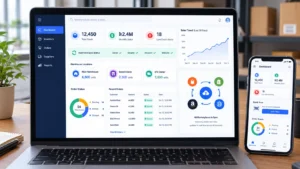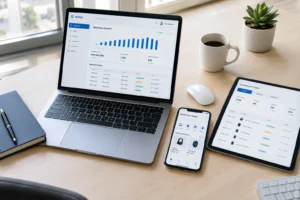
Restaurant management in Pakistan means handling dozens of moving parts every single day. Sales tracking, supplier payments, staff salaries, ingredient costs, and tax compliance—it all needs to work together, or your profit numbers become guesswork.
Most restaurant owners still rely on manual spreadsheets or basic billing machines that only capture part of the picture. We build custom accounting software for restaurants that connects your POS, inventory, suppliers, and financial reports into one system.
Every transaction flows into your ledger automatically. You see real profit, not just cash received. Whether you run a single café or a multi-branch chain, our software is built specifically for how restaurants actually operate in Pakistan. Let’s explore how the right software transforms your business from guessing to knowing.
Restaurant Accounting Software Built by TecVeq
We build custom accounting software designed specifically for restaurants operating in Pakistan. Not adapted from generic business software. Built from the ground up to handle daily sales, ingredient tracking, supplier payments, and FBR compliance exactly the way your restaurant works.
Complete Accounting Control for Your Restaurant
Your restaurant generates hundreds of transactions every single day. Every sale needs to be tracked. Every ingredient consumed needs to be logged. Every supplier payment needs to be recorded. Every expense needs to be categorized. Traditional accounting happens weeks later when you collect receipts and manually enter them into spreadsheets.
Our software captures everything in real-time. The moment a customer pays, the sale is logged. The moment an ingredient is used, inventory is updated. The moment a supplier delivers, the invoice is recorded. Your financial position updates automatically throughout the day, not weeks later when it’s too late to make decisions.
Billing, Sales, and Daily Closing in One System
The end of day at your restaurant means counting cash, reconciling the register, and hoping the numbers match. Usually they don’t. You spend 30 minutes searching through receipts trying to find the discrepancy.
Our software eliminates that chaos. Every bill is logged automatically. Cash and card payments are tracked separately. Tips are recorded with the transaction. At close of business, you run one report, and the system shows exactly what was sold, what was paid, and whether your cash matches the system. Discrepancies are flagged immediately with the reason why. You are done in minutes instead of spending half an hour chasing numbers that do not add up.
GET IN TOUCH
Stop Manual Spreadsheets. Get Real-Time Restaurant Accounting Today.
Problems We Solve for Restaurants in Pakistan
Daily Sales Mismatch and Cash Handling Errors
You close the register at PKR 50,000 in cash. Your billing machine shows PKR 51,200 in sales. The difference sits in your head as a mystery until closing day when you finally give up and write it off as loss.
This happens at thousands of restaurants because cash handling and sales tracking are separate. You never see the full picture until it is too late. We connect everything so discrepancies are obvious immediately. Every sale links to a payment method. Every payment is reconciled to your actual cash. The system flags cash handling errors on the same day they happen, not weeks later when you are filing taxes.
Supplier Credit and Unpaid Invoices
Suppliers deliver on credit. You promise to pay in 15 days. But after a month you are not sure how much you actually owe each supplier, which invoices are overdue, or when you can pay next. You keep invoices in a folder, and the supplier calls asking for payment that you did not realize was due.
Late payments cost you credibility with suppliers and sometimes carry penalties. Our software tracks every supplier invoice with due dates and payment status. You see at a glance who you owe, how much, and what is overdue. You can schedule payments before they become problems and avoid losing supplier relationships over missed deadlines.
Unclear Food Cost and Profit Per Dish
You think your biryani is profitable because you are selling 50 plates a day. But you do not know if that biryani actually costs PKR 250 or PKR 400 to make. You do not know if the selling price covers your ingredient costs and labor. You might be losing money on your bestseller without realizing it.
Most restaurants operate on gut feel instead of data. We connect your recipes to ingredient costs so the system calculates automatically how much every dish costs to make. When a customer orders biryani, the software knows the exact ingredient cost. You see immediately whether that price point is profitable or if you need to adjust. This is the difference between running a restaurant and running a business that makes money.
Multi-Branch Reporting Problems
You own 3 branches. Every branch has a separate register and a different manager. At the end of the month you want to know total sales across all branches, which branch is most profitable, the combined food cost percentage, and consolidated profit. You call each manager, collect their numbers, enter them into a spreadsheet, and hope nobody made a data entry error.
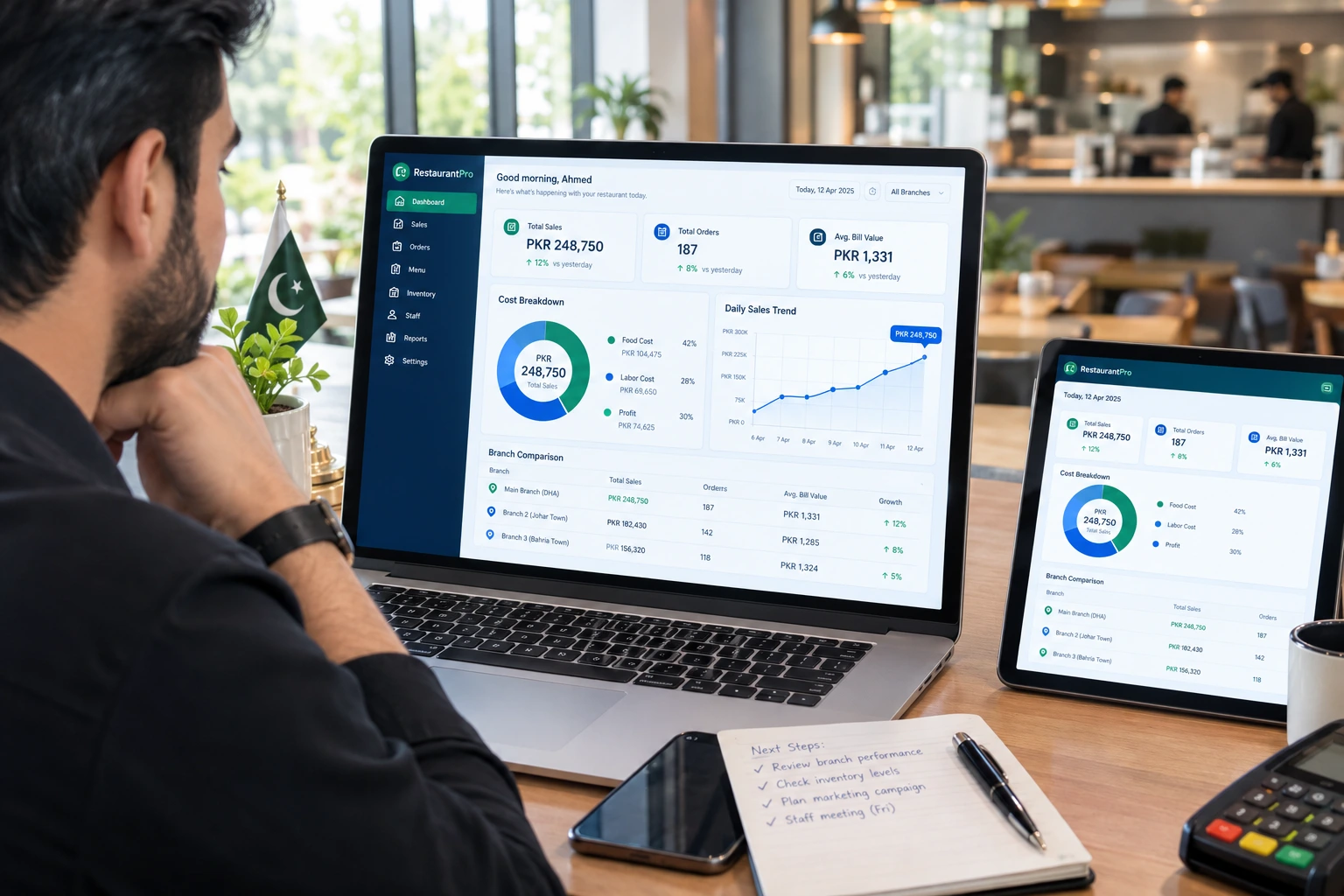
One dashboard in our software shows all your branches in real-time. You see sales, costs, profit, and trends for each location and the business as a whole. Branch A’s food cost is 32%, but Branch B’s is 35%. You can see that immediately and investigate why. No more waiting. No more spreadsheet updates. No more hidden problems at one location while profits look good overall.
Features of Our Restaurant Accounting Software
POS and KOT Integration
Your point of sale is where every customer transaction starts. Your kitchen order ticket system is where every order gets prepared. Both systems have valuable data about what sold and what was used. But most restaurants never connect them to accounting.
We integrate your POS and KOT with your accounting system so every order becomes a financial transaction automatically. The moment the customer pays, that sale is logged to the ledger. The moment the kitchen fulfills an order, those ingredients are deducted from inventory. No manual data entry. No delays. No errors from transcribing numbers by hand.
What this does: Syncs sales data to accounting in real-time. Updates inventory every time an item is sold. Flags when ingredients are running low. Prevents overselling when stock runs out. Shows which items were sold during rush hours. Tracks payment methods automatically.
Recipe Costing and Ingredient Inventory
Every dish on your menu has a recipe. You know how much rice, meat, spices, and oil go into one biryani. But you probably do not calculate the exact cost every time you sell one.
We set up your recipes in the system once, with exact quantities and ingredient costs. Every time that biryani sells, the software deducts those ingredients and calculates the cost automatically. Your ingredient prices update whenever you receive invoices from suppliers. So your recipe costs are always current, not based on what you remember paying last month.
What this does: Tracks ingredient prices automatically from supplier invoices. Calculates food cost per dish as customers order. Shows profit margins on every menu item. Alerts when perishable ingredients are nearing expiry. Suggests reorder quantities based on actual sales patterns.
Purchases, Suppliers, and Payables
Every invoice from suppliers—flour, meat, vegetables, packaging—needs to be tracked. You need to know who you owe, how much, and when payment is due. But most restaurants keep invoices in a folder and handle supplier relationships reactively instead of proactively.
We create a suppliers section that captures every invoice with the due date and payment status. You see at a glance your outstanding balances with each supplier. You can see which invoices are overdue. You can schedule payments before the supplier calls asking for money. You build stronger supplier relationships by paying on time, and you avoid missed payment deadlines that damage your credibility.
What this does: Logs every supplier invoice with date and amount due. Shows outstanding balances per supplier. Lists overdue invoices clearly. Generates payment schedules. Tracks payment history with each vendor. Helps with supplier negotiations by showing who consistently offers better prices.
Expense, Payroll, and Staff Salary Management
Your restaurant has expenses beyond food costs. Staff salaries are probably your biggest expense. But you also pay utilities, rent, maintenance, packaging, and marketing. These expenses are often scattered across different people handling different payments.
Our software brings all expenses into one place. Staff salaries are tracked per employee so you can see labor cost trends. Other expenses are categorized so you see where money is actually going. You can track spending against budget and know immediately if you are overspending in any category.
What this does: Logs all expenses by category. Generates payroll reports per employee. Tracks salary history and deductions. Shows monthly and yearly expense trends. Alerts when spending exceeds budget. Simplifies tax deduction claims at year-end.
Profit and Loss, Cash Flow, and Prime Cost Reports
After sales and expenses are logged, you need financial reports that tell you if the business is healthy. A P&L statement shows sales minus costs. Cash flow shows whether you have enough cash on hand even when profit looks good. Prime cost—food plus labor—is the most important metric for restaurants. Most restaurants target prime cost around 55 to 60 percent.
Our software generates these reports automatically from all the data that has been logged. You see monthly P&L statements. You see cash flow trends. You see the prime cost percentage and whether you are within industry targets. You see which months are profitable and which are not. You see where to make changes to improve profit.
What this does: Generates P&L statements daily, weekly, monthly, yearly. Shows cash flow position and trends. Calculates prime cost percentage. Shows gross profit margin. Breaks down profit by branch if you have multiple locations. Generates reports your accountant needs at tax time.
Multi-Branch and Central Kitchen Support
If you operate multiple restaurant locations, you need to see how each one is performing individually and how the business performs as a whole. If you have a central kitchen supplying all branches, you need to allocate those costs fairly across locations.
Our software shows branch-wise sales, costs, and profit in real-time. You see consolidated P&L for the entire business. You can compare performance across branches and investigate why one location has higher food cost than another. If you have a central kitchen, the system allocates preparation costs fairly to each branch based on actual usage.
What this does: Shows branch-wise sales, costs, and profit separately. Provides consolidated P&L for all locations. Enables branch performance comparison. Allocates central kitchen costs fairly. Generates reports showing branch efficiency metrics.
Urdu and English Interface
Your staff may prefer working in Urdu. Your accountant may prefer English. Your suppliers may send invoices in Urdu. Our software works in both languages so every user can work in the language they prefer. Invoices and reports can be generated in Urdu when required by tax authorities.
FBR and Provincial Tax-Ready Software for Restaurants
Pakistan’s tax system for restaurants is complex and it changes. You have FBR requirements federally. You have provincial requirements depending on where you operate. You have withholding tax, sales tax, and income tax. Most restaurant owners postpone dealing with taxes until the deadline hits and they panic.
Our software handles tax compliance as part of your normal operations, not as a separate scramble at year-end.
FBR Digital Invoicing Support
If your annual sales exceed PKR 5 million, FBR requires you to issue digital invoices. Every invoice needs a unique ID from FBR’s system. Invoice details are reported to FBR. Everything is stored in FBR’s database for audit purposes.
Our software connects to FBR’s system so every sale automatically generates an FBR-compliant invoice. Sales tax is calculated and logged. You do not need to do anything manually. The system handles it as part of your normal operations. Monthly tax reports are ready for submission without extra work.
What this does: Generates invoices with FBR serial numbers automatically. Calculates and tracks sales tax. Stores invoice data for audit purposes. Generates monthly/quarterly tax reports ready for FBR submission.
PRA, SRB, KPRA and BRA Reporting
Pakistan has multiple tax authorities based on location. FBR handles federal taxes nationwide. But Punjab has PRA, Sindh has SRB, Khyber Pakhtunkhwa has KPRA, and Balochistan has BRA. Each authority may have different tax rates or reporting requirements.
Our software identifies your location and applicable tax authority. It calculates the correct provincial sales tax for your area. It generates reports formatted for the authority that covers your restaurant. You do not need to figure out which authority applies to you or whether you are calculating their tax correctly.
What this does: Identifies your location and applicable authority. Calculates provincial sales tax correctly. Generates reports for the right authority. Keeps records organized for audits.
Tax-Ready Reports for Your Accountant
When tax season comes, your accountant needs to see everything. Sales figures. Expense categories. Itemized deductions. Asset values. Most restaurants spend weeks collecting this information from scattered sources. Your accountant spends more weeks organizing it.
Our software organizes everything automatically. All sales are categorized by type. All expenses are categorized by purpose. All deductions are documented with dates and amounts. Your accountant opens one report and sees everything needed for your tax return. Filing becomes fast and accurate.
Custom Restaurant Software Development in Pakistan
We do not sell off-the-shelf software packages. We build custom software specifically for your restaurant’s operations, menu, workflow, and business model.
Software Tailored to Your Menu, Branches and Workflow
A café has different needs than a fine dining restaurant. A multi-branch chain has different needs than a single location. A cloud kitchen has different needs than a dine-in restaurant. Generic accounting software tries to be everything to everyone and ends up being suboptimal for everyone.
We start by understanding exactly how your restaurant operates. What is your menu structure? Do you have branches? Do you have a central kitchen? What systems are you currently using? What frustrates you most about your current setup? We design software that fits your actual business, not software you have to force your business into.
Modules You Can Choose
You do not need to pay for features you will not use. We build only the modules your restaurant actually needs.
POS Sync Module connects to your existing billing system and pulls every sale into accounting automatically. Inventory and Recipe Module tracks ingredients and calculates food cost per dish. Accounts and Ledger Module maintains your general ledger and chart of accounts. Reporting Module generates P&L, cash flow, and prime cost reports. Mobile Dashboard gives managers real-time sales and profit access from their phone. Choose the modules that solve your specific problems.
Integrations: POS, Payment Gateways, Delivery Platforms, SMS and WhatsApp
We integrate your accounting software with the systems you already use. Your POS system—whatever brand it is. Your payment gateway—Stripe, JazzCash, EasyPaisa, your bank. Your delivery platforms if you take orders from Foodpanda or Uber Eats. SMS and WhatsApp for customer notifications and staff alerts. FBR for digital invoicing if applicable.
Everything works together so data flows automatically between systems. No manual data entry. No disconnected platforms. Your accounting software becomes the central hub that connects all your business systems.
Cost Factors and Delivery Timeline
Custom software cost depends on what you need built. A single-location café with basic POS sync and accounting costs less than a three-branch chain with central kitchen, delivery integration, and advanced reporting.
Basic custom restaurant software typically costs PKR 2,00,000 to 4,00,000 for initial development. Mid-range systems with multiple modules and integrations run PKR 5,00,000 to 8,00,000. Complex enterprise setups with many branches or integrations run PKR 10,00,000 or more. Monthly support and hosting typically runs PKR 10,000 to 50,000 depending on complexity.
Development takes 2 to 4 months from initial consultation to launch. We spend the first 1 to 2 weeks understanding your requirements. Design takes 1 week. Development takes 4 to 8 weeks depending on complexity. Testing and launch takes 2 to 3 weeks. We include staff training when the software launches.
Security, Cloud Hosting and Data Backup
Your financial data is sensitive. If something happens to it, your business stops. We protect your data with serious security.
Secure Cloud Access From Any Device
Your accounting software runs on secure cloud servers, not on an old computer in your office that could fail or get damaged. You access it from any device—desktop, laptop, tablet, phone. Your staff can check sales and inventory from anywhere. Your manager can see daily reports from home.
All data is encrypted in transit and at rest. We use SSL/TLS encryption for data traveling over the internet and AES-256 encryption for data stored on our servers. Only people you authorize can access the system. Every login creates an audit trail so you see who accessed what and when.
Automatic Backups and Role-Based Permissions
Your data is backed up automatically every 6 hours to multiple secure locations. If a server fails, your data is restored within hours. You never lose a transaction.
You control who can access what. An accountant sees accounting reports but not payroll data. A manager sees their branch reports but not other branches. A staff member can log sales but cannot view financial reports. Every access is tracked so you know exactly who did what.
GET IN TOUCH
Stop Manual Spreadsheets. Know Your Real Profit.
Who We Build For
Cafes and Bakeries
High-volume, small transactions. You sell hundreds of coffees and pastries daily. Your biggest challenge is tracking ingredient costs for items that are made fresh. You need to know whether that cappuccino at PKR 250 is actually profitable when coffee beans, milk, and cup cost you money.
Our software tracks every coffee and pastry sold. Recipe costing shows profit per item. Inventory alerts you when milk or eggs are running low. Daily reports show which items sell most and which are losing money.
Fast Food and Fine Dining Restaurants
Fast food operates on volume at low margins. Fine dining operates on fewer customers at higher margins. Both need accurate food cost tracking but they track it differently.
Our software works with any menu model. It handles fast food transactions and fine dining table management equally well. It tracks tips separately and allocates to staff fairly. It calculates prime cost—the single most important metric for restaurants—and alerts you when you are drifting away from your target.
Multi-Branch Restaurant Chains
Managing 2 to 10 branches means you need one dashboard showing all locations. You need to see which branch is outperforming others. You need to prevent duplicate inventory if you have a central supply. You need one consolidated P&L showing the entire business.
Our software gives you branch-by-branch visibility and consolidated reporting. You manage the chain from one place instead of juggling reports from multiple locations.
Cloud Kitchens and Delivery-Only Brands
You have no dine-in customers. Every order comes from delivery platforms like Foodpanda or Uber Eats. You need to track multiple orders simultaneously and integrate with delivery platforms so orders and payments sync automatically.
Our software integrates with delivery platforms so orders flow in automatically. It tracks inventory across multiple menu items that share ingredients. It calculates cost per delivery order. You manage the entire kitchen from one system without needing a separate POS.
Our Development Process
Every project follows the same proven path from start to launch.
Requirement Analysis
We meet with you and your team for 1 to 2 weeks. We understand your current process. How do you run operations today? What systems are you using? Where are the pain points? What do you wish you could do but cannot with your current setup? We define the features you need, the integrations required, your budget, and your timeline. We answer any questions you have about how the software will work.
UI/UX Design
We create mockups and wireframes showing how the software will look and work. You see the dashboard, the reporting screens, the data entry forms. We get your approval on design before we start building code. Changes at this stage are fast and easy. Changes after development starts cost time and money.
Development
Our developers build the software based on the approved design. Features are built in stages so we can show you progress and get feedback along the way. POS sync builds first, then inventory, then accounting, then reporting. Integrations with your other systems happen in parallel.
Testing
Our QA team tests every feature for bugs. We test integrations to make sure POS sync actually works and reports are accurate. We test security and backup systems. You do user acceptance testing—try the software yourself and tell us if it works the way you expected.
Launch and Staff Training
We deploy the software to your server. We train your staff on how to use it. We provide documentation and support during the first month. We monitor the system closely in the first weeks to catch any issues before they impact your operations.
H3: Ongoing Support and Updates
We provide 24/7 technical support after launch. Your staff can reach us by WhatsApp, email, or phone for urgent issues. We monitor your software’s health daily and alert you to problems before they affect you. We add new features as you request them. We release monthly updates for bug fixes and improvements.
Why Choose TecVeq
Dedicated Support Team
You are not a ticket number in a queue. You get a dedicated account team that knows your business, your menu, your workflow, and your goals. They are available when you need them because they understand that downtime in a restaurant costs money.
Scalable Software That Grows With Your Business
We design software that starts with your current needs but scales as you grow. Add a new branch next year? The software handles it. Change your menu significantly? It adjusts. Decide to add delivery integration later? We add it. You are not locked into a fixed system.
Frequently Asked Questions
Does your restaurant accounting software support FBR and PRA/SRB invoicing?
Yes. Our software integrates with FBR’s system so every sale automatically generates an FBR-compliant invoice. If you are in Punjab or Sindh, provincial tax reporting is built in. We verify the correct tax requirements for your location and your software handles them automatically. Your accountant gets tax-ready reports at year-end without the scramble.
Can it work with my existing POS?
In most cases yes. If you have Moneypex, Websol, GENTEC, or most major POS brands, we can integrate with your existing system. We pull sales data from your POS and sync it to accounting automatically. Tell us your POS brand and model and we can confirm integration feasibility.
How long does development take?
From initial consultation to launch usually takes 2 to 4 months. First 1 to 2 weeks are requirement gathering so we understand exactly what you need. Design takes 1 week. Development takes 4 to 8 weeks depending on complexity. Testing and launch takes 2 to 3 weeks including staff training.
Can I get reports for all my branches in one dashboard?
Yes. One of the key advantages of custom software is exactly this. You see consolidated P&L showing all branches combined. You see branch-by-branch breakdown so you can compare performance. You can investigate why one branch has higher costs than another. Everything is in one dashboard updated in real-time.
Do you provide training and support after launch?
Yes on both. We train your staff when the software launches so they know how to use it. We provide documentation they can reference. After launch we offer 24/7 technical support via WhatsApp, email, or phone. We monitor your system daily and alert you to issues before they impact operations. We release regular updates and add features as you request.
Get a Free Consultation for Your Restaurant
Your restaurant generates significant revenue. You deserve accounting software that actually works for how you operate, not software you have to force your business into.
Let’s talk about what you need. We analyze your current processes, identify bottlenecks, recommend the right solution—ready-made or custom—and give you a no-obligation quote and timeline.