What Is a Smart Office Management System?
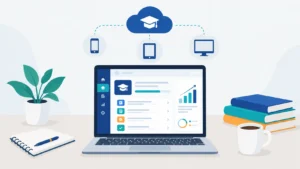
A smart office system is software that brings your HR, attendance tracking, CRM, and reporting into one dashboard instead of juggling separate tools for each function. We built Tecveq OMS as a practical smart office solution for businesses that waste hours every week switching between different platforms just to manage basic office tasks
Traditional office management means one tool for attendance, another for leave requests, a separate CRM for leads, and spreadsheets for everything else. Unlike disconnected management systems, modern smart office solutions bring these functions together, reducing data silos, duplicate entry, and constant confusion about where information actually lives.
Why Businesses Are Moving to All-in-One Office Platforms
We see the same pattern with almost every client before they switch to OMS. They start with basic tools that work fine for five employees. Then they grow to 20 or 50 team members, and suddenly those disconnected systems become a daily headache
Here’s what actually happens. Your HR manager approves leave in one system. Your finance team tracks it in another. Your department head has no idea who’s actually in the office today. And nobody can pull a clean report without exporting three different spreadsheets and matching them manually.
An all-in-one platform fixes this by centralizing everything. One login. One source of truth. Real-time data that everyone sees at the same time. Similar to how ERP software streamlines business operations, OMS brings office management, HR, and CRM under one unified system built specifically for growing teams
The ROI is immediate. Most of our clients recover 8 to 12 hours per week just from eliminating duplicate data entry and system-switching time.
GET IN TOUCH
Stop Juggling 5 Tools. Manage Everything in One. Try Tecveq OMS Free – No Credit Card Required
Who Tecveq’s OMS Is Built For
We designed OMS for growing businesses with 10 to 200 employees who need professional office management without enterprise-level complexity or cost. According to Gartner’s research on digital workplace solutions, companies that centralize their office operations see up to 30% improvement in employee productivity within the first six months.
You’re a perfect fit if you currently manage attendance manually, track leads in spreadsheets, approve leave requests through email, or spend your Friday afternoons building reports nobody reads because the data is already outdated.
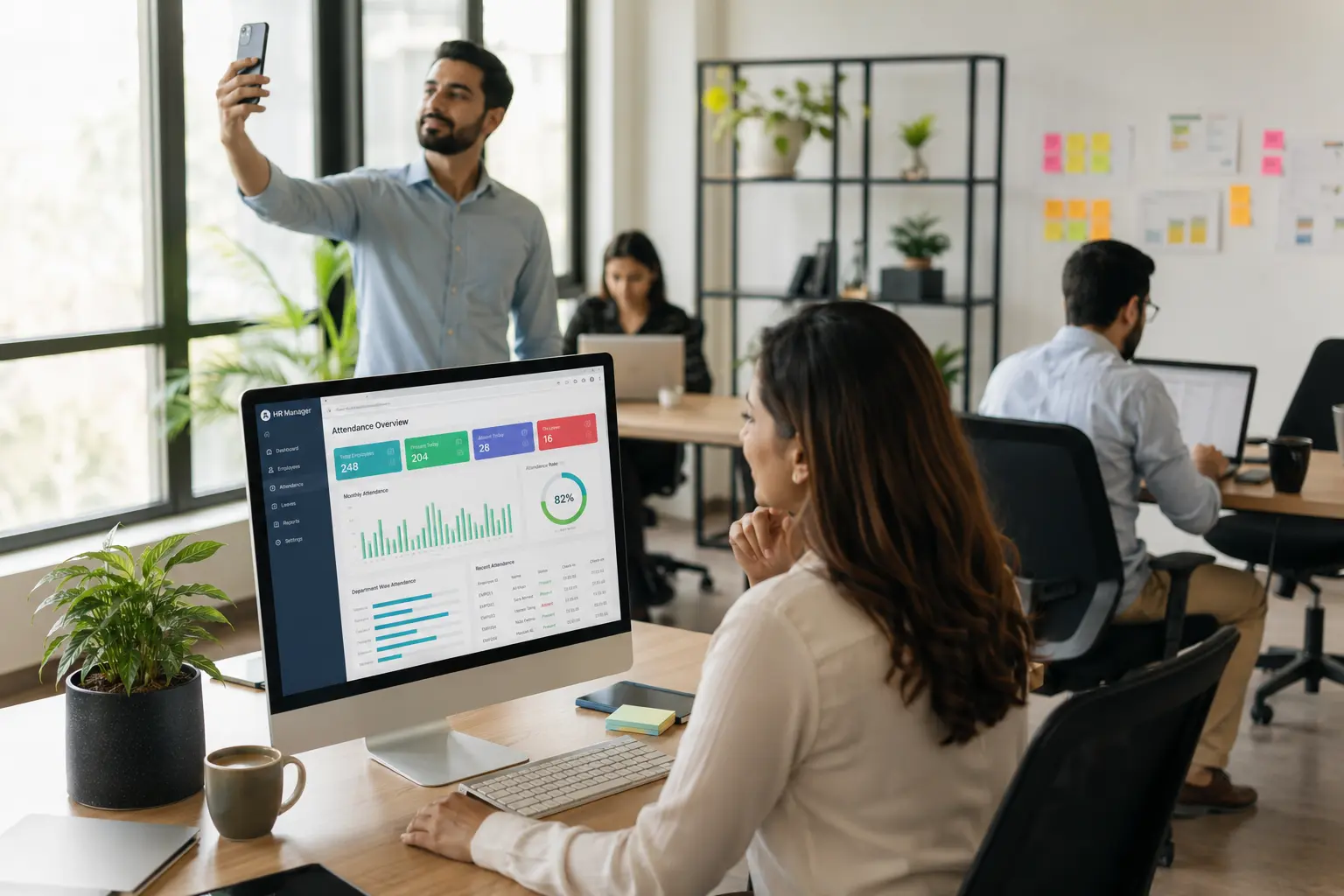
OMS works especially well for businesses with remote teams, field employees, or multiple office locations and different work environments. The selfie and GPS attendance system solves the biggest challenge of hybrid work: knowing who’s actually working and where they’re working from, while giving managers the visibility they need for improved employee productivity.
Inside Tecveq OMS — 20+ Modules in One System
We packed over 20 modules into Tecveq OMS so you can run your entire office from one login instead of switching between five different tools every hour. No integrations to configure. No data syncing issues. Everything lives in the same dashboard and updates in real time.
Most office management platforms force you to pick between HR features or CRM features. We built OMS to handle both because that’s what actually happens in a growing business. Your HR manager needs to see who’s available before assigning a lead. Your sales team needs to log time on tasks. Your admin needs to pull reports that combine attendance data with productivity metrics.
And that only works when everything runs on the same system.
Office & HR Modules
The Office & HR section gives you full employee management, attendance tracking, leave requests, leave type configuration, and company settings. You can add employees with department assignments, set up shift schedules, define leave policies per employee type, and approve or reject leave requests without opening your email.
CRM & Marketing Modules
We built a full CRM directly into OMS because most small business CRMs are either too basic or way too complicated. You get lead tracking with status and priority flags, lead assignment to specific employees, follow-up date reminders so nothing gets forgotten, email campaign tools, and an AI content generation history log that shows exactly what was created and when.
Self-Service Modules
Employees handle their own attendance through selfie and GPS check-in, view their attendance history with timestamps and location data, apply for leave with auto-calculated durations, check leave balances across all four leave types, update their profile and upload documents, and see assigned leads with follow-up schedules. This self-service approach improves the employee experience while cutting your HR workload by at least 60%, because employees can get answers and complete routine tasks without constantly relying on HR
Administration Modules
Admins get a live dashboard with company-wide metrics, user role and permission controls, shift management, IP whitelisting for security, notification settings, and custom report builders that pull exactly the data you actually need.
Tecveq OMS Product Overview
| Category | Details |
|---|---|
| Product Name | Tecveq OMS (Office Management System) |
| Company | Tecveq Solutions |
| Headquarters | M3CH+JG7, Farid Town, Sahiwal, 57000, |
| Service Type | SaaS (Software as a Service) |
| Deployment | Cloud-Based, Web Application |
| Technology Stack | React.js, Node.js, MongoDB, Express.js |
| AI Integration | Google Gemini API |
| Mobile Support | Progressive Web App (PWA), Android & iOS Compatible |
| Primary Users | HR Managers, Admin, Department Heads, Employees, Accountants |
| Target Business Size | 10-200 Employees |
| Core Modules | 20+ (HR, Attendance, Leave, CRM, Tasks, Reports) |
| Security Features | IP Whitelisting, 2FA, Role-Based Access, Audit Logs |
| Pricing Model | Contact for Pricing(+92 307 3319555) |
| Free Trial | Yes |
| Support | 24/7 Email & Chat Support |
| Industry Focus | IT, Consulting, Agencies, Remote Teams, Field Operations |
| Compliance | GDPR Ready, Data Privacy Compliant |
| Integration APIs | REST API, Webhook Support |
| Launch Year | 2026 |
Selfie + GPS Attendance Tracking System
We require employees to take a live selfie and share their GPS location every time they check in or check out. No pre-recorded photos. No screenshots. The camera activates in real time and captures their face at that exact moment along with their current location coordinates.
This stops the most common attendance fraud we see in offices with remote or field teams. Someone cannot clock in from home and then show up two hours late. Someone cannot ask a coworker to mark them present when they are not even in the building.
Face Detection for Genuine Check-Ins
Our system runs face detection on every selfie to confirm a real person is checking in. If the camera does not detect a face, the check-in fails. If someone tries to use a printed photo or hold up their phone to another screen, the system rejects the attempt because the face detection algorithm can tell the difference between a live person and a static image.
Geo-Fencing and Distance-from-Office Calculation
We set a geo-fence radius around your office location and calculate the exact distance between the employee’s GPS position and your office when they check in. You see that distance in meters on every attendance record. If someone is 5 kilometers away when they clock in, you know immediately.
Why GPS Attendance Stops Buddy-Punching
Buddy punching happens when one employee clocks in for another who is running late or absent. GPS attendance makes this impossible because the system records who checked in, where they were standing when they did, and what their face looked like at that exact moment.
Smart Leave Management Software
We automate the entire leave process from application to approval so your HR team stops spending half their day tracking leave balances in spreadsheets. Employees apply for leave directly in OMS, the system calculates the duration automatically, and managers approve or reject requests with one click.
No more email chains asking how many days someone has left. No more manual calculations to figure out if a leave request overlaps a weekend. The system handles all of that and updates leave balances in real time across the entire company.
Four Leave Types — AL, CL, SL, UL
We support four leave categories in Tecveq OMS: Annual Leave, Casual Leave, Sick Leave, and Unpaid Leave. Each type has its own separate allowance and tracking so you can set different policies per employee role or department. An employee might get 12 annual leave days, 7 casual leave days, and 5 sick leave days per year, and the system tracks usage and remaining balance for each category independently.
Auto-Calculated Leave Duration
When an employee selects a date range for their leave request, OMS automatically calculates how many working days fall inside that range. The system accounts for weekends and company holidays so the employee does not have to count manually and accidentally request the wrong number of days.
Bulk Leave Approval for Admins
Admins can approve or reject multiple leave requests at once instead of opening each one individually. This saves hours during peak leave seasons when dozens of requests come in at the same time.
Built-In CRM and Lead Tracking
Most office management systems make you buy a separate CRM tool and then figure out how to connect the two. We built lead tracking directly into Tecveq OMS so your sales activity and HR data live in the same place.
Lead Status, Priority and Follow-Up Management
Every lead has a status, a priority level, and a follow-up date attached to it. Nothing gets forgotten because the system surfaces overdue follow-ups automatically.
Auto-Assignment Rules for Sales Teams
New leads get assigned to the right employee automatically based on rules you configure. No manual distribution. No leads sitting unassigned for three days.
Lead Source Tracking for Marketing Insights
Every lead carries a source tag showing exactly where it came from. So when you review monthly performance, you can see which marketing channel is actually delivering results and which ones are wasting your budget.
Task and Productivity Reporting
Knowing how many tasks someone completed tells you half the story. We built productivity reporting into Tecveq OMS to show you the full picture — what was assigned, what got done, how long it actually took, and whether the time spent matched the expected effort.
Assigned vs Completed Task Tracking
Every employee has a live task count showing assigned versus completed work. Gaps are visible immediately, not at the end of the month when it is too late to course-correct.
Impact Scores and Time Tracking
Each task carries a time log in minutes and an impact score that measures the value of the work, not just the volume. Unapproved time overruns get flagged automatically so managers know before a small delay becomes a bigger problem.
Monthly Productivity Reports Per Employee
OMS generates monthly productivity reports per employee that pull task completion rates, time spent, and impact scores into one clean view. Which makes performance reviews an actual conversation based on real data instead of guesswork.
Admin Oversight and Live Tracking Tools
When you manage 20 or 50 people across departments, you cannot wait until Friday to find out what happened Monday. Tecveq OMS gives admins a live view of the entire organization so nothing slips through unnoticed.
Real-Time Organization Dashboard
The admin dashboard shows company-wide attendance, active employees, leave status, and task progress updating in real time. Not yesterday’s data. Right now.
Screenshot and Productivity Surveillance Toggle
Admins can enable screenshot monitoring to capture employee screen activity during work hours. And because we believe employees should know what is being tracked, the surveillance setting is visible and configurable rather than hidden.
Role and Permission Management
OMS supports five distinct user roles: Super Admin, HR Manager, Department Head, Employee, and Accountant. Role-based access control ensures each role sees only what it needs to see, so your accountant never accidentally accesses HR records and your employees cannot change their own attendance data
AI-Powered Office Automation Features
Writing routine emails and task summaries from scratch eats time your team does not have. Tecveq OMS connects directly to Google’s Gemini API so employees can generate professional content in seconds instead of staring at a blank screen for twenty minutes.
AI Content Generation for Emails and Reports
Employees use the AI writing tool to draft outreach emails, follow-up messages, and task summaries without starting from scratch every time. The output is a starting point, not a final draft. Which means your team edits and sends rather than writes from zero.
Gemini API Integration
OMS runs AI content generation through Google’s Gemini API directly. No third-party tools. No copy-pasting between platforms. The AI works inside the same dashboard your team already uses every day.
AI History Log with Timestamps
Every piece of AI-generated content gets saved automatically with a timestamp showing exactly when it was created and who requested it. So there is always a clear record of what was generated, reviewed, and sent.
Employee View vs Admin View — Two Interfaces, One System
OMS gives every user exactly what they need and nothing they do not. Employees see their own world. Admins see the whole company. Same system, same data, completely different access levels.
What Employees Can Do
Employees check in with a selfie and GPS, view their personal attendance history, apply for leave, check remaining leave balances across all four leave types, track their assigned leads with follow-up dates, log task time, and update their own profile and documents. Everything is self-service, which means fewer questions to HR every morning.
What Admins Can Control
Admins see every employee, every attendance record, every leave request, and every lead across the entire organization. They configure shifts, set leave policies, assign user roles, manage IP restrictions, run company-wide reports, and toggle surveillance settings. Nothing happens in the system without admins having full visibility and control over it.
Security and Compliance Features in Smart Office Software
Security in an office management system is not just about passwords. Tecveq OMS protects your company data at six distinct layers so one weak point does not expose everything else.
IP Whitelisting for Restricted Access
Admins restrict OMS logins to approved IP addresses only, so employees cannot access the system from personal networks or public connections outside company-approved locations.
Role-Based Access Control (5 User Roles)
OMS uses five roles: Super Admin, HR Manager, Department Head, Employee, and Accountant. Each role has specific permissions and cannot access data outside its scope.
Audit Logging for Accountability
Every sensitive admin action gets logged with a timestamp and user record. So there is always a clear answer to who changed what and when.
Attendance Integrity (Face + Mask Detection)
The attendance system detects faces and flags mask coverage during check-in, adding a second layer of identity verification beyond just GPS location.
Data Privacy and Transparent Tracking
Screenshot monitoring and location tracking are visible to employees. Not hidden. Which builds trust rather than resentment inside your team.
Session Management and 2FA
Admins set session timeout limits, cap failed login attempts, and can require two-factor authentication for sensitive accounts. Basic but non-negotiable for any office system handling real employee data.
GET IN TOUCH
Ready to Save 12 Hours Per Week on Office Admin? Get Tecveq OMS Running in Under 24 Hours
Try the Live Interactive Demo
Want to see OMS before talking to anyone? Click “Try Live Demo” and the dashboard opens right in your browser. No signup. No email required.
No Login, No Real Data — 100% Simulation
Every screen you click through is a front-end simulation. We built it this way so you can explore freely without worrying about entering real company information. Nothing you do here gets saved or submitted anywhere.
Switch Between Empty State and Sample Data
A toggle at the top lets you flip between an empty dashboard and one filled with sample employees, leads, and attendance records. Empty state shows you the layout. Sample data shows you how it looks once your team is actually using it.
Frequently Asked Questions About Smart Office Management Systems
What is OMS and who is it for?
OMS is Tecveq’s all-in-one office management platform for handling employees, attendance, leave, and CRM. It’s built for businesses that want HR operations and employee self-service in one centralized system.
Can I try OMS before logging in?
Yes, the live demo runs right in your browser with no login required. You can click through every screen using sample data or an empty state.
How does the selfie/GPS attendance system work?
Employees take a selfie with face detection while the system checks their GPS location against the office’s geo-fence. This confirms attendance is genuine and marked from an approved location.
What leave types does OMS support?
OMS supports four leave types: Annual, Casual, Sick, and Unpaid Leave. Each type tracks allowance, usage, and remaining days automatically.
Does OMS include a CRM?
Yes, OMS has a built-in CRM for tracking leads, priorities, and follow-up dates. Admins can also set auto-assignment rules and track lead sources.