
Professional Cloud-Based ERP Implementation Services
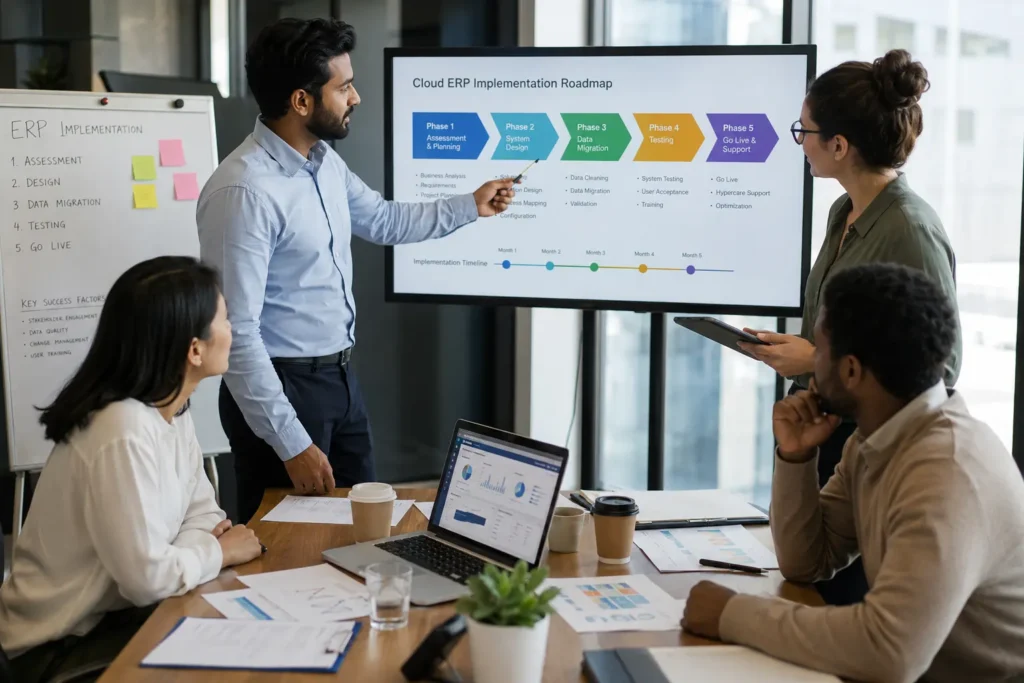
Why Your Business Needs Professional Cloud-Based ERP Implementation Cloud based ERP implementation is not something you set up over a weekend. It involves moving years of business data, connecting departments that have never shared a system, and configuring workflows around how your company actually operates. We’ve worked through enough of these projects to know where implementations usually become difficult: incomplete requirements, messy data, rushed integrations, and teams that aren’t properly prepared for go-live. Most failed implementations don’t fail because the software was wrong. They fail because the setup process skipped steps that only show up once real users start relying on the system every day. Small businesses often assume ERP implementation is only for enterprise organizations with large IT teams, but that’s simply not true. Our cloud-based ERP implementation services work across all business sizes. If you’re exploring ERP solutions for your small business, we recommend starting with our complete guide to the best ERP software for small businesses, which walks through platform selection, cost considerations, and implementation readiness before you commit to any system. We handle the full process. Data migration, system configuration, user training, and the go-live support that catches problems before they slow your team down. Here’s what most businesses don’t realize until they’re mid-project. A cloud ERP solution gives you flexibility in how an ERP system is configured, connected, and accessed, but that flexibility also creates more decisions during implementation. Many cloud platforms use a multi-tenant architecture, where the software is hosted centrally and maintained by the provider rather than installed separately on your company’s own servers. Pick the wrong configuration or integration path early and you can end up rebuilding sections of the setup months later. Most cloud ERP platforms are hosted by the provider rather than installed on a company’s own servers. Many use a multi-tenant architecture, meaning multiple customers use the same underlying software environment while their business data remains logically separated. For businesses, this can reduce the need to manage ERP infrastructure internally, but it also makes configuration, access controls, integrations, and data management important parts of the implementation process. We assess your current systems first. Then we map out exactly how the implementation will run, what data moves when, and who on your team needs training and on what. This is not a side service we offer. Implementation services are what we do, project after project, for businesses moving off outdated systems. Talk to an implementation specialist before you start. We’ll walk through your current setup and tell you honestly what the project will involve. ⚡ GET IN TOUCH Ready to Migrate to Cloud ERP? Get Your Free Project Roadmap 💬 Chat on WhatsApp 📞 Call 0307 3319555 The shift to cloud-based ERP has accelerated dramatically in recent years. Forbes reports on cloud ERP adoption trends, showing that businesses using cloud ERP experience 22% faster implementation times compared to on-premises solutions, but moving to the cloud does not automatically make implementation faster. The quality of the planning, data migration, integrations, testing, and training still determines how smoothly the transition goes. The Hidden Risks of DIY Cloud ERP Implementation ERP implementation projects fail more often than most business owners realize, and it’s rarely because the software itself was bad. It’s because the rollout skipped steps that only matter once real employees start using the system every day. We’ve seen the same patterns repeat across different industries and different platforms. A common one is rushing system integration. Connecting your new ERP to existing accounting software, inventory tools, or CRM platforms sounds simple on paper. In practice, mismatched data formats and incomplete field mapping cause errors that don’t surface until weeks after go-live, when transactions start getting recorded incorrectly and nobody notices until month end. Another is skipping a real implementation roadmap. Teams jump straight into configuration without mapping out which departments go live first, how data gets cleaned before migration, or who is responsible for testing each module. Without that sequence laid out in advance, problems compound instead of getting caught early. And then there’s training. Or the lack of it. Software that nobody fully understands gets used incorrectly, which creates bad data, which then makes the whole system look unreliable even when the setup itself was solid. None of these problems show up during a demo. They show up three weeks into live use, when fixing them costs far more time than building them right the first time would have. This is exactly why ERP implementation works better as a structured project, not a side task handed to whoever has spare time on the IT team. A clear roadmap, careful data migration, proper system integration testing, and real user training are not extra steps. They are the steps that determine whether the project actually works. We walk through each of these with you before anything goes live, not after something breaks. How Our Cloud-Based ERP Implementation Process Works We break every cloud-based ERP implementation into four phases, and we walk you through what to expect before any of them start. No guessing what happens next. No surprise timelines. Just a clear implementation roadmap from the first conversation through go-live. Phase 1: Discovery and Requirements Analysis We start by mapping your actual business requirements, not just the features on a sales sheet. This means sitting down with the departments who will use the system daily and documenting how work really gets done. Sales teams, finance, and operations rarely use software the same way. We catch those differences here before configuration begins. This phase typically shapes the rest of the project, which is why we treat it as ERP consulting work rather than a quick intake form. Information Details Company Name Tecveq Website https://tecveq.com Primary Service Cloud-Based ERP Implementation Industries Served Manufacturing, Construction, Distribution, Finance, Small Business Service Model Project-Based with Ongoing Support Location M3CH+JG7, Farid Town, Sahiwal, 57000, Service Areas Pakistan, United States, and Global Key Expertise ERP Consulting, Data Migration, System Integration, User Training, Go-Live Support Implementation Phases 4 Phases (Discovery, Configuration, Testing,
Best LMS in Pakistan: Tecveq’s Complete Guide to AI-Powered Learning Management
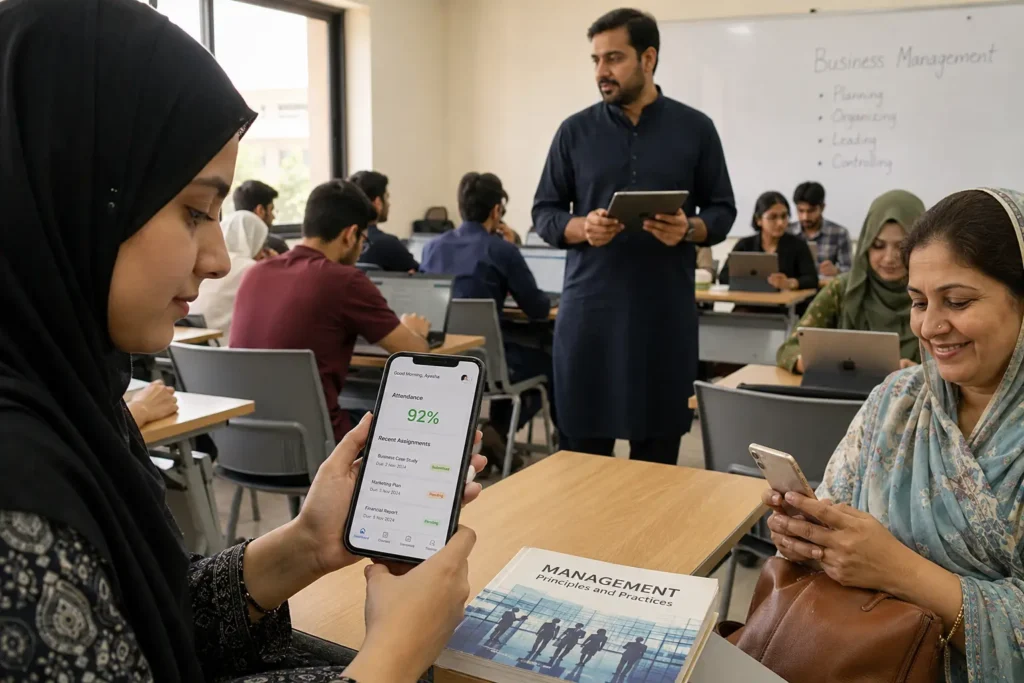
What Is a Learning Management System (LMS)? We build learning management systems specifically for Pakistani colleges and universities. Not corporate training platforms that get forced into education. An LMS handles everything your institution does academically. Student enrollment and assignment submissions. Teacher gradebooks and attendance tracking. Parent communication and administrative oversight. All in one secure platform that works exactly how educational institutions actually operate. Most colleges right now juggle separate systems. Email for assignments. Spreadsheets for attendance. Phone calls to parents. Manual grade calculations. We replace that chaos with a single system where everything connects. And here’s what makes our approach different from generic platforms. We designed every feature around real classroom needs. When a student submits an assignment, our AI immediately scans it for plagiarism and AI-generated content. When a student skips class, both the teacher and principal get instant notifications. When parents want to check their child’s progress, they text “Hi” to our WhatsApp bot and get immediate reports. These aren’t add-on features. They’re built into the core system because we know what Pakistani educational institutions actually need to run smoothly. ⚡ GET IN TOUCH Start Your Free 30-Day Trial — No Credit Card Required 💬 Chat on WhatsApp 📞 Call 0307 3319555 How a Cloud-Based LMS Differs from Traditional Systems Traditional LMS platforms require your IT team to install servers, manage updates, and handle security patches. We handle all of that for you. Our cloud-based system runs entirely online. You access everything through a web browser or mobile app. No software to install. No servers to maintain. No security updates to worry about. But the real difference is reliability and speed. We guarantee 99.9% uptime and sub-2 second response times. Your teachers can take attendance, students can submit assignments, and parents can check reports anytime from anywhere. Even during peak usage with thousands of students online simultaneously. Traditional systems crash during exam periods when everyone logs in at once. They go down during critical enrollment windows. They require expensive IT staff to keep running. We’ve built our infrastructure to handle over 10,000 concurrent users without slowdowns. When your entire student body submits assignments on the same deadline, the system just works. When parents across Pakistan check their children’s reports at the same time, everyone gets instant access. Plus we back up all your data daily and maintain disaster recovery systems. If something happens to our primary servers, your institution keeps running on backup systems within minutes. Not hours or days like traditional installations. The cost difference is dramatic too. Traditional systems require upfront server purchases, ongoing IT salaries, and expensive upgrade cycles every few years. Our cloud platform includes all maintenance, security, and updates in one predictable monthly fee. Your administrators focus on education instead of managing technology. Why Pakistani Colleges & Universities Need the Best LMS in Pakistan in 2026 We see the same problems every time a new college contacts us. Teachers spending hours on manual attendance. Assignment submissions scattered across email threads. Parents calling administrators for basic updates about their children. Pakistani educational institutions are running on systems that worked twenty years ago. But not anymore. Student enrollment has grown. Parent expectations have increased. Government reporting requirements have multiplied. And the manual processes that barely worked for smaller institutions completely break down when you’re managing thousands of students across multiple campuses. The best LMS in Pakistan solves these specific challenges that Pakistani colleges and universities face right now. Not generic problems that apply everywhere. The real operational headaches that consume your administrative time and frustrate your faculty daily. We’ve implemented our system in institutions across Pakistan, from K-12 schools seeking smarter educational technology to large universities with over 15,000 enrollments. The same core problems show up everywhere before we fix them. The Problem with Manual Attendance Your teachers waste two hours every day on attendance. Mark papers. Transfer numbers to spreadsheets. Calculate percentages. Submit reports to administration. Then parents call asking why their child was marked absent when they attended class. Teachers have to go back through handwritten records to verify. Administration spends time resolving these disputes instead of focusing on academic quality. Manual attendance creates three serious problems for Pakistani institutions. First, it’s inaccurate because human error is inevitable when tracking thousands of students daily. Second, it’s slow because generating attendance reports takes days or weeks instead of minutes. Third, it provides no early warning system when students start skipping classes regularly. Our automated attendance system eliminates all manual record keeping. Teachers mark attendance directly on their mobile devices in under thirty seconds per class. The system instantly calculates percentages and flags students approaching the minimum attendance requirement. But here’s the part most institutions don’t expect. When a student misses class, both the teacher and principal receive immediate notifications. Parents get WhatsApp updates the same day instead of finding out weeks later during parent meetings. Students who start developing attendance problems get early intervention instead of academic failure. We track attendance across all subjects automatically. No spreadsheets. No calculations. No disputes about whether someone was present or absent on a specific date. Email Chaos in Assignment Submissions Assignment submissions through email create complete chaos in Pakistani institutions. Students send work to wrong email addresses. Teachers lose submissions in crowded inboxes. Files get corrupted or won’t open on different devices. We’ve seen teachers with over 200 assignment emails in a single day. Mixed in with administrative emails, parent communications, and personal messages. Finding specific submissions becomes nearly impossible when grading time comes. Then students claim they submitted work that teachers never received. Or teachers can’t find submissions that students definitely sent. These disputes waste enormous amounts of time and create friction between faculty and students. Our assignment management system replaces email completely. Students submit work directly through the platform with automatic confirmation receipts. Teachers receive all submissions organized by subject and due date. No files get lost in email systems. Every submission includes an automatic timestamp and AI-powered plagiarism scan. Teachers see exactly when work was
Smart Office Management System: How Tecveq’s OMS Brings HR, Attendance, and CRM Into One Dashboard
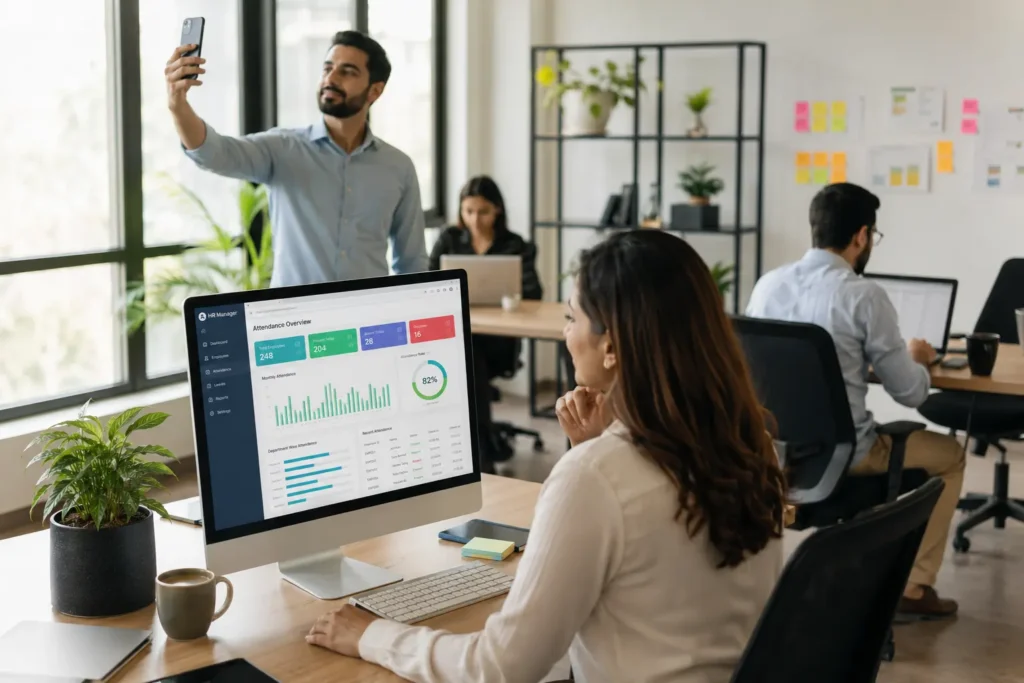
What Is a Smart Office Management System? A smart office system is software that brings your HR, attendance tracking, CRM, and reporting into one dashboard instead of juggling separate tools for each function. We built Tecveq OMS as a practical smart office solution for businesses that waste hours every week switching between different platforms just to manage basic office tasks Traditional office management means one tool for attendance, another for leave requests, a separate CRM for leads, and spreadsheets for everything else. Unlike disconnected management systems, modern smart office solutions bring these functions together, reducing data silos, duplicate entry, and constant confusion about where information actually lives. Why Businesses Are Moving to All-in-One Office Platforms We see the same pattern with almost every client before they switch to OMS. They start with basic tools that work fine for five employees. Then they grow to 20 or 50 team members, and suddenly those disconnected systems become a daily headache Here’s what actually happens. Your HR manager approves leave in one system. Your finance team tracks it in another. Your department head has no idea who’s actually in the office today. And nobody can pull a clean report without exporting three different spreadsheets and matching them manually. An all-in-one platform fixes this by centralizing everything. One login. One source of truth. Real-time data that everyone sees at the same time. Similar to how ERP software streamlines business operations, OMS brings office management, HR, and CRM under one unified system built specifically for growing teams The ROI is immediate. Most of our clients recover 8 to 12 hours per week just from eliminating duplicate data entry and system-switching time. ⚡ GET IN TOUCH Stop Juggling 5 Tools. Manage Everything in One. Try Tecveq OMS Free – No Credit Card Required 💬 Chat on WhatsApp 📞 Call 0307 3319555 Who Tecveq’s OMS Is Built For We designed OMS for growing businesses with 10 to 200 employees who need professional office management without enterprise-level complexity or cost. According to Gartner’s research on digital workplace solutions, companies that centralize their office operations see up to 30% improvement in employee productivity within the first six months. You’re a perfect fit if you currently manage attendance manually, track leads in spreadsheets, approve leave requests through email, or spend your Friday afternoons building reports nobody reads because the data is already outdated. OMS works especially well for businesses with remote teams, field employees, or multiple office locations and different work environments. The selfie and GPS attendance system solves the biggest challenge of hybrid work: knowing who’s actually working and where they’re working from, while giving managers the visibility they need for improved employee productivity. Inside Tecveq OMS — 20+ Modules in One System We packed over 20 modules into Tecveq OMS so you can run your entire office from one login instead of switching between five different tools every hour. No integrations to configure. No data syncing issues. Everything lives in the same dashboard and updates in real time. Most office management platforms force you to pick between HR features or CRM features. We built OMS to handle both because that’s what actually happens in a growing business. Your HR manager needs to see who’s available before assigning a lead. Your sales team needs to log time on tasks. Your admin needs to pull reports that combine attendance data with productivity metrics. And that only works when everything runs on the same system. Office & HR Modules The Office & HR section gives you full employee management, attendance tracking, leave requests, leave type configuration, and company settings. You can add employees with department assignments, set up shift schedules, define leave policies per employee type, and approve or reject leave requests without opening your email. CRM & Marketing Modules We built a full CRM directly into OMS because most small business CRMs are either too basic or way too complicated. You get lead tracking with status and priority flags, lead assignment to specific employees, follow-up date reminders so nothing gets forgotten, email campaign tools, and an AI content generation history log that shows exactly what was created and when. Self-Service Modules Employees handle their own attendance through selfie and GPS check-in, view their attendance history with timestamps and location data, apply for leave with auto-calculated durations, check leave balances across all four leave types, update their profile and upload documents, and see assigned leads with follow-up schedules. This self-service approach improves the employee experience while cutting your HR workload by at least 60%, because employees can get answers and complete routine tasks without constantly relying on HR Administration Modules Admins get a live dashboard with company-wide metrics, user role and permission controls, shift management, IP whitelisting for security, notification settings, and custom report builders that pull exactly the data you actually need. Tecveq OMS Product Overview Category Details Product Name Tecveq OMS (Office Management System) Company Tecveq Solutions Headquarters M3CH+JG7, Farid Town, Sahiwal, 57000, Service Type SaaS (Software as a Service) Deployment Cloud-Based, Web Application Technology Stack React.js, Node.js, MongoDB, Express.js AI Integration Google Gemini API Mobile Support Progressive Web App (PWA), Android & iOS Compatible Primary Users HR Managers, Admin, Department Heads, Employees, Accountants Target Business Size 10-200 Employees Core Modules 20+ (HR, Attendance, Leave, CRM, Tasks, Reports) Security Features IP Whitelisting, 2FA, Role-Based Access, Audit Logs Pricing Model Contact for Pricing(+92 307 3319555) Free Trial Yes Support 24/7 Email & Chat Support Industry Focus IT, Consulting, Agencies, Remote Teams, Field Operations Compliance GDPR Ready, Data Privacy Compliant Integration APIs REST API, Webhook Support Launch Year 2026 Selfie + GPS Attendance Tracking System We require employees to take a live selfie and share their GPS location every time they check in or check out. No pre-recorded photos. No screenshots. The camera activates in real time and captures their face at that exact moment along with their current location coordinates. This stops the most common attendance fraud we see in offices with remote or field teams. Someone cannot clock in from