The Real Problem Why Salons in Pakistan Lose Time and Money
Most salon owners in Pakistan are working harder than ever but still struggling to understand where their profit actually goes. We see this constantly. You’re fully booked, your team is working nonstop, and customers keep coming back. But at the end of the month when you sit down to count what’s left, the numbers don’t match the effort you put in.
The problem isn’t your skills or your service quality. It’s the systems you’re using to run the business side of your salon.
Manual processes steal your time, hide your real costs, and make it nearly impossible to spot problems before they drain your revenue. And the worst part? Most salon owners don’t realize how much money they’re losing until it’s already gone.
Manual Billing Slows Down Checkout
Paper bills and calculator-based checkout create a bottleneck at the front desk that costs you money every single day. We’ve watched salons lose customers simply because the billing process took too long during peak hours.
Here’s what happens. A customer finishes their service and walks to the counter ready to pay. Your receptionist has to write down each service by hand, calculate the total, apply any discount, figure out the tax, and then process the payment. That entire process takes 3 to 5 minutes per customer when done manually.
Three minutes doesn’t sound like much. But when you have 10 customers waiting during your Friday or Saturday rush, that’s 30 minutes of slow checkout creating a line at your door. Some customers will leave rather than wait. Others will pay but won’t come back because the experience felt disorganized.
And billing errors happen constantly with manual systems. Wrong totals. Forgotten services. Discounts applied incorrectly. Every mistake either costs you money directly or damages the customer’s trust in your professionalism.
Speed matters at checkout. The faster you can close a transaction accurately, the more customers you can serve during your busiest hours without anyone walking out frustrated.
WhatsApp & Registers Can’t Track Inventory or Staff
Most salons in Pakistan are running their entire operation through WhatsApp messages and handwritten registers. It feels simple at first. But the moment your business grows beyond a handful of regular customers, these tools completely fall apart.
WhatsApp works for booking appointments. But it can’t tell you which products are running low, which employee generated the most revenue this week, or how much you spent on supplies versus how much you earned. Every piece of business data lives in scattered screenshots, voice notes, and messages that disappear into chat history the moment something new comes in.
Registers are even worse for inventory tracking. You write down what you bought. You try to remember what you used. But there’s no automatic alert when your stock hits a critical level, no way to see product usage patterns over time, and no connection between what you’re selling and what you’re running out of.
And staff management through informal systems creates its own problems. You can’t easily track which stylist is bringing in the most clients, who’s underperforming, or how to structure commissions fairly based on actual sales data. Everything is based on memory and rough estimates instead of real numbers.
When you don’t have clear visibility into inventory levels and staff performance, you make expensive mistakes. You run out of popular products right when you need them most. You overpay employees who aren’t pulling their weight and underpay the ones who deserve raises. You reorder supplies you already have while forgetting the ones you actually need.
Product Information & Features
TSMS (Tecveq Salon Management System) Complete Product Details
| Product Specification | Details |
|---|---|
| SOFTWARE NAME | TSMS (Tecveq Salon Management System) |
| DEVELOPER | Tecveq |
| INDUSTRY | Salon Management Software |
| TARGET MARKET | Pakistani Salons, Barbershops & Grooming Centers |
| DEPLOYMENT | Cloud-based & On-premise |
| LANGUAGE SUPPORT | English, Urdu |
| DEVICE COMPATIBILITY | Desktop, Tablet, Mobile (Fully Responsive) |
| PAYMENT METHODS | Cash, JazzCash, Meezan Bank, UBL Omni, POS, Udhar |
| BILLING SPEED | Under 30 seconds per transaction |
| CUSTOMER MANAGEMENT | Complete profiles, search by name/mobile, transaction history |
| GROOM CUSTOMERS MODULE | Dedicated bridal & groom client management |
| SERVICE MANAGEMENT | Add/edit/delete services, categories, pricing control |
| GROOM PACKAGES | Multi-day packages, multiple services, flexible pricing |
| SPECIAL DEALS | Time-limited offers, discount percentages, auto activation |
| PROMO CODES | Unlimited custom codes, validity periods, usage tracking |
| EMPLOYEE MANAGEMENT | Staff directory, salary tracking, commission calculation |
| INVENTORY MANAGEMENT | Real-time tracking, low stock alerts, usage history |
| USER ACCESS CONTROL | Role-based permissions, secure login, session expiry |
| REPORTS & ANALYTICS | Profit & loss, sales, inventory, staff performance reports |
| FINANCE MODULE | Expense tracking, income entry, payment method recording |
| DASHBOARD | Real-time metrics, KPIs, date range filtering |
| THEME | Modern dark theme UI |
| NOTIFICATIONS | Real-time alerts for low stock, pending payments |
| DEMO AVAILABILITY | Free demo with no commitment |
| SETUP & TRAINING | Complete setup assistance and staff training included |
No Reports Means No Idea Where Profit Is Going
This is the biggest problem we see salon owners face. Without proper reporting, you’re running your business completely blind.
You know money is coming in. You know money is going out. But you have no clear picture of which services are actually profitable, which expenses are eating into your margins, or whether you made more this month than last month after accounting for everything.
Most salon owners we talk to can tell us their rough monthly revenue. But when we ask about profit, the answer gets vague. They know they paid rent, salaries, product costs, and utilities. But they don’t know the exact breakdown or whether their pricing actually covers all these costs and leaves enough margin.
Without reports, you can’t answer basic business questions. Which service should you promote more because it has the highest profit margin? Which employee is your top revenue generator? Are special deals and discounts actually bringing in enough new customers to justify the reduced pricing? Is your inventory cost going up or down compared to three months ago?
You’re making decisions based on gut feeling instead of real data. And gut feeling doesn’t tell you when a slow profit leak has been draining your business for months until the damage is already done.
Real business growth requires real numbers. Daily sales. Monthly profit and loss. Expense tracking by category. Staff performance metrics. Inventory usage rates. These reports show you exactly where your money is going and where your profit is coming from so you can make smarter decisions that actually grow your salon instead of just keeping it afloat.
GET IN TOUCH
Ready to know your real profit every day? Try TSMS free – No credit card required → Start Demo
What to Look for in a Salon Management System
Before you invest in any salon management software, you need to know exactly what features will actually solve your daily business problems and which ones are just nice-to-have extras that won’t change your bottom line.
We’ve worked with salon owners across Pakistan who bought systems that looked impressive in the demo but failed to handle the real operational challenges they faced every day. The billing was still slow. Inventory still ran out without warning. Reports were too complicated to actually use for decision-making.
A salon management system should make your business easier to run, not add another layer of complexity. The right system pays for itself within the first month by saving you time, reducing errors, and giving you the data you need to grow profitably.
Here are the five features that actually matter when choosing salon management software for your business in Pakistan.
Speed of Billing
Your billing system needs to close a transaction in under 30 seconds from the moment the customer walks up to pay. Anything slower creates bottlenecks during rush hours and costs you money in lost customers and staff time.
Fast billing means the system can pull up services instantly; apply discounts or promo codes with one click; calculate totals automatically, including any taxes or tips; and process payments without manual data entry. Your receptionist should be able to complete a full transaction faster than they could write a paper receipt.
But speed cannot come at the cost of accuracy. The system must track every service, product sale, and payment method in real time so your end-of-day revenue matches what actually happened. If the system is fast but creates accounting errors, you have just traded one problem for another.
Look for a billing module that supports walk-in customers without requiring full profile setup; handles multiple payment methods, including cash and mobile payments common in Pakistan; and prints or sends digital receipts immediately.
The best test is this: can your newest employee complete a billing transaction correctly on their first day without asking for help? If the system requires training just to ring up a basic haircut and payment, it is too complicated.
Inventory & Low-Stock Control
Your salon management system must track every product you use and alert you before you run out of critical supplies. Manual inventory tracking always fails the moment your business gets busy because there is no time to write down every bottle of shampoo or tube of color used during a hectic Saturday.
Automatic inventory management means the system knows your current stock levels at all times, warns you when any product drops below a threshold you set, and shows you which products are being used fastest so you can reorder the right quantities.
Without low-stock alerts, you find out you’re out of a popular hair color only when a customer asks for it. With proper inventory control, you get a notification three days before you run out so you have time to restock without disappointing clients or losing sales.
The system should also track product costs so you know exactly how much profit margin each service actually generates after accounting for the supplies used. Many salons price their services based on guesswork and discover too late that some treatments are barely breaking even once you factor in product costs.
Look for an inventory module that lets you set different alert thresholds for different products, tracks product usage history so you can spot trends, and connects directly to your billing system so every product sale or service automatically updates stock levels.
Staff & Commission Management
Managing employee salaries, commissions, and performance becomes impossible to do fairly without a system that tracks exactly which stylist completed which services and generated how much revenue.
Most salon owners in Pakistan handle staff payments through rough estimates and manual calculations. You remember approximately how many clients each employee served, guess at the revenue they brought in, and calculate commissions based on incomplete information. This creates two problems. You either overpay based on inflated estimates or underpay your top performers and risk losing them to competitors.
A proper staff management system records every transaction by employee, calculates commissions automatically based on rules you set, and shows you exactly who is bringing in the most revenue so you can reward your best workers and coach the ones who are underperforming.
The system should let you set different commission structures for different services or employee levels, track attendance and shifts, and generate individual performance reports that show each stylist their personal sales numbers and earnings.
And this matters for employee motivation. When your team can see their real performance numbers and know exactly how their commission is calculated, they work harder to increase their sales because the reward is transparent and immediate.
Real Business Reporting
Reports are what turn raw transaction data into actual business intelligence you can use to make profitable decisions. Without reports, you are collecting information but not learning anything from it.
Your salon management system must generate daily sales reports showing total revenue, number of customers served, and breakdown by service type. Weekly and monthly profit and loss reports that account for all expenses so you know your real profit margin, not just your gross revenue. Staff performance reports ranking your employees by sales and customer count. And inventory reports showing which products are moving fast and which are sitting unused on your shelves.
But reports only help if they are easy to read and act on. If you need an accounting degree to understand your own business reports, the system has failed you.
Look for reporting tools that use simple charts and summaries, let you filter by custom date ranges so you can compare this month to last month or this year to last year, and export to PDF or Excel when you need to share numbers with an accountant or business partner.
The best salon management systems show you your most important metrics right on the main dashboard the moment you log in. Today’s revenue. Pending payments. Top-selling services. Low stock alerts. You should be able to check the health of your business in under 10 seconds without clicking through five different menus.
Local Payment Method Support
Your billing system must support every payment method your customers actually use in Pakistan. If the system only handles cash and card payments, you lose sales from customers who want to pay through JazzCash, Easypaisa, or bank transfers.
We see this problem constantly. Salons invest in management software built for international markets that assumes everyone pays by credit card. But in Pakistan, mobile wallet payments and bank-specific payment apps are often more common than card payments, especially for higher-value services.
The system should let customers pay using cash, all major mobile payment platforms, direct bank transfers through apps like Meezan or UBL Omni, card or POS terminals, and even split payments if a customer wants to pay part cash and part mobile transfer. And it must record which payment method was used for every transaction so your end-of-day reconciliation matches your actual cash and digital balances.
Support for credit accounts, or “udhar,” is also critical for Pakistani salons. Many regular customers prefer to pay at the end of the month rather than per visit. Your system should track these pending payments, show you exactly who owes how much, and send reminders when payments are due.
Without flexible payment options, you either turn away customers who cannot pay the way you require or you accept payments outside your system and lose the ability to track them properly. Both cost you money.
Tecveq Salon Management System: The Complete Salon Management Solution
The Tecveq Salon Management System is salon management software built specifically for the way salons, barbershops, and grooming centers actually operate in Pakistan. We designed every feature to solve the real problems salon owners face every day: slow billing, invisible inventory, unclear staff performance, and missing profit data.
This is not generic business software adapted for salons. The Tecveq Salon Management System was built from the ground up to handle the specific workflows, payment methods, and reporting needs of Pakistani beauty and grooming businesses.
The system handles everything from the moment a customer walks in to the moment you close your books at the end of the month. Quick billing that closes transactions in under 30 seconds. Automatic inventory tracking with low-stock alerts. Complete staff and commission management. Real-time financial reports that show you exactly where your profit is coming from and where your expenses are going.
And Tecveq Salon Management System supports every payment method your customers actually use. Cash, JazzCash, Meezan Bank, UBL Omni, POS card payments, and credit accounts for regular customers who prefer to pay monthly. No more turning away clients because they want to pay through a mobile wallet your system does not recognize.
We built Tecveq Salon Management System because we saw too many salon owners struggling with systems that either did too little or made simple tasks unnecessarily complicated. The Tecveq Salon Management System gives you complete control over your business without requiring technical expertise or hours of training. Your team can start using the core features on day one.
Smart Dashboard: Real-Time Business Insights at a Glance
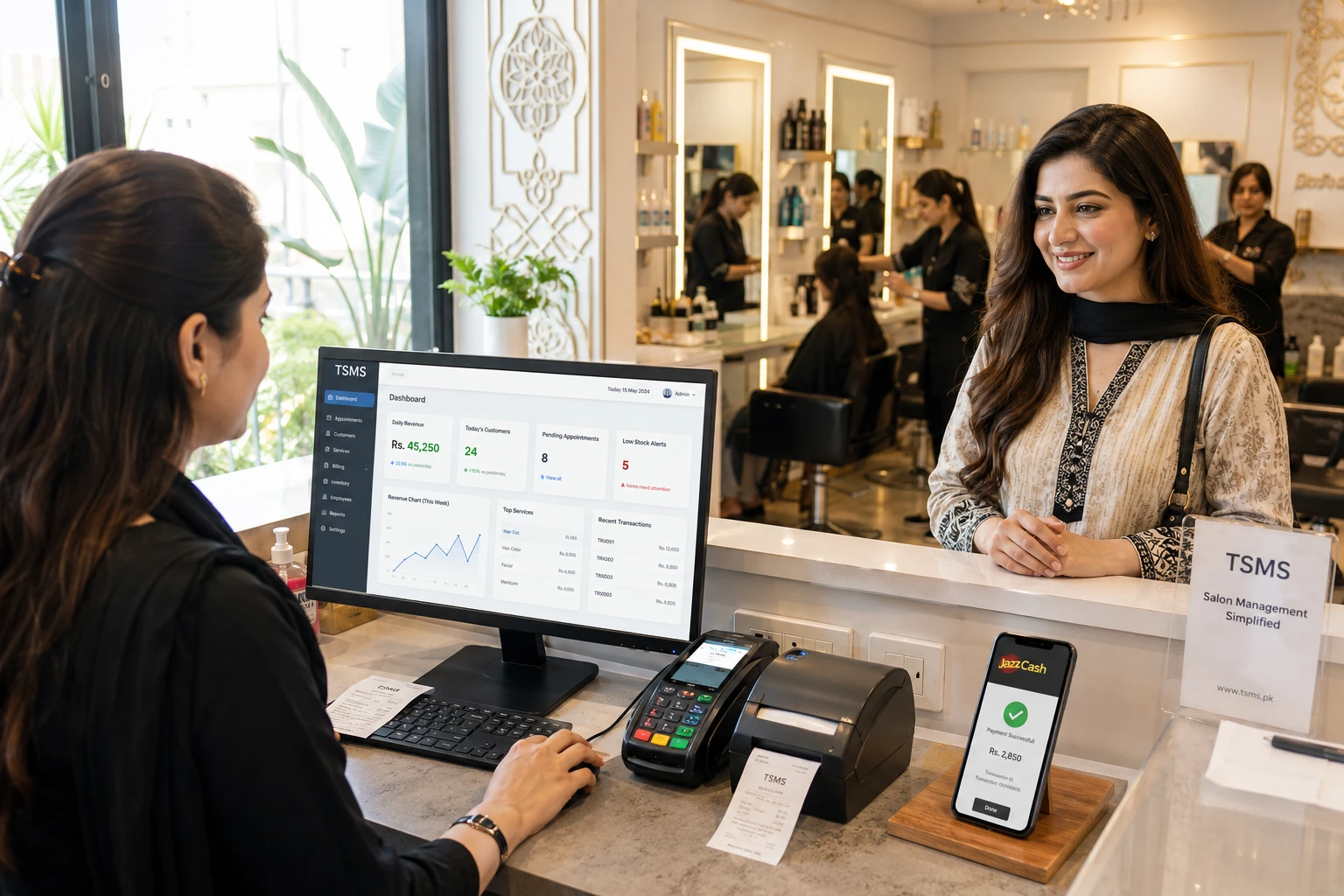
The Tecveq Salon Management System dashboard shows you the most important numbers in your business the moment you log in. No clicking through menus. No waiting for reports to load. Everything you need to know about today’s performance is visible in under 10 seconds.
This is where you start your day and where you check in between appointments to see how your salon is performing in real time. Total revenue so far today. Number of customers served. Pending payments you need to collect. Current expenses. And your actual net profit after everything is accounted for.
Most salon management systems bury this information in separate reports that take minutes to generate and require you to do mental math to figure out if you are actually making money today. Tecveq Salon Management System puts every critical metric on one screen so you always know exactly where your business stands right now.
Key Performance Metrics (Customers, Revenue, Pending Payments, Expenses, Net Profit)
The top section of your dashboard displays five numbers that tell you everything about your current business performance.
Total customers served today and this month. This is not just a count. The dashboard shows you whether you are serving more or fewer clients compared to the same period last month so you can spot trends immediately. If customer count is dropping, you know you need to run a promotion or reach out to clients who have not visited recently.
Total revenue generated from all services and product sales. The system updates this number in real time as your team completes transactions throughout the day. You can see your revenue climbing hour by hour during busy periods and know immediately if you are on track to hit your daily or monthly targets.
Pending payments from customers using credit accounts. Many salon owners lose track of who owes money and how much. Tecveq Salon Management System tracks every pending payment by customer and shows you the total outstanding balance right on your dashboard. One click takes you to the full list of customers with pending balances so you can follow up and collect what you are owed.
Total expenses recorded in the system. Every time you pay for supplies, utilities, rent, or any other business cost, the system adds it to your expense tracking. The dashboard shows your total expenses for today and this month so you can see exactly how much money is going out of your business.
Net profit calculated automatically. This is the number that actually matters. Tecveq Salon Management System takes your total revenue and subtracts your total expenses to show you your real profit in real time. Not at the end of the month when an accountant runs the numbers. Right now, while you can still make decisions that affect today’s outcome.
These five metrics replace the guesswork most salon owners rely on. You know exactly where you stand financially at any moment without pulling reports or doing calculations manually.
Company Information
Tecveq – Company Details
| Company Information | Details |
|---|---|
| COMPANY NAME | Tecveq |
| FOUNDED | 2025 |
| HEADQUARTERS | Uk, Pakistan,M3CH+JG7, Farid Town, Sahiwal, 57000 |
| INDUSTRY FOCUS | Business Management Software |
| SPECIALIZATION | Salon & Beauty Industry Solutions |
| WEBSITE | www.tecveq.com |
| info@tecveq.com | |
| PHONE | + 0307 3319555 |
| SUPPORT | 24/7 Customer Support |
| MISSION | Empowering Pakistani salons with modern management technology |
| TARGET CLIENTS | Salons, Barbershops, Beauty Centers, Grooming Studios |
| SERVICE AREAS | Pakistan (All major cities) |
| SETUP ASSISTANCE | Free consultation and system setup |
| TRAINING PROVIDED | Complete staff training and ongoing support |
| DEMO POLICY | Free demo with no commitment required |
Inventory Overview & Low Stock Alerts
Right below your financial metrics, the dashboard shows you which products are running low and need to be reordered before you run out completely.
Tecveq Salon Management System tracks every product in your inventory automatically as your team uses supplies during services or sells products directly to customers. When any item drops below the minimum stock level you set, the system highlights it on your dashboard with a low-stock warning.
You can set different thresholds for different products. Critical items like your most popular hair colors or shampoos might need a 10-unit minimum so you never run out during a busy week. Specialty products you use less frequently might only need a 3-unit minimum.
The inventory overview shows you product name, current quantity, and how many units below your threshold each item has fallen. If you set a minimum of 15 bottles for a shampoo and you currently have 8 left, the system shows you are 7 units below your reorder point.
And this is visible every single day on your main dashboard. You do not need to remember to check inventory. You do not need to physically count bottles. The low-stock alerts come to you automatically so you can reorder exactly what you need before it becomes an emergency.
Top Employee Performance Tracking
The dashboard displays your top-performing employees based on revenue generated during the selected time period. This shows you at a glance which stylists and service providers are bringing in the most business.
Tecveq Salon Management System ranks your team by total sales automatically. The system tracks every service each employee completes and calculates their individual revenue contribution in real time. You can see who closed the most sales today, this week, or this month without pulling a separate report.
This visibility matters for two reasons. First, you can reward your best performers immediately and accurately because you have real numbers showing exactly who deserves recognition and higher commissions. Second, you can identify underperforming team members early and provide coaching or additional training before the problem affects your overall revenue.
The performance tracker shows employee name, total revenue generated, and number of services completed. If one stylist is completing twice as many services as another but generating similar revenue, you know one is focusing on higher-value services while the other is handling mostly basic treatments. That insight helps you assign work more strategically.
And your employees can see their own performance through their system login. When team members have access to their real sales numbers, they stay motivated to improve and compete in a healthy way that increases your total salon revenue.
Custom Date Range Filtering
Every metric on the Tecveq Salon Management System dashboard can be filtered by custom date ranges so you can analyze any time period that matters to your business decisions.
Want to see today’s performance only? Select today. Want to compare this week to last week? Select both weeks and view them side by side. Need to review the entire month or quarter for financial planning? Set the date range to show exactly the period you need.
The system includes quick-select options for common time frames like today, yesterday, this week, last week, this month, and last month. But you can also choose any custom start and end date to analyze specific periods like the week before Eid, your anniversary sale weekend, or the period after you launched a new promotional campaign.
Date filtering applies to all dashboard metrics simultaneously. When you change the date range, your revenue numbers, customer counts, expense totals, inventory data, and employee performance rankings all update instantly to reflect only the selected period.
This makes it easy to spot patterns and measure the impact of business decisions. Did that special discount weekend actually increase profit or just increase customer count without improving your bottom line? Set the date filter to that weekend and check your net profit metric. The answer is right there.
Most salon owners make decisions based on vague impressions of what worked or did not work in the past. Tecveq Salon Management System gives you exact historical data for any time period so every business decision is backed by real performance numbers instead of guesswork.
Lightning-Fast Quick Billing System for Seamless Transactions
The Tecveq Salon Management System Quick Billing module is designed to close every transaction in under 30 seconds from the moment your customer is ready to pay. No manual calculations. No searching through handwritten service lists. No fumbling with multiple systems to process different payment types.
Speed at checkout directly affects how many customers you can serve during your busiest hours and how professional your salon feels to clients who are in a hurry. When billing takes 5 minutes because your receptionist has to write everything by hand and calculate totals manually, you create lines at the counter that frustrate customers and slow down your entire operation.
The Tecveq Salon Management System eliminates that bottleneck completely. Your team selects the services from a pre-loaded list with one click; the system calculates the total automatically, including any discounts or deals, the customer chooses their payment method; and the transaction is complete with a printed or digital receipt ready instantly.
And the billing system captures everything in real time. Every service sold, every product purchased, every payment received, and which employee performed the service. All of that data flows directly into your reports, inventory tracking, and staff performance metrics without anyone needing to enter it twice.
Fast billing is not just about customer convenience. It is about operational efficiency and data accuracy that directly improve your profit margin.
Generate Bills in Under 30 Seconds
The Quick Billing screen is built for speed. Your receptionist can complete an entire transaction from start to finish in less time than it takes to write a paper receipt.
Here is how it works in real-world salon conditions. The customer walks up after their haircut. Your staff clicks Quick Billing, searches for the customer by name or phone number if they are a returning client, or clicks Walk-In for first-time visitors. The system displays your full service menu. Your staff clicks the services the customer received. Haircut. Blow dry. Hair color. Each service adds to the bill with the correct pricing automatically.
The system calculates the total instantly. If there is a discount, promo code, or special deal active for this customer, your staff applies it with one click, and the total updates immediately. No calculator needed. No manual math that might have errors.
Customer chooses how they want to pay. Your staff selects the payment method and confirms the transaction, and the system generates a receipt on the spot. The entire process takes 20 to 30 seconds for a standard multi-service transaction.
And this speed does not sacrifice accuracy. Every transaction is recorded exactly as it happened with full details of what was sold, who performed the service, and how the customer paid. The system updates your daily revenue, employee performance stats, and inventory levels in real time as each bill is completed.
Most billing systems force you to choose between speed and accuracy. Tecveq Salon Management System gives you both because the automation handles all the calculations and data entry that normally slow down manual checkout.
Walk-in Customer Support
Tecveq Salon Management System lets you bill walk-in customers instantly without requiring full profile creation or mandatory contact details. This is critical for salons and barbershops where many clients are one-time visitors or prefer not to share personal information.
When a new customer walks in, your staff clicks the Walk-in option in Quick Billing and proceeds directly to selecting services and processing payment. No required fields. No forms to fill out. The transaction completes in seconds just like it would for a registered customer.
But if the customer wants to save their information for faster checkout next time or to earn loyalty rewards, your staff can add their name and phone number in under 10 seconds. The system creates the customer profile on the spot and links the current transaction to their account automatically.
This flexibility matters because it removes friction at the exact moment when the customer is ready to pay and leave. Forcing every walk-in customer to provide contact details before you can ring up their haircut slows down checkout and annoys clients who are in a hurry or value their privacy.
Walk-in billing also works perfectly for barbershops and men’s grooming centers where most customers are quick-service clients who do not want to sign up for accounts or receive marketing messages. You can serve them fast, collect payment, and move on to the next customer without any awkward requests for personal information.
And you still capture the transaction data that matters for your business. The system records what service was sold, which employee performed it, how much revenue it generated, and what payment method was used. Everything you need for accurate reporting and inventory tracking happens automatically even for walk-in customers who have no profile in your system.
Multiple Payment Methods (Cash, JazzCash, Meezan, UBL, POS & Udhar)
Tecveq Salon Management System supports every payment method your customers actually use in Pakistan so you never have to turn away a sale because someone wants to pay digitally instead of with cash.
Cash payments are recorded with one click. The system tracks the exact amount received and updates your cash-on-hand balance automatically. At the end of the day, your cash reconciliation report shows you exactly how much physical cash should be in your drawer based on all the transactions processed.
Mobile wallet payments through JazzCash and other popular platforms are fully supported. Your staff selects the mobile payment option and records the transaction reference number if needed for your records, and the system logs the payment just like any other method. Your end-of-day reports separate mobile payments from cash so you know exactly how much money is coming through each channel.
Bank-specific payment apps like Meezan Bank and UBL Omni are built into the payment options because we know many Pakistani customers prefer to pay through their bank’s mobile app rather than generic payment platforms. The Tecveq Salon Management System treats these as distinct payment types so your financial tracking matches how the money actually flows into your accounts.
POS and card terminal payments are supported for customers who want to pay by debit or credit card. The system records these separately from cash and mobile payments so you can reconcile your card terminal settlement reports against your Tecveq Salon Management System transaction records.
And the Tecveq Salon Management System handles Udhar, which is critical for salons with regular customers who prefer to pay monthly instead of per visit. When a customer wants to pay on credit, your staff selects Udhar as the payment method, and the system adds the amount to that customer’s pending balance. The payment shows up on your dashboard as a pending receivable, and you can track exactly who owes how much at any time.
The system even supports split payments for customers who want to pay part cash and part mobile transfer. Your staff records both payment methods in a single transaction, and Tecveq Salon Management System allocates the amounts correctly in your financial reports.
Live Bill Summary & Employee Selection
The Quick Billing screen shows a live running total as your staff adds services to the bill so both your employee and the customer can see exactly what the final amount will be before payment is processed.
Every time a service is added, the bill summary updates instantly showing the service name, individual price, and new subtotal. If a discount or promo code is applied, the summary shows the original total, the discount amount, and the final total after discount. Complete transparency so there are no surprises when the customer sees their final bill.
And the system requires employee selection for every transaction. Before the bill can be completed, your staff must choose which stylist or service provider performed the work. This is not optional. The system will not let you close a transaction without assigning it to an employee.
This forced employee assignment is what makes accurate commission calculation and performance tracking possible. Every service is linked to the person who performed it from the moment the bill is created. There is no end-of-day guesswork about who did what or manual allocation of revenue to employees based on memory.
The employee selection appears right on the billing screen as a dropdown menu showing all active staff members. Your receptionist picks the correct employee, and the system automatically credits that person with the sale for commission and performance tracking purposes.
If multiple employees worked on the same customer, Tecveq Salon Management System lets you split the services between them. A haircut goes to one stylist. Color treatment goes from another. Each employee gets credited for exactly the work they performed, and their individual stats update accordingly.
The live bill summary also prevents errors before payment is processed. Your receptionist can see at a glance if a service was added twice by mistake or if the wrong service was selected. Fixing errors takes one click while the bill is still open instead of requiring a void and reissue after payment is complete.
This combination of live summary and mandatory employee selection ensures every transaction is accurate and fully attributed the first time so your revenue reports, staff performance data, and commission calculations are always based on what actually happened instead of what someone remembers happening.
Complete Customer Management for Better Client Relationships
Knowing your customers well is what separates a salon that survives from one that grows consistently. When your team recognizes returning clients, remembers their preferred services, and can pull up their history in seconds, customers feel valued enough to keep coming back and to refer friends and family.
Tecveq Salon Management System gives you a complete customer management system that stores every client’s details, service history, and contact information in one place. Your receptionist can find any customer in under 5 seconds, pull up their full profile, and know exactly what services they usually book before the conversation even starts.
But customer management is not just about making clients feel good. It is also about running your business more efficiently. When customer profiles are complete and accurate, billing is faster, promotional targeting is smarter, and your follow-up on pending payments becomes effortless because you always know exactly who to contact and how to reach them.
GET IN TOUCH
End slow billing and missing inventory alerts forever → Get Tecveq Salon Management System Free Demo Now
Easy Search by Name or Mobile Number
Finding any customer in Tecveq Salon Management System takes one search and less than 5 seconds. Your staff types the customer’s name or mobile number into the search bar, and the system instantly filters your entire customer database to show matching results.
This matters most during busy hours when customers are waiting and your receptionist does not have time to scroll through a long list or ask the customer to spell their name three times. Type the first few letters of a name or the first digits of a phone number, and the matching profiles appear immediately.
Mobile number search is particularly useful in Pakistani salon contexts because many clients are known by a nickname or a shortened version of their name, but their phone number never changes. If your receptionist is not sure how a client’s name is recorded in the system, searching by phone number finds the correct profile instantly without any confusion.
The search works across your entire customer history from day one. It does not matter if the customer last visited six months ago or three years ago. Their profile, contact details, and complete service history are all available the moment their name or number appears in the search results.
And for walk-in customers who want to register on the spot, the search function first checks whether a profile already exists for their number before creating a duplicate entry. This keeps your customer database clean and prevents the same person from having multiple profiles with split history.
Add, Edit & Manage Customer Profiles
Adding a new customer to Tecveq Salon Management System takes less than a minute. Your receptionist enters the customer’s name and mobile number, and the profile is created immediately. The system links every future transaction to that profile automatically from the first visit forward.
You can always go back and add more details later. If a customer is waiting for their service and there is no time to collect full details during the first visit, the basic profile with name and number is enough to start. More information like email address, birthdate, or service preferences can be added the next time they come in.
Editing existing profiles is just as straightforward. If a customer changes their phone number or wants to update their contact details, your staff opens the profile, makes the change, and saves in seconds. The update applies across the entire system immediately, including their billing history and any pending payments linked to their account.
Profile management also gives you the ability to mark customers as active or inactive. If a long-term client has moved away or stopped visiting, you can mark their profile inactive so they do not appear in active customer counts or targeting lists while their history remains fully preserved in the system.
And every customer profile stores a complete transaction history automatically. Every service they have received, every product they have purchased, every payment they have made, and any pending credit balance are all visible from the profile screen. Your team knows exactly what this customer’s relationship with your salon looks like before they say a single word.
H3: Customer Image & Contact Details
Tecveq Salon Management System lets you add a photo to every customer profile so your team can visually identify clients before they even introduce themselves. This is a small feature that makes a significant difference in how personal and professional your service feels to returning customers.
When a customer walks in and your receptionist can pull up their profile with a photo, match the face to the name, and greet them by name before they reach the counter, that customer feels genuinely recognized. Not just remembered from a list, but actually seen as an individual. That kind of personal attention is what builds real loyalty in a competitive salon market.
The contact details section stores everything your team needs to reach out to any customer. Mobile number for direct calls or WhatsApp messages. Additional contact numbers if the client prefers to be reached a different way. Any notes your team has added about their preferences or important details to remember.
Complete contact information also makes your follow-up on pending Udhar payments much more efficient. Instead of searching through WhatsApp chats to find a customer’s number when you need to collect a payment, your staff opens the Tecveq Salon Management System profile, and the number is right there, ready to use.
And customer photos combined with profile notes help new or part-time staff members provide the same level of personalized service that your experienced team delivers. Even if a stylist has never met a particular client before, a few seconds reviewing the profile before the appointment gives them enough context to make that customer feel like a familiar face.
Dedicated Groom Customers Module for Premium Clients
Bridal and groom clients are a completely different category of customer from your regular walk-in clientele. They book further in advance, require multiple sessions across different dates, often come with a group, and expect a level of personal attention and coordination that goes well beyond a standard haircut appointment.
Managing groom and bridal clients through the same system as your everyday customers creates confusion and missed details. A regular customer profile is designed to handle visit-by-visit transactions. Groom client management requires tracking entire packages across multiple sessions, coordinating services for the full bridal party, and maintaining detailed notes about preferences and timing for one of the most important days in a customer’s life.
Tecveq Salon Management System includes a dedicated Groom Customers module built specifically for this category of premium client so nothing gets missed and every interaction with your bridal clientele reflects the level of care their event deserves.
Separate Management for Groom & Bridal Clients
The Groom Customers module keeps your bride and groom client records completely separate from your regular customer database. This separation is intentional, and it makes your day-to-day operations significantly cleaner.
When your staff opens the regular customer management screen, they see your everyday clients without bridal bookings creating clutter or confusion. When they open the Groom Customers module, they see only your premium bridal clients with all the specific details and packages relevant to that category.
This dedicated space lets your team track everything specific to a groom or bridal client’s needs in one organized place. The event date. The full package of services booked. Which sessions have been completed and which are still upcoming. Contact details for both the primary client and any additional party members involved in the booking. Special requests or preferences noted at the consultation.
Bridal clients in Pakistan often book salon services weeks or months in advance and return for multiple preparation sessions before the actual wedding day. Your team needs to track each session separately while keeping the entire booking connected to one client record. The Groom Customers module is built to handle exactly this kind of multi-session, multi-service coordination.
And because bridal packages represent some of the highest-value transactions your salon handles, having them in a dedicated module means your team treats them with the attention they deserve. Nothing is more damaging to your salon’s reputation than a missed detail on a bridal booking. A dedicated management system dramatically reduces that risk.
Quick Search and Add Functionality
Finding any groom or bridal client in the dedicated module works the same way as regular customer search. Name or mobile number, type a few characters, and the matching profile appears instantly.
But adding a new groom client is slightly more detailed than adding a standard walk-in customer because bridal bookings require more information from the start. The add form captures the client’s name, mobile number, event date, services booked, and any specific notes your team needs to remember for future sessions.
This upfront detail collection means that every time a bridal client comes in for a preparation session, your staff can pull up the full booking in seconds and see exactly what was planned, what has already been done, and what is still scheduled before the event date.
The quick search function is particularly valuable on busy wedding season days when your salon might have multiple bridal clients coming in across different appointment times. Your receptionist can move between bookings rapidly without confusion because each client’s full details are one search away.
And when a groom client refers a friend or family member who also wants bridal services, adding the new client takes under a minute, while the existing referral relationship can be noted in the original client’s profile for your records.
The Groom Customers module in the Tecveq Salon Management System ensures that your highest-value clients receive the organized, detail-oriented service that their bookings demand while keeping your regular customer management system clean and focused on your day-to-day salon operations.
Easily Manage All Salon Services with Full Control
Your service menu is the foundation of your entire billing system. If services are not properly set up in Tecveq Salon Management System billing slows down, pricing errors happen, and your reports become unreliable. Getting this right from day one saves you from correcting mistakes later.
Tecveq Salon Management System gives you complete control over every service your salon offers. Add new services, update prices, organize by category, and control exactly what appears on your billing screen.
Add, Edit & Delete Services
Adding a new service takes under a minute. Enter the service name, set the price, assign it to a category, and save. The service appears immediately in your billing system, ready to use.
Editing is just as fast. Price increase on a treatment? Open the service, update the number, and save. The new price applies to every future transaction instantly. And if you stop offering a service completely, delete it from the system so it never appears in billing again.
No technical skills required. Any staff member with the right access level can manage services directly.
Service Categories & Pricing
Tecveq Salon Management System lets you organize services into categories so your billing screen stays clean and your staff can find the right service in seconds during checkout.
Group your services the way your salon actually works. Hair services in one category. Skin treatments in another. Nail services separately. When your receptionist opens the billing screen during a busy hour, they are not scrolling through a single long list of every service you offer. They go directly to the right category and select what they need.
Each service has its own individual price. Change one service price without affecting any other service in the same category.
Active / Inactive Status Control
Instead of deleting a service you no longer offer regularly, mark it inactive. Inactive services disappear from your billing screen but stay in the system with their full history intact.
This is useful for seasonal services or treatments you offer only during specific periods. Mark them inactive when the season ends. Reactivate them when they are back on your menu. One click either way.
Active services appear in billing. Inactive services do not. Simple and clean.
Create High-Value Groom Packages to Increase Revenue
Single-service billing leaves money on the table for bridal and groom clients who need multiple treatments across multiple days. Groom packages let you bundle these services into one organized booking with a single package price that increases your average transaction value while giving clients a cleaner, more premium experience.
Tecveq Salon Management System lets you build fully customized groom packages that cover every session from the initial consultation to the final day preparation.
Multi-Day Package Creation
Bridal and groom preparation does not happen in one visit. It typically spans several sessions across days or weeks leading up to the event. Tecveq Salon Management System lets you create packages that cover every one of those sessions under a single booking.
When you set up a multi-day package, each session is planned and recorded separately. Your team knows exactly which services are scheduled for each visit, what has been completed, and what is still coming. Nothing gets missed because it is all mapped out in the system from the moment the package is sold.
Include Multiple Services in One Package
Each groom package can include as many services as the booking requires. Facial. Haircut. Threading. Hair color. Massage. Any combination of services your salon offers can be grouped into a single package.
Packaging multiple services together does two things. It increases your average revenue per client because the customer commits to a full package upfront rather than deciding service by service on each visit. And it simplifies the client experience because they know exactly what is included and what they paid for from day one.
Set the package price based on the full value of services included. Clients see the convenience and the savings. You see higher revenue per booking.
Flexible Pricing & Status Management
Each package has its own price that you set independently of the individual service prices inside it. You can offer package pricing that reflects a slight discount for booking everything together while still earning more per client than you would through individual service billing.
And just like individual services, packages have active and inactive status controls. Running a wedding season promotion with a special package? Activate it. Season ends? Mark it inactive. The package disappears from your active offerings without being deleted from the system.
Attract More Clients with Special Deals and Offers
Promotions bring in new clients and bring back customers who have not visited recently. But running deals without a proper system means your staff applies discounts manually, pricing errors happen constantly, and expired promotions keep getting honored because nobody updated the billing screen.
Tecveq Salon Management System handles your special deals automatically so the right discount applies at the right time and stops the moment the offer expires.
Time-Limited Special Deals
Every deal you create in Tecveq Salon Management System runs for a specific time period that you define. Set the start date and end date. The deal activates automatically on the start date and deactivates automatically when it expires.
Your staff never needs to remember which deals are currently running or manually calculate promotional pricing during checkout. The system knows which deals are active based on today’s date and applies them correctly every time.
This removes one of the most common billing problems salons face. Expired promotions being applied by staff who forgot the deal ended.
Discount Percentage & Validity Period
When you create a deal in Tecveq Salon Management System you set the discount percentage and the exact dates it runs. The system calculates the discounted price automatically for every transaction where the deal applies during the valid period.
You can run multiple deals simultaneously if needed. A weekend discount on hair treatments. A monthly special on skin services. Each deal runs independently with its own percentage and validity period. Tecveq Salon Management System tracks all of them without confusion.
And your reports show you exactly how much revenue each deal generated and how much discount was given so you can measure whether the promotion actually paid off before you run it again.
Easy Activation and Management
All your deals are managed from one screen in Tecveq Salon Management System. You can see every deal you have created, whether it is currently active or inactive, and when it is scheduled to run.
Activating or deactivating a deal manually takes one click if you need to turn something on or off outside of the scheduled dates. Running an unplanned flash promotion for the day? Activate a deal right now and deactivate it tonight when you close. The system updates immediately across your entire billing setup.
No chasing staff to apply the right discount. No expired deals causing billing errors. Your promotions run exactly as planned.
Boost Sales Instantly Using Custom Promo Codes
Promo codes give you a direct way to drive more bookings without reducing prices across your entire service menu. Instead of running a blanket discount that cuts into every transaction, you create a specific code for a specific offer and share it only with the customers you want to target.
Tecveq Salon Management System lets you create and manage custom promo codes directly inside your billing system so discounts apply automatically at checkout when a customer presents their code. No manual calculations. No staff deciding whether to honor a code that may have expired.
Create Unlimited Promo Codes
Tecveq Salon Management System places no limit on how many promo codes you can create. Run a different code for each campaign without any restriction.
A code for your Instagram followers. A separate code for repeat customers who have not visited in 60 days. A referral code for clients who bring in friends. Each code is independent with its own discount value and validity period, so your campaigns stay organized and measurable.
Creating a new code takes under a minute. Name the code, set the discount, set the dates, save. Done.
Set Discount Value & Validity
Each promo code has its own discount percentage and its own start and end dates. The system activates the code automatically on the start date and deactivates it the moment it expires.
This matters more than most salon owners realize. When codes expire manually, staff members forget to stop honoring them. Customers share old codes that should no longer work. You end up giving away discounts long after the promotion was supposed to end.
Tecveq Salon Management System removes that problem entirely. The code simply stops working after the expiry date regardless of what anyone says at the counter.
Track Active Promotions
All your promo codes live in one management screen. You can see which codes are currently active, which are scheduled for future dates, and which have expired.
This gives you a clear picture of what promotions are running at any given moment so you never accidentally have two competing discounts active at the same time. And your reports show you exactly how many times each code was used and how much total discount each promotion generated so you can judge whether it was worth running again.
GET IN TOUCH
Join Pakistani salons growing 2x faster with Tecveq Salon Management System → Book Your Free Demo Today
Complete Employee Hub for Staff and Salary Management
Paying your team fairly requires accurate data. Not estimates. Not memory. Actual numbers showing exactly who did what and how much revenue each person generated during any given period.
The Tecveq Salon Management System Employee Hub is where you manage your entire team from one place. Staff profiles, salary records, performance data, and commission tracking all connected in a single system.
Staff Directory
Your staff directory stores a complete profile for every employee. Name, contact details, role, and employment status all in one place.
The directory shows you your full team at a glance. Active staff members appear separately from inactive ones so your billing screens and performance reports only show relevant employees. If a staff member leaves and you hire someone new, updating the directory takes two minutes and the billing system reflects the change immediately.
Every transaction in Tecveq Salon Management System is linked to an employee from the moment the bill is created. So the directory is not just a contact list. It is the foundation of your entire performance and commission tracking system.
Salary Management System
Tecveq Salon Management System tracks salary records for every staff member so your payroll calculations are based on real transaction data rather than rough estimates made at the end of the month.
The system records each employee’s services completed, revenue generated, and any commission structure you have set up for their role. When payday comes, you have accurate numbers ready without spending hours cross-referencing handwritten records against billing receipts.
And if a salary dispute ever comes up, the data is right there. Every service, every transaction, every payment method. Clear and verifiable.
Add & Search Employees Easily
Adding a new employee to Tecveq Salon Management System takes under a minute. Enter their name, contact number, role, and any relevant details. Save. The new staff member appears in your billing system and can be assigned to transactions immediately.
Searching for any employee is just as fast. Type the name and the profile appears instantly. Whether you manage a team of 3 or a team of 30, finding the right employee record never takes more than a few seconds.
Smart Inventory Management with Low Stock Alerts
Running out of a product mid-service is one of the most avoidable problems in salon management. But it keeps happening in salons across Pakistan because nobody has time to manually count stock every day during busy operating hours.
Tecveq Salon Management System tracks your inventory automatically in real time and alerts you before you run out so you can reorder on your schedule instead of in a panic.
Real-Time Stock Level Tracking
Every product in your Tecveq Salon Management System inventory updates automatically as your team uses supplies during services or sells products directly to customers. You do not need to manually adjust stock levels after each transaction. The system handles that in the background every time a bill is completed.
At any point during the day you can open the inventory screen and see the exact current quantity of every product in your salon. What you had this morning. What has been used? What is left right now.
That real-time visibility alone eliminates most of the stock-related problems salons face.
Threshold & Low Stock Warnings
For every product in Tecveq Salon Management System, you set a minimum stock threshold. When the quantity of any product drops to or below that level, the system triggers a low-stock warning.
You choose the threshold based on how quickly each product gets used. A high-demand shampoo might need a threshold of 20 units. A specialty treatment used twice a week might only need a threshold of 5. The system respects each product’s individual setting independently.
Low-stock warnings appear on your main dashboard so you see them every time you log in. You do not need to remember to check inventory. The alerts come to you.
Product History & Reports
Tecveq Salon Management System keeps a complete usage history for every product in your inventory. You can see how quickly each item is being consumed over any date range and use that data to make smarter reorder decisions.
If a particular hair color is running out twice as fast as it did three months ago, your product history shows you that trend clearly. You can increase your reorder quantity before shortages become a recurring problem rather than reacting each time it happens.
The inventory report also shows you which products are barely moving. Slow-moving stock ties up your cash. Knowing which products sit unused for weeks lets you reduce future orders and free up money for the supplies that actually drive your services.
Add New Products Instantly
Adding a new product to your Tecveq Salon Management System inventory takes less than a minute. Enter the product name, set the initial stock quantity, assign the minimum threshold, and save.
The product is immediately tracked in the system. Every time it is used in a service or sold to a customer, the quantity updates automatically from that point forward.
And if you start stocking a new brand or add a product your suppliers recently introduced, there is no delay in getting it into the system. Add it now, and Tecveq Salon Management System starts tracking it immediately.
Secure System Users and Role-Based Access Control
Not everyone on your team needs access to everything in your system. Your receptionist needs billing. Your manager needs reports. But giving every staff member full access to financial data, salary records, and system settings creates serious security risks that most salon owners only think about after a problem occurs.
Tecveq Salon Management System lets you control exactly who can see and do what inside the system through role-based access. Every user gets access to the tools their job requires. Nothing more.
Add New System Users
Adding a new system user takes under a minute. Enter the staff member’s name, set their login credentials, assign their role, and save. The new user can log in immediately with access limited to exactly what their role allows.
When a staff member leaves, you remove their access instantly. No shared passwords. No former employees logging in after their last day.
Role Assignment (Admin & Other Roles)
Tecveq Salon Management System supports multiple access levels starting with admin, which has full system access, and additional roles with controlled permissions suited to different staff responsibilities.
Admin access is for owners and senior managers who need to see everything, including financial reports, salary data, system settings, and user management. Other roles are configured for staff who only need specific functions like billing or customer lookup.
Assign the right role to the right person from day one. If responsibilities change, update the role in seconds.
Secure Access Management
Every user logs into Tecveq Salon Management System with their own individual credentials. Actions taken inside the system are tied to the logged-in user so you always know who processed which transaction, made which change, or accessed which report.
Tecveq Salon Management System also includes session security with automatic expiry so an unattended screen does not become an open door to your business data. If a session sits idle beyond the set time limit, the system logs out automatically.
Your financial data, customer records, and staff information stay protected without requiring any technical setup from your side.
Powerful Reports & Analytics for Data-Driven Decisions
Most salon owners in Pakistan make pricing decisions, hiring decisions, and promotion decisions based on gut feeling because their system cannot produce the reports they actually need. Tecveq Salon Management System changes that completely.
Every transaction your salon processes feeds directly into your reporting system in real time. When you need answers, the data is already there.
Profit & Loss Report
The profit and loss report shows your total revenue against your total expenses for any period you select so you can see your actual net profit clearly without manual calculations.
This is the report that tells you whether your salon is genuinely profitable or just busy. Revenue alone does not tell the full story. The profit and loss report does.
Sales Report
Your sales report breaks down every transaction by service type, payment method, and date so you can see exactly where your revenue is coming from during any period.
Want to know which services generated the most revenue last month? Which payment method do your customers prefer? Are your Saturday sales stronger than your weekday numbers? The sales report answers all of it in seconds.
Inventory Report
The inventory report shows your current stock levels, product usage rates, and which items are approaching their low-stock threshold across your entire product range.
Use this report weekly to plan your reorders accurately. It shows you consumption trends over time so you stop guessing how much to order and start buying based on actual usage data.
Staff Performance Report
The staff performance report ranks every employee by revenue generated, services completed, and customer count for any date range you select.
This report makes commission calculations straightforward and performance reviews honest. Every number is pulled directly from real transaction data, so there is no room for disagreement about who performed what.
Custom Date Range & Quick Filters
Every report inTecveq Salon Management System can be filtered by any date range you need. Quick-select options cover today, yesterday, this week, last week, this month, and last month for fast access to common reporting periods.
But you can also set a completely custom start and end date to analyze any specific period. Eid week performance. A promotional campaign window. A full financial quarter. Set the dates, and every report updates instantly to show only that period.
Compare any two periods side by side, and you have everything you need to make real business decisions based on real numbers.
Full Finance Module to Track Expenses and Income
Running a profitable salon requires knowing exactly where every rupee goes. Tecveq Salon Management System gives you a complete finance module that tracks both your expenses and income in one place so your financial picture is always accurate and current.
Expense Tracking with Categories
Record every business expense in Tecveq Salon Management System and assign it to a category. Rent, supplies, utilities, staff costs. Each category builds your real cost picture automatically so your profit reports reflect actual numbers not estimates.
Manual Income Entry
Not every rupee comes through your billing counter. Tecveq Salon Management System lets you record additional income sources manually so your total revenue figure stays accurate and complete.
Payment Method Recording
Every expense and income entry records the payment method used. Cash paid out. Bank transfer received. Mobile payment processed. Your reconciliation at month end matches exactly because every transaction is categorized from the moment it is entered.
Date-Wise Financial Filtering
Filter your entire finance record by any date range to see exactly what came in and went out during any specific period. Weekly expense reviews. Monthly income summaries. Any window you need.
Fully Customizable System Settings for Your Salon Brand
Tecveq Salon Management System adapts to your salon’s specific setup rather than forcing you to work around a rigid system configuration.
General Settings
Control your salon name, contact details, currency display, and core system preferences from one settings screen. Changes apply instantly across the entire system.
Print Settings
Configure your receipt layout, salon name header, contact information, and any footer text that prints on every customer bill. Your receipts look professional and branded from day one.
Service Categories Management
Add, edit, and organize your service categories directly from settings. Keep your billing screen clean and structured exactly the way your team works.
Branding & Theme Customization
Tecveq Salon Management System includes a modern dark theme interface that keeps your system looking clean and professional. Adjust branding elements to match your salon identity so the system feels like it belongs to your business.
Additional Powerful Features of Tecveq Salon Management System Salon Management System
Tecveq Salon Management System includes several modern features that make daily operations smoother and improve your team’s overall experience with the system.
Modern Dark Theme UI
The dark theme interface reduces eye strain during long shifts and looks professional on any device. Clean design that keeps your team focused on the customer instead of the screen.
Multi-Language Support
Tecveq Salon Management System supports multiple languages so your team can use the system in the language they are most comfortable with for faster operation and fewer errors.
Real-Time Notifications
Get instant alerts for low stock, pending payments, and important system events right on your dashboard without needing to check each module separately.
Session Security & Expiry Timer
Automatic session timeout logs users out after a period of inactivity so an unattended screen never becomes a security risk for your business data.
Fully Responsive Design
Tecveq Salon Management System works perfectly on desktop computers, tablets, and mobile devices. Run your billing from the front desk or check reports from your phone anywhere.
How Tecveq Salon Management System Solves Every Problem Salons Face in Pakistan
Manual billing that takes minutes? Tecveq Salon Management System closes every transaction in under 30 seconds with automatic calculations and receipt printing.
Inventory running out without warning? Real-time stock tracking with automatic low-stock alerts tells you exactly when to reorder before you run out.
No idea which staff members are performing well? Complete performance tracking with revenue and service counts per employee based on real transaction data.
Missing profit visibility? Daily profit and loss reports showing revenue minus expenses so you always know your real net profit.
Payment methods your customers actually use? Full support for cash, JazzCash, Meezan, UBL, POS, and Udhar without needing separate systems.
Tecveq Salon Management System was built to solve the exact operational and financial problems Pakistani salon owners face every single day.
GET IN TOUCH
Stop losing profit to manual billing See Tecveq Salon Management System close transactions in 30 seconds → Book Free Demo
Getting Started with Tecveq Salon Management System
Book a Free Demo
See Tecveq Salon Management System in action before making any commitment. We will walk you through every feature and show you exactly how the system handles your salon’s specific workflow.
Set Up Services, Staff & Packages
We help you configure your complete service menu, add your team members, set up groom packages, and customize the system to match your salon operations from day one.
Go Live with Billing & Reporting
Start processing real transactions immediately. Your team can use Tecveq Salon Management System for billing, customer management, and inventory tracking while you start seeing accurate financial reports from the first day forward.
Frequently Asked Questions
What is the best salon management system in Pakistan?
Tecveq Salon Management System by Tecveq is designed specifically for Pakistani salons with features like local payment method support, Urdu language options, and billing workflows that match how salons actually operate here. The system handles everything from quick billing to staff commissions and inventory tracking in one platform built for the Pakistani market.
Does Tecveq Salon Management System support JazzCash, Meezan, and UBL payments?
Yes. Tecveq Salon Management System supports cash, JazzCash, Meezan Bank, UBL Omni, POS card payments, and Udhar credit accounts so you can accept payment exactly the way your customers prefer without needing separate systems.
Can Tecveq Salon Management System manage staff salaries and commissions?
Yes. Tecveq Salon Management System tracks every service each employee completes and calculates their revenue contribution automatically so salary and commission payments are based on real transaction data instead of estimates or manual calculations.
Is Tecveq Salon Management System suitable for barbershops and grooming centers, not just salons?
Absolutely. Tecveq Salon Management System works for salons, barbershops, men’s grooming centers, and bridal studios because the system is fully customizable to your specific services, pricing, and workflow regardless of your business type.
Does Tecveq Salon Management System track inventory and alert on low stock?
Yes. Tecveq Salon Management Systemtracks every product in real time and alerts you automatically on your dashboard when any item drops below the minimum stock level you set so you never run out of critical supplies unexpectedly.
Conclusion: Tecveq Salon Management System Is the Complete Salon Management Solution
Running a profitable salon in Pakistan requires more than just great service skills. You need accurate billing, real inventory control, clear staff performance data, and financial reports that show you where your profit actually comes from.
Tecveq Salon Management System handles all of it in one system built specifically for how Pakistani salons operate. Fast billing that closes transactions in under 30 seconds. Automatic inventory tracking with low-stock alerts. Complete staff and commission management. Real-time profit and loss reporting. And full support for every payment method your customers use, including JazzCash, Meezan, UBL, and Udhar.
Stop losing money to manual processes that hide your real costs and make it impossible to grow strategically. Tecveq Salon Management System gives you the visibility and control you need to run your salon like the real business it is.
Book a free demo today and see exactly how Tecveq Salon Management System can transform your salon operations from day one.