I have built a lot of WordPress sites over the years. And one question that keeps coming up from clients is this: “Can my website work like a mobile app without paying thousands for native development?”
The answer is yes. And the tool I keep going back to is the Tecveq PWA toolkit plugin.
This guide covers everything you need to know about converting your WordPress site into a Progressive Web App in 2026: what PWAs actually are, why they matter for your site performance and mobile users, and how the Tecveq PWA Toolkit Plugin stacks up against every other option I have tested.
What Is a Progressive Web App and Why Should You Care?
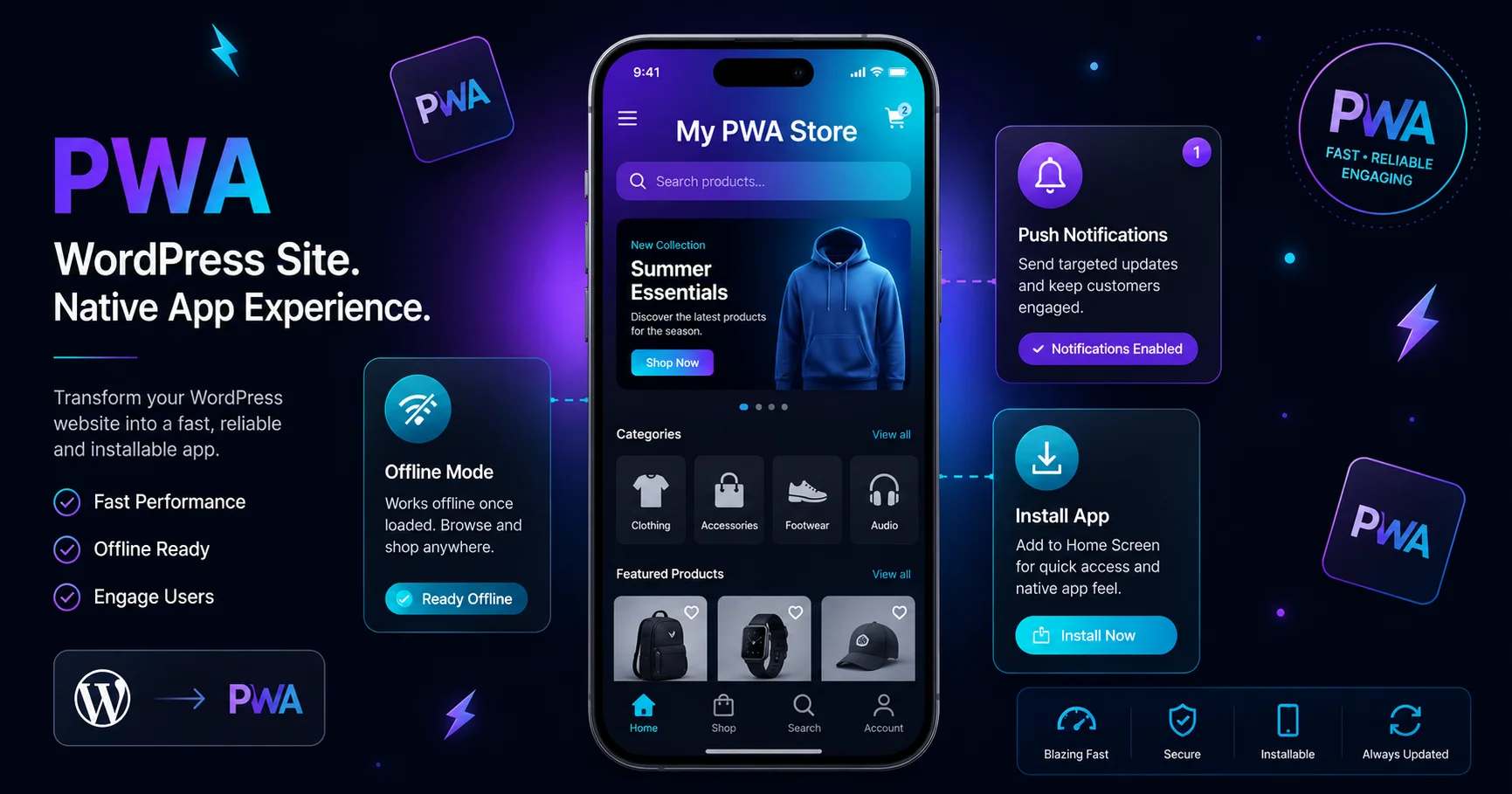
A Progressive Web App is a website that behaves like a native mobile app. It loads fast, works offline, can be installed directly to a phone’s home screen, and sends push notifications, all without going anywhere near the Google Play Store or Apple App Store.
That is the short version. The longer version is that PWAs close the gap between what a browser delivers and what a native app delivers. And for WordPress site owners, that gap used to require serious development work to close.
Not anymore.
PWA technology runs on three core building blocks: a web app manifest file, a service worker script, and HTTPS. The manifest tells browsers how your app should look when installed. The service worker handles caching and offline behavior. HTTPS keeps everything secure.
Most people understand what a PWA is in theory. Where it gets interesting is seeing what it actually does for your site traffic, bounce rate, and mobile conversions.
Why Mobile Users Expect More in 2026
Here is something I noticed working with WooCommerce stores specifically. Mobile traffic usually makes up 60 to 70 percent of total visits. But mobile conversion rates almost always lag behind desktop.
The reason is usually friction. Slow load times, no offline access, no quick relaunch from the home screen. Users pull out their phones, tap a bookmark, and wait for the page to load, and by then their attention has already moved somewhere else.
A PWA removes most of that friction. Cached pages load almost instantly on repeat visits. The site works even on a spotty connection. Users can add it to their home screen with one tap and relaunch it like an app.
That change in behavior matters. And it is why choosing the right WordPress PWA plugin is not a small decision.
The WordPress PWA Plugin Landscape in 2026
I went through the main options available right now. Here is what I actually found after testing them.
SuperPWA
SuperPWA is the most downloaded option on WordPress.org and the easiest to set up. You install it, configure a few basic settings, and your site has a manifest and a service worker running.
The problem is it does the basics and stops there. No bottom navigation bar. No offline cart for WooCommerce. No live preview of how your app looks. For a simple blog it is fine. For anything more complex, the limitations show up fast.
PWA for WP and AMP
This plugin goes deeper than SuperPWA. It has AMP integration, a system status dashboard, and better support for larger multi-site setups. The push notification compatibility through third-party services is a nice addition.
But the interface feels dated. The WooCommerce offline features are limited. And the customization options, especially for mobile navigation, are minimal compared to what I know is possible.
The Official PWA Plugin by WordPress Contributors
This one is really for developers. There is no visual interface. It provides the underlying infrastructure for service workers and manifests, and it is built to prevent conflicts when multiple plugins try to register service workers at the same time.
If you are building a custom theme from scratch and want clean foundations, this makes sense. For most site owners, it is not a practical standalone solution.
Why I Use Tecveq PWA Toolkit Plugin
Every option above does something useful. But none of them do everything I actually need on a real client project. That is what drew me to the Tecveq PWA toolkit plugin.
The thing that immediately stood out was the live customizer. You make changes in the WordPress admin panel and watch a phone preview update in real time. That sounds like a small detail. In practice it saves a huge amount of back-and-forth testing.
And everything is free. Not free with premium tiers. Not free with feature gates. Every single feature, including the ones competitors charge for, is included at no cost.
Full Feature Breakdown: Tecveq PWA Toolkit Plugin
Offline Mode with Workbox Caching
The Tecveq PWA Toolkit uses Workbox under the hood. Workbox is the same caching library Google recommends for production PWAs. You get three caching strategies to choose from.
Cache-First loads content from the local cache before checking the network. This is the fastest option for returning visitors. Network First checks for fresh content first and falls back to cache if offline. Stale-While-Revalidate serves cached content instantly while quietly fetching a fresh version in the background.
For most WordPress sites I recommend stale-while-revalidate. It feels fast to users and keeps content reasonably fresh.
Push Notifications
The push notification setup inside Tecveq PWA Toolkit connects through FCM, which is Firebase Cloud Messaging. You add your server key, configure the notification icon and vibration pattern, and can send test notifications directly from the WordPress dashboard.
The WooCommerce order notification feature is genuinely useful for store owners. When a customer places an order, the store owner gets a push notification. No third-party service required for the basic setup.
Bottom Navigation Bar
This is the feature that separates the Tecveq PWA Toolkit Plugin from everything else I have tested.
Native mobile apps almost universally use bottom navigation. It is where your thumbs naturally reach on a phone. Yet almost no WordPress PWA plugin offers it. The Tecveq PWA Toolkit Plugin not only includes a bottom navigation bar but also makes it fully customizable.
You can add up to six navigation items. You choose the icons, labels, and badge counts. You can use one-click presets for common site types like WooCommerce stores, food delivery sites, business dashboards, and clean minimalist layouts. Style themes include Obsidian, Pristine, Slate Blue, Emerald, and Gold.
This single feature changes how a WordPress site feels on mobile. It stops feeling like a website and starts feeling like an app.
Add to Home Screen Prompts
There are four prompt styles in the Tecveq PWA Toolkit: popup modal, banner slide from the top, snackbar at the bottom, and QR code for desktop visitors to scan.
You can configure the delay before the prompt appears, customize all the text, and even access a built-in iOS Safari installation guide. iOS does not support the standard install API, so the iOS guide walks users through the manual steps in Safari. That is a small detail most plugins completely ignore.
WooCommerce Integration
This is where the Tecveq PWA Toolkit Plugin earns its place on any e-commerce project. The plugin keeps the cart contents stored locally so items persist even when the user loses their connection. Offline checkout lets customers complete an order without an active internet connection, with the order syncing automatically when connectivity returns.
Order push notifications and cart persistence together create a shopping experience that holds up on mobile networks, which are often unreliable, especially in areas with weak signal coverage.
App-Like UI Features
Beyond the core PWA functionality, the Tecveq PWA Studio Plugin adds a collection of native-feeling interface behaviors. Dark mode toggling, pull to refresh, skeleton loader animations while content loads, page transition loading bars, haptic vibration feedback, screen wake lock, form autosave through background sync, and shake to refresh.
None of these individually are groundbreaking. Together they create the feeling of using a real app rather than a website inside a browser.
Manifest Generator and Service Worker
The visual manifest editor handles all the technical setup without any coding. App name, short name, theme color, background color, display mode, orientation lock, and launcher icon are all configured through a clean form interface.
The service worker is generated and registered automatically. The PWA Dashboard inside the Tecveq PWA Toolkit plugin shows a readiness score and a checklist so you can see exactly what is configured and what still needs attention.
Transform Your WordPress Site Into a PWA Today
Tecveq PWA Toolkit gives you every PWA feature for free. Offline mode, push notifications, bottom navigation bar, WooCommerce offline cart, and more.
How to Install Tecveq PWA Toolkit Plugin Step by Step
This takes about five minutes from download to live PWA.
Step 1. Download the plugin zip file from tecveq.com.
Step 2. In your WordPress admin panel, go to Plugins and click Add New.
Step 3. Click Upload Plugin, choose the zip file, and click Install Now.
Step 4. Click Activate Plugin.
Step 5. A new menu item for Tecveq PWA appears in your admin sidebar Click it.
Step 6. Check the Dashboard tab first. The readiness score and checklist show you exactly where to start.
Step 7. Go to Display Settings. Set your app name, short name, and theme color, and upload your launcher icon. A 192×192 and 512×512 PNG icon works for all devices.
Step 8. Go to the bottom nav bar. Either build your navigation items manually or pick a preset for your site type.
Step 9. Go to Install Prompts. Choose your prompt style, customize the text, and set the auto-prompt delay.
Step 10. Go to Offline and Cache. Choose your caching strategy and configure the custom offline page path.
Step 11. If you are using WooCommerce, enable offline cart and offline checkout.
Step 12. Return to the Dashboard and aim for a readiness score above 90 percent before going live.
The live phone preview updates as you make changes. You can see exactly what the bottom navigation looks like, how your color palette renders on a phone screen, and how install prompts appear before any of your visitors see them.
Tecveq PWA Toolkit Plugin vs Other Plugins: Honest Comparison
| Feature | Tecveq PWA Toolkit | SuperPWA | PWA for WP and AMP |
|---|---|---|---|
| Price | Free | Free / Paid | Free / Paid |
| Bottom Navigation Bar | Yes | No | No |
| WooCommerce Offline Cart | Yes | No | Limited |
| Live Phone Preview | Yes | No | No |
| Install Prompt Styles | 4 types | 1 type | 2 types |
| Offline Checkout | Yes | No | No |
| App-Like UI Features | Yes | No | No |
| One-Click Style Presets | Yes | No | No |
| PWA Readiness Dashboard | Yes | No | Yes |
| Haptic and Wake Lock | Yes | No | No |
The gap is real. SuperPWA works for simple setups. PWA for WP and AMP is solid for AMP-heavy publisher sites. But if you want a complete app-like experience for a WooCommerce store or any content-heavy mobile site, Tecveq PWA Toolkit covers ground that neither competitor gets close to.
Does Your Site Need HTTPS?
Yes. Every PWA plugin requires HTTPS because service workers only run on secure connections. This is a browser security requirement, not something any plugin can work around.
If your site does not have SSL yet, most WordPress hosting providers offer free Let’s Encrypt certificates through their control panels. It usually takes less than five minutes to activate.
Once HTTPS is active, the Tecveq PWA toolkit plugin detects it automatically, and the service worker registers without any manual steps.
Who Gets the Most Value From Tecveq PWA Toolkit Plugin
WooCommerce store owners get offline cart, offline checkout, order push notifications, and a bottom navigation bar that mirrors how shopping apps are designed. The mobile shopping experience changes completely.
Food delivery and restaurant sites can use the Food Delivery bottom nav preset and have a functional app-like ordering interface running in minutes.
Bloggers and content publishers benefit most from the caching and offline mode. Regular readers get near-instant load times on return visits.
Business and portfolio sites can use the Business SaaS preset and the app install prompts to give mobile visitors a proper app launch experience from their home screen.
WordPress developers building client sites can configure everything through the admin panel and deliver a finished PWA to clients without writing any service worker code from scratch.
Common Questions About WordPress PWA Plugins
Will a PWA plugin slow down my WordPress site?
With Tecveq PWA Toolkit the answer is no. The Workbox service worker caches assets on the first visit, so every visit after that loads faster than before. The plugin itself adds minimal overhead to page load time.
Do I need coding knowledge to use it?
No coding is required. The entire plugin is configured through the WordPress admin panel with visual controls, color pickers, toggles, and presets.
Does it work with all WordPress themes?
Yes, the Tecveq PWA Toolkit works at the service worker and manifest level, which sits above any theme and design stay exactly as they are.
Can I use it on a multisite setup?
Yes. The plugin supports WordPress multisite installations.
What happens if a user has already visited my site before I installed the plugin?
The service worker registers on the next visit and begins caching from that point forward. Existing visitors do not need to do anything. The install prompt appears automatically after the configured delay.
Final Thoughts
I have tested every major WordPress PWA plugin available in 2026. Most of them do the minimum. SuperPWA is fine for a blog that just wants an install prompt and basic caching. PWA for WP and AMP makes sense if your setup depends heavily on AMP.
But if you want your WordPress site to genuinely feel like a mobile app with bottom navigation, offline WooCommerce, live customization, push notifications, and a full suite of app-like UI behavior, the Tecveq PWA Toolkit Plugin is the only free option that actually delivers all of it.
The live phone preview alone changes how you think about mobile UX. And the fact that every feature is included at zero cost, with no premium tier waiting behind a paywall, makes it the clear choice for most WordPress projects in 2026.
Download the Tecveq PWA toolkit plugin from tecveq.com and check your PWA readiness score within the first five minutes of installation.