The Real Cost of Choosing the Wrong iOS Development Partner
Most businesses do not realize they picked the wrong iOS development company until months into the project. By then the budget is spent, the launch date has slipped twice, and the app still does not do what the business actually needs.
We have taken over projects from other developers more than once. Almost every time, the problem traces back to the same four things.
Generic Apps That Don’t Fit Your Business
A custom iOS app should be built around your business, not the other way around. Many development shops reuse the same core structure for every client and simply swap the colors and logo.
That approach might be faster to deliver. But it rarely accounts for how your actual customers use the app, what your team needs on the backend, or where your industry has specific rules to follow.
We start every custom iOS app development project by mapping out how your business actually runs before we open Xcode. A clinic booking system and a retail loyalty app have almost nothing in common under the hood, and they should not be built the same way.
Missed Deadlines and Endless Delays
Ask any founder who has been through a delayed app launch what went wrong, and the answer is almost always the same. The scope was never locked down clearly at the start.
Vague requirements lead to vague timelines. And vague timelines turn into missed ones.
We fix this by defining the full feature set and development milestones before writing a single line of code. You get a project timeline broken into stages, so you know exactly what should be finished and when, not a rough guess that keeps shifting.
GET IN TOUCH
Get a Free Quote for Your Custom iOS App
Hidden Costs and Unclear Pricing
Nobody wants a surprise invoice halfway through a project. Unfortunately, it happens more often than it should in custom iOS app development.
The usual cause is a quote based on assumptions instead of a real technical scope. Something gets missed early on, and the client ends up paying for it later, often after the work has already started.
We price custom iOS app development based on the specific features, integrations, and complexity your app actually requires, and we walk you through that breakdown before any contract is signed. If something changes mid-project, we tell you the cost impact before we do the work, not after.
No Support After Launch
Getting your app approved on the App Store is not the finish line. It is the point where real users start finding real issues and where new iOS versions can break things without warning.
Plenty of development companies quietly step back once the app goes live. Then the client is stuck fielding bug reports with no one to call.
We stay involved after launch to handle updates, fix issues that come up, and keep the app compatible as Apple releases new iOS versions. An app you cannot maintain is an app that slowly becomes unusable.
Industries We Understand Deeply
Every industry brings its own users, rules, and expectations, and an app built without that context tends to show it. We have built custom iOS apps across a wide set of industries, including
- Healthcare—appointment scheduling, patient intake, and data handled with the sensitivity it requires
- E-Commerce—product browsing, secure checkout, and inventory that stays accurate in real time
- Finance—transaction security and reporting features built for accuracy, not shortcuts
- Real Estate—listings, virtual walkthroughs, and lead capture built for how buyers actually browse
- Education—course delivery, student progress tracking, and engagement features that hold attention
- Logistics—live tracking, route planning, and fleet visibility
- Hospitality—booking flows, guest profiles, and loyalty features guests actually use
- Food & Beverage—ordering, delivery tracking, and repeat customer rewards
- Social Networking—messaging, feeds, and content built to handle real user activity at scale
- Media & Entertainment — content libraries, streaming, and subscription management
- Agriculture—field data collection and supply chain visibility
- Legal—secure client portals and case document handling
We do not treat these as interchangeable. A logistics app and a legal services app need different data structures, different security priorities, and different user flows from day one. That is the difference between an app that was built for your industry and one that was simply built to work in general.
| Detail | Information |
|---|---|
| Company Name | Tecveq |
| Service | Custom iOS App Development Services |
| Headquarters | 2 Idmiston Road, London, England, E15 1RG |
| info@tecveq.com | |
| Phone / WhatsApp | +44 7721 716507 |
| Global Offices | Pakistan, United Kingdom, Bahrain |
| Website | tecveq.com |
| Core Technologies | Swift, SwiftUI, Xcode |
| Industries Served | Healthcare, E-Commerce, Finance, Real Estate, Education, Logistics, Hospitality, Food & Beverage, Social Networking, Media & Entertainment, Agriculture, Legal |
| Service Areas | United States, United Kingdom, Global (Remote Delivery) |
| Typical Timeline | 3 to 6 months |
| Recognitions | Clutch Top 1000 Companies, INC. 5000, Horizon Interactive Gold & Silver Awards |
What Is Custom iOS App Development?
Custom iOS app development means building an app from the ground up around your specific business, instead of adapting a pre-built template to fit. We design and code every feature to match how your business actually operates and how your customers actually behave.
That distinction matters more than most people realize before they start.
A template app can get something on the App Store fast. But it locks you into someone else’s structure, someone else’s limitations, and often a redesign a year later once you outgrow it.
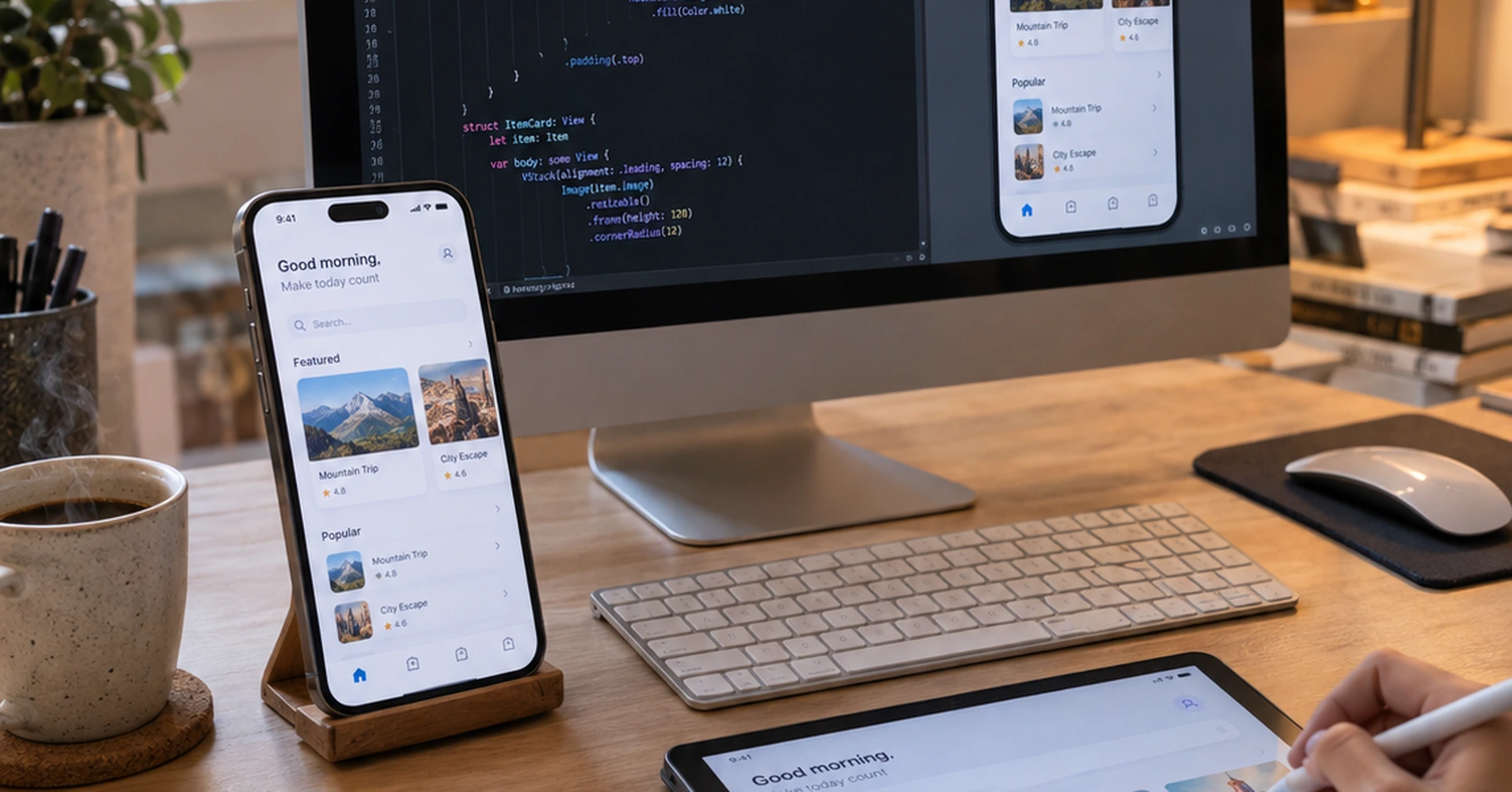
We build with Swift, Apple’s programming language for iOS, paired with SwiftUI for the interface and Xcode as the development environment. These are the same tools Apple itself recommends for native iOS development, and they are what let an app run fast, feel smooth, and stay compatible as new iOS versions roll out.
Native development is not the only option. Some companies build with cross-platform frameworks instead, which can work for simpler apps. But if your app needs to run fast, integrate deeply with iPhone or iPad hardware, or handle sensitive data securely, native iOS development is usually the more reliable path. We will tell you honestly which approach fits your project during the discovery call, not just push whichever one is easier for us.
Tecveq: Your Custom iOS App Development Solution
We build custom iOS apps for businesses that need software shaped around their actual operations, not around a generic template. Every project starts with understanding what your business does before we touch a single line of code.
Here is exactly what that looks like in practice.
Before we write anything, we map out your workflows, your users, and the specific problem the app needs to solve. A booking system for a clinic and a checkout flow for an online store require completely different data structures underneath, even though both might look simple on the surface. Skipping this step is where most generic builds go wrong.
If your project needs a backend system connected to your app, our custom API integration services team handles that as part of the same build, so your app and your existing systems actually talk to each other properly.
We also lock in the full feature scope and a realistic timeline before development starts. Not a rough estimate that shifts every few weeks. A clear plan you can actually hold us to.
And when new requirements come up mid-project, which happens on almost every build, we tell you the cost and timeline impact before we do the work. Not buried in an invoice weeks later.
This is where most other companies cut corners. They quote a low number to win the project, then let the scope quietly expand until the final bill barely resembles the original estimate.
We would rather give you an accurate number upfront and earn the project on that than win it cheap and lose your trust halfway through.
Once development starts, you get visibility into progress at each stage, not silence until launch day. And after your app goes live on the App Store, we stay involved to handle updates, compatibility fixes for new iOS releases, and issues that come up once real users start using it.
Call us for a free consultation. We will ask about your business and the problem you are trying to solve and give you an honest read on scope and timeline before anything is signed.
Core Technologies We Use
We build every custom iOS app using Apple’s own native development stack. No shortcuts through cross-platform frameworks pretending to be native, no outdated tools that slow performance down later.
Here is what actually goes into building your app.
Swift
Swift is the programming language Apple built specifically for iOS, and it is what we use to write the core logic of your app. It compiles into fast, efficient code, and it comes with built-in safety checks that catch common bugs before they ever reach your users.
We have written Swift on projects ranging from simple booking apps to apps handling real-time inventory and secure financial data. The language is not the hard part. Structuring it correctly around your specific business logic is where experience actually matters.
Older iOS apps were often written in Objective-C. Swift replaced it because it is easier to maintain, less prone to certain types of crashes, and faster to build with. If your business already has an app written in Objective-C, we can work with that codebase too, though we will be upfront if a rebuild in Swift makes more sense long-term.
SwiftUI
SwiftUI is the framework we use to build what your users actually see and interact with. Instead of designing each screen with rigid, manually positioned elements, SwiftUI lets us build interfaces that adjust cleanly across every iPhone and iPad screen size.
That matters more than it sounds. An app that looks right on an iPhone 15 but breaks on an iPad or an older iPhone model creates a bad first impression fast, and users rarely give a second chance.
We use SwiftUI because it also makes updating your app faster down the line. Which means when you want to add a new feature six months after launch, it does not require rebuilding half the interface from scratch.
Xcode
Xcode is Apple’s development environment, and it is where we write, test, and debug your app before anything reaches your users. Every build goes through Xcode’s testing tools to check performance, catch memory issues, and simulate how the app runs across different iPhone and iPad models.
This is also where we run the final checks before submitting to the App Store. Apple’s review process rejects apps for a long list of reasons, from broken links to privacy policy issues to performance problems, and catching those early in Xcode saves you from a rejected submission and a delayed launch.
We test on real devices, not just simulators, before any app goes to review. Simulators catch most issues. They do not catch everything, and the ones they miss are usually the ones that frustrate real users first.
Our iOS App Development Process
Every custom iOS app we build goes through the same five stages, in the same order, every time. Skipping steps is how projects end up over budget and behind schedule. We do not skip steps.
Here is what happens at each stage.
1. Strategy & Discovery
Before anything gets designed or built, we sit down and figure out exactly what your app needs to do and why. This is a real working session, not a form you fill out and send back.
We ask about your business, your users, and the specific problem you are trying to solve with an iOS app. We also ask what has not worked before if you have tried building something already. That answer usually tells us more than anything else.
By the end of this stage, you get a documented scope covering every core feature, the technical approach we will take, and a realistic timeline broken into milestones. This is the document we build against, and the one you can hold us to later.
Most delays on app projects trace back to unclear scope at the start. We spend extra time here specifically to avoid that problem later.
2. UI/UX Design
Once the scope is locked, we design how the app will actually look and function for your users. Not before. Designing against an undefined scope just means redesigning it later once requirements change.
We build wireframes first, which are simple layouts showing where everything sits on each screen. This lets you react to the structure and flow before we spend time on visual polish that might need to change anyway.
After wireframes are approved, we move into the actual visual design, following Apple’s Human Interface Guidelines so the app feels familiar and intuitive to iPhone and iPad users from the first screen. An app that fights against how iOS users already expect things to work creates friction, and friction costs you users.
You review and approve designs before development starts. Not after.
GET IN TOUCH
Talk to Our iOS App Development Team Today
3. Agile Development
This is where your app actually gets built, using Swift and SwiftUI inside Xcode. We work in sprints, usually two weeks at a time, building and delivering functional pieces of the app rather than disappearing for months and reappearing with a finished product.
That structure matters for one specific reason. It means you see working progress regularly, and if something needs adjusting, we catch it during the build instead of after everything is already finished.
We also integrate backend services during this stage, whether that means connecting to your existing systems, setting up a new database, or building the APIs your app needs to function. Most of the technical complexity in a custom iOS app lives here, in how the frontend and backend actually talk to each other.
4. Testing & Quality Assurance
Before your app goes anywhere near the App Store, we test it thoroughly. Every feature gets checked against the original scope, and every screen gets tested on real iPhone and iPad devices, not just simulators.
We check for crashes, broken flows, and performance issues under real conditions. We also test data security, especially for apps handling sensitive information like payment details or personal records, since a security gap discovered after launch is far more costly than one caught here.
This stage also includes checking the app against Apple’s App Store review guidelines directly. Apple rejects a significant number of submissions for issues that are entirely avoidable, and catching those before submission saves you a delayed launch.
We do not consider a feature finished until it passes testing. Built does not mean done.
5. App Store Deployment
Once testing is complete, we prepare and submit your app to the App Store through App Store Connect. This includes the app listing itself, screenshots, descriptions, and making sure everything meets Apple’s submission requirements.
Apple’s review process typically takes a few days, though it can vary, and we stay on top of it in case any issues come back that need addressing. If Apple flags something, we fix it and resubmit rather than leaving you waiting without an explanation.
Launch is not where our involvement ends. We stay available afterward to handle updates, compatibility fixes for new iOS releases, and any issues that surface once real users are using the app day to day.
What We Build Into Every iOS App
Every custom iOS app we build includes a set of core capabilities most businesses need, even if they do not always know to ask for them upfront. We build these in from the start rather than bolting them on later once you realize you need them.
Here is what that typically includes.
Cloud integration. Your app needs somewhere to store and sync data reliably, whether that is user accounts, transaction history, or content that updates in real time. We connect your app to cloud infrastructure that scales as your user base grows, instead of building something that works fine at 100 users and breaks at 10,000.
Push notifications. Getting a user to download your app is one thing. Getting them to come back is another. Push notifications, when built correctly, bring users back for the right reasons, like a booking reminder or an order update, not constant noise that gets your app deleted.
In-app purchases. If your app includes subscriptions, one-time purchases, or premium features, we build the purchase flow to meet Apple’s specific requirements for in-app transactions. Apple rejects apps for handling this incorrectly more often than almost any other issue, so we build it right the first time.
Analytics. You cannot improve what you cannot see. We build in tracking for how users actually move through your app, where they drop off, and which features get used and which get ignored. That data becomes the foundation for every update after launch.
Security and data protection. Any app handling personal information, payment details, or sensitive business data gets built with that sensitivity in mind from day one. This is not an add-on feature. It is part of how we structure the app underneath.
For apps that need heavier backend infrastructure, like real-time syncing across thousands of users, our cloud application development services team builds that layer to scale with your app instead of slowing it down.
Not every project needs every one of these. We talk through which ones apply to your specific app during the discovery stage, so you are not paying for capabilities you will never use.
Why Choose Tecveq for Custom iOS App Development
We are a software development team that has worked across AI, web, and mobile app projects, and iOS development is one of the areas where we spend the most time. Our recognition includes a Clutch Top 1000 Companies listing, an INC. 5000 placement among America’s fastest-growing companies, and Horizon Interactive Gold and Silver Awards, among others.
But awards do not build your app. Process does.
We were built with startups in mind. Which means we understand working with a limited budget, a tight timeline, and a founder who needs to show investors real progress, not just a pitch deck. That shapes how we scope projects and communicate throughout the build.
Clients have told us directly what stood out to them. One founder mentioned that our team understood their vision and built a working product fast enough to impress their investors. A director of operations described how an automation system we built helped reduce downtime and cut costs. A co-founder in the education space said student engagement improved after we built out their platform.
We cannot promise your results will look identical. Every business and every app is different, and we will not pretend otherwise.
What we can tell you is how we work. You get a documented scope before development starts, visibility into progress throughout the build, and support after launch instead of silence once the invoice is paid.
Call us for a free consultation. We will ask about your business and your goals for the app and give you an honest read on what it will take before anything is signed.
How Much Does Custom iOS App Development Cost?
Custom iOS app development typically costs anywhere from a few thousand dollars for a simple app to well over six figures for a complex platform with backend systems, integrations, and advanced features. The honest answer is that cost depends entirely on what your app needs to do, and anyone who quotes you a firm number before understanding your project is guessing.
A few things drive the price up or down.
A simple app with a handful of screens and no backend costs far less than an app syncing real-time data across thousands of users. In-app purchases, payment processing, third-party integrations, and custom backend infrastructure all add development time, and development time is what you are actually paying for.
We do not quote a number off a five-minute phone call. During the discovery stage, we map out the specific features your app needs, and that scope is what the price gets built around, not a generic package tier.
What we can tell you upfront is how we handle pricing once we do have that scope. You get a breakdown of what you are paying for before any contract is signed, and if something changes mid-project, we tell you the cost impact before we do the work, not after the invoice arrives.
Call us for a free consultation. We will ask about your app idea and give you an honest read on the likely cost range before anything is signed. No obligation either way.
How Long Does It Take to Build a Custom iOS App?
Most custom iOS apps take between three and six months from the discovery call to App Store launch, though simpler apps can move faster and complex platforms can take longer. The timeline depends on how many features your app needs and how much of it requires custom backend work versus straightforward frontend design.
Here is roughly how that time breaks down.
Strategy and discovery usually takes one to two weeks. Design, including wireframes and full UI, often takes another two to four weeks depending on how many screens the app has. Development is the longest stage, typically running eight to twelve weeks for a mid-sized app, since this is where the actual features get built and backend systems get connected.
Testing adds another one to two weeks before anything goes near the App Store. Apple’s own review process after submission usually takes a few days, though it can occasionally take longer if they flag something that needs fixing and resubmitting.
The biggest thing that stretches a timeline past the original estimate is scope changing mid-project. Which is exactly why we lock in the full feature list during discovery, before development starts, instead of figuring it out as we go.
Call us for a free consultation. We will walk through your app idea and give you a realistic timeline based on the actual features you need, not a generic estimate.
Who We Serve
We work with startups and established businesses across the United States, the United Kingdom, and internationally, delivering custom iOS app development remotely without sacrificing the communication you would expect from a local team. Location has stopped being the deciding factor in who builds your app. How the team communicates and manages the project is what actually matters.
Here is how we make remote delivery work in practice.
Every project gets scheduled check-ins at each development milestone, not just a final handoff at the end. You see progress as it happens, ask questions in real time, and raise concerns before they turn into bigger problems. Time zone differences get planned around upfront, not discovered halfway through the project when a meeting cannot get scheduled.
We have built apps for clients in healthcare, e-commerce, real estate, education, logistics, and several other industries, each with their own users and requirements. A clinic in one country and a logistics company in another need completely different things from an iOS app, even if both projects are technically remote.
Some clients want a fully hands off process where we manage everything and report back at each stage. Others want to be involved in every decision along the way. We adjust to whichever fits how your business actually operates.
And if you are ever unsure whether working remotely will affect quality or communication, we are happy to walk you through exactly how a typical project runs before you commit to anything.
Call us for a free consultation, wherever you are based. We will talk through your project and how our process works across time zones before anything is signed.
GET IN TOUCH
Start Building Your iOS App This Week
Frequently Asked Questions
Do you build for both iPhone and iPad?
Yes, we build custom iOS apps for both iPhone and iPad as part of the same project. SwiftUI lets us design one interface that adjusts cleanly across both screen sizes. We will confirm which devices your app needs to support during the discovery call.
Do I need a Mac to get started?
No, you do not need a Mac to hire us for custom iOS app development. Apple requires Xcode to build iOS apps, and Xcode only runs on macOS, but that is our responsibility, not yours. You just need to tell us what your app should do.
What’s the difference between custom and template-based apps?
A custom app is built from scratch around your specific business, while a template app reuses the same base structure across different clients. Templates can launch faster but limit what you can change later without a costly rebuild. Custom development costs more upfront but scales with your business instead of against it.
Do you provide post-launch support?
Yes, we stay involved after your app goes live on the App Store. That includes fixing issues users report, updating the app for new iOS versions, and adding features as your business grows. Launch is the start of the app’s life, not the end of our involvement.
What do custom iOS app development services actually include?
Our custom iOS app development services cover the full process, from strategy and design through development, testing, and App Store submission. We also handle cloud integration, security, and ongoing support after launch. Everything is scoped around your specific app, not sold as a fixed package.
Start Your Custom iOS App Today
You have an idea for an app, and right now it is either stuck in planning or scattered across notes you have not shown anyone yet. That is normal. Most projects start exactly there.
What happens next is simple. Call us or fill out the contact form, and we will schedule a free consultation to talk through your idea, your goals, and what the app actually needs to do.
From that conversation, you get a clear scope, an honest cost range, and a realistic timeline, before you sign anything or commit a single dollar. No pressure to decide on the spot.
We have built custom iOS apps across healthcare, e-commerce, education, logistics, and several other industries, and every one of those projects started with a conversation just like this. Yours can start the same way.
Reach out today, and we will get back to you within one business day to schedule your free consultation.
Your IP Address Is Telling You Something—Here’s How to Read It
Most people treat their {IP address} like a technical detail that only IT professionals need to understand. But your IP address is actually one of the clearest diagnostic signals available when you’re stuck with “connected but no internet.” One specific number pattern tells you exactly what failed, without any guesswork at all.
Here’s how to read it.
Press Windows Key and R, type cmd, and press Enter. In the Command Prompt window, type {ipconfig} and press Enter. Look for the line that says “IPv4 Address” under your active {network adapter}. You’ll see a number that looks something like this:
192.168.1.45
That’s a normal, healthy IP address. It means your router successfully assigned your device a valid address through {DHCP}, and the communication between your device and router is working at the IP layer.
But if you see this:
169.254.x.x
That number pattern means something specific and important. Windows assigns a 169.254.x.x address automatically when the {DHCP} server on your router fails to respond. It’s called an APIPA address, and seeing it tells you definitively that your device never received a valid {IP address} from the router, even though the Wi-Fi connection appears established. The wireless handshake worked. The IP assignment didn’t.
The fix for this is {IP address renewal}. Run these two commands in Command Prompt one after the other:
textipconfig /release
ipconfig /renew
This drops the self-assigned address and forces your {network adapter} to request a fresh one from the router. If the router is functioning properly, it will assign a real address and your internet access should return.
The Work Laptop Problem
There’s a specific version of this issue that catches people completely off guard. If you’ve brought a work laptop home, your employer’s IT department may have assigned it a fixed static {IP address} configured for the office network. That fixed address doesn’t exist on your home network. Your home router expects to assign addresses dynamically through {DHCP}, but the laptop is refusing to accept one because it’s locked to a specific address that only works at the office.
The symptom looks identical to every other “connected but no internet” case. But restarting the router won’t fix it, and neither will flushing DNS.
The fix is switching the laptop from a static IP to automatic. Press Windows Key and R, type ncpa.cpl, press Enter. Right-click your active {network adapter} and select Properties. Highlight Internet Protocol Version 4 (TCP/IPv4) and click Properties. Select “Obtain an {IP address} automatically” and “Obtain DNS server address automatically.” Click OK.
Your laptop will now accept a proper address from your home router through {DHCP}, and the conflict disappears.