Custom ERP Software Built Around Your Small Business
Custom ERP software for small business uk is one system that we build around how your team already works, so accounting, stock, sales, and staff records sit in one place. TecVeq designs and develops that system for UK small businesses that have outgrown spreadsheets and a pile of separate apps.
Most off-the-shelf packages ask you to change your process to fit their menus. We do it the other way round.
Enterprise Resource Planning Software Sized for Small Teams
Enterprise resource planning software for small businesses should not need a full-time administrator to run it. Enterprise resource planning, or ERP, simply means one system that handles your money, stock, orders, and people together.
We build only the modules your team will use from day one. A team of 8 or a team of 40 gets screens and menus that make sense to them, not a system designed for a company of 4,000. You can add modules later as the business grows.
One Connected System Instead of Spreadsheets and Separate Tools
A connected ERP system updates every department the moment one person records a sale, a delivery, or a payment. That removes the retyping that causes most errors.
Think about a common problem. A salesperson promises ten units to a customer, but the stock sheet was last updated yesterday, and only six are left. In a system we build, that sale checks live stock, raises the invoice, and updates your finance figures in one step.
Everyone sees the same numbers. And nobody spends Friday afternoon matching one spreadsheet against another.
Features Matched to Your Exact Workflow
We map your workflow with your team before we write any code. That means we ask who approves a purchase, how you invoice, and where jobs get stuck today.
Then we build those steps into the system. If you approve any order over a set amount, we add that rule. If you invoice in stages, we add that too.
Some requests add cost and time, and we tell you that before we agree on the scope. You decide what goes in first and what can wait.
Book a free consultation and tell us which spreadsheets and tools you use today. We will show you which parts of your process an ERP system can take over first.
Business Problems Our ERP Solves
Most small businesses come to us with the same few complaints. The software does not talk to other software, reports arrive late, the numbers disagree, and the spreadsheets are creaking. TecVeq builds ERP software for small business teams in the UK to fix these problems at the source.
Disconnected Systems and Duplicate Data Entry
An ERP system ends duplicate data entry by storing each record once and sharing it with every department. A customer, a product, or a supplier gets typed in a single time.
Here is the usual picture without one. A new customer goes into your CRM, then your accounting package, then the delivery sheet. That is three entries and three chances for a typo. A wrong postcode means a late delivery. A wrong VAT number means a rejected invoice.
In an ERP we build, sales, finance, and dispatch all read from the same customer record. You fix a detail once, and it is right everywhere.
Slow and Inaccurate Reporting
Reports run slowly when someone has to build them by hand from several files. Month end is where most owners feel it.
Someone exports sales from one tool, costs from another, and stock from a third. They paste everything into one workbook and fix whatever does not line up. By the time the report reaches you, the figures are a week old.
We build dashboards that read live data. A live dashboard shows today’s figures, not last month’s. Sales, margin, unpaid invoices, and stock levels appear as they stand right now.
Before we build anything, we agree with you which reports you actually use. It is usually a short list.
Finance and Stock Figures That Do Not Match
Finance and stock figures drift apart when goods and money are recorded in different places at different times. The warehouse books a delivery on Monday. The supplier invoice reaches the accounts team on Thursday. For three days, your stock value and your ledger tell two different stories.
In our ERP systems, the purchase order, the delivery note, and the supplier invoice link together. We match all three before a payment goes out, so you do not pay for goods that never arrived.
But an ERP cannot fix a miscounted shelf. You will still need regular stock checks. What the system does is make a difference show up quickly, while you can still trace the cause.
Growth That Outpaces Spreadsheets
Spreadsheets stop working when several people need to edit the same file or when the file takes minutes to open. Most owners spot the signs before they admit them. There is a version called “final v7.” Only one person understands the formulas. A new hire needs weeks to learn the setup.
We build ERP systems that grow with the business. You can add staff accounts, new product lines, or a second site without rebuilding anything. Each new module connects to the data you already hold.
And if a spreadsheet still does the job for you, we will say so. Not every business needs an ERP on day one.
Send us the spreadsheet that causes you the most trouble. In your free consultation, we will review it and tell you whether an ERP would fix the problem or whether something simpler would do.
| Module | What it does | Used most by |
|---|---|---|
| Accounting and Finance | Invoices, supplier bills, bank reconciliation and VAT records in one ledger | Owners, bookkeepers |
| Inventory and Warehouse | Live stock by product, location and batch, with reorder alerts | Warehouse and stock teams |
| Sales, CRM and Orders | Customers, quotes, orders and follow-ups in one place | Sales and customer service |
| Purchasing and Suppliers | Purchase orders, approvals and three-way matching with delivery and invoice | Buyers, finance |
| HR, Payroll and Staff | Staff records, leave, timesheets and payroll provider connection | Office managers, owners |
| Production and Projects | Bills of materials, work orders, project budgets and time tracking | Manufacturers, service firms |
ERP Modules We Build for Your Business
We build ERP modules one at a time, so you pay for the parts your business uses and nothing else. TecVeq’s ERP software for small business covers six core areas, and most clients start with two or three.
Which ones should you start with? Usually the areas that waste the most time or cause the most mistakes today. We help you choose during the free consultation.
Accounting and Finance
The accounting module records every sale, supplier bill, and payment in one ledger, so your finance figures update as work happens. You can see what customers owe you and what you owe suppliers without waiting for a report.
We build invoicing, credit notes, supplier bills, bank reconciliation, and VAT records. If your accountant already likes a particular accounting package, we can connect to it instead of replacing it. Many small businesses prefer that.
Our ERP accounting software page covers the finance side in more detail.
Inventory and Warehouse Management
The inventory module in our inventory management system for small business tracks stock by product, location, and batch, and it updates the moment an order ships or a delivery arrives. You always know what you have, where it sits, and what is running low
We add reorder alerts so you buy before you run out, not after. Stock counts can be entered on a phone or tablet, which saves walking back to a desk. And if you sell online, our ecommerce inventory software keeps your shop and your warehouse on the same numbers, so you stop selling items you no longer have.
Sales, CRM, and Order Management
The sales module keeps your customers, quotes, orders, and follow-ups in one place. A quote turns into an order and then an invoice without anyone retyping the details.
Your team sees the full history of each customer before they pick up the phone. That means fewer questions like “Did we ever send them a price?” and faster replies. We also add simple pipeline views so you can see which quotes are waiting and which need a nudge.
For a closer look at this area, read about our sales management software.
Purchasing and Supplier Management
The purchasing module controls what you buy, who approves it, and what you pay. Every purchase order links to the delivery and the supplier invoice, so you pay only for what arrived.
We store supplier details, agreed prices, and past orders in one record. When a supplier raises a price, you can see the change straight away. You can also set approval rules, such as the manager signing off on any order above a limit you choose.
HR, Payroll, and Staff Management
The HR module holds staff records, contracts, leave, and timesheets in one secure place. Each person sees only what their role allows, so a team member can request holiday without seeing anyone’s pay.
Payroll needs care. Most UK small businesses already use a payroll provider, and we can connect the ERP to it so hours and leave flow across without retyping. We do not guess at tax rules. We work with your accountant to get the setup right.
Production and Project Planning
The production and project module helps you plan work, track time, and compare cost against budget. What it does depends on your business.
A manufacturer gets bills of materials, work orders, and stock use per job. A service firm gets project budgets, time tracking, and a clear view of hours spent against hours quoted. Either way, you find out a job is losing money while there is still time to act.
Not sure which modules you need? Tell us the two areas that cause you the most trouble. We will outline which modules to build first, what can wait, and how we would phase the work, with no obligation.
Web-Based ERP Systems for Small Business
A web-based ERP system runs in your browser, so your team signs in from any device, and nobody installs or maintains software on office computers. TecVeq builds web-based ERP systems for small business teams that work from an office, from home, or out on-site.
Most owners ask the same first question. Is it safe to keep business data online? It is a fair one. The three sections below answer it.
Secure Access From Office, Home, or Mobile
Each person on your team signs in with their own username and password, from a laptop, tablet, or phone, and sees only what their role allows. A web-based ERP for small businesses should be as easy to use on a customer site as at a desk.
Picture a sales rep standing in a customer’s yard. They check live stock on their phone, raise a quote, and send it before they leave. Meanwhile, you approve a purchase order from home.
Lose a laptop? Nothing is stored on it. You switch off that one account in seconds, and the rest of the team carries on.
Automatic Updates and Cloud Backups
We install updates on our side, so your team always works on the current version and nobody downloads anything. We schedule updates outside working hours and tell you beforehand.
Backups run automatically on a schedule we agree with you. And a backup only counts if it restores, so we test restores as part of our support, not just the backup itself.
No Server or Hardware Investment
A web based ERP runs on hosting that we set up and manage, so you do not buy a server, a backup drive or a cupboard to keep them in. Your existing computers work fine as long as they run a modern browser.
You still pay for hosting and support. We show both costs in your quote, so there are no surprises later.
Want to see what this would look like for your team? Book a free consultation and we will walk you through a working demo of the login, dashboard and permissions on a live system.
| Module | What it does | Used most by |
|---|---|---|
| Accounting and Finance | Invoices, supplier bills, bank reconciliation and VAT records in one ledger | Owners, bookkeepers |
| Inventory and Warehouse | Live stock by product, location and batch, with reorder alerts | Warehouse and stock teams |
| Sales, CRM and Orders | Customers, quotes, orders and follow-ups in one place | Sales and customer service |
| Purchasing and Suppliers | Purchase orders, approvals and three-way matching with delivery and invoice | Buyers, finance |
| HR, Payroll and Staff | Staff records, leave, timesheets and payroll provider connection | Office managers, owners |
| Production and Projects | Bills of materials, work orders, project budgets and time tracking | Manufacturers, service firms |
Real-Time Reporting and Workflow Automation
Real time reporting means your figures update the moment someone records a sale, a delivery or a payment. Workflow automation means routine steps such as approvals and reminders happen without anyone chasing them. We build both into every TecVeq ERP system.
Live Dashboards Across Every Department
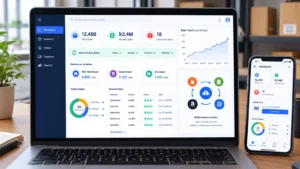
A live dashboard shows each department the figures it needs today, drawn from the same data everyone else uses. Finance sees what customers owe. Sales sees open quotes. The warehouse sees what is running low.
You get one summary page with the handful of numbers that matter to you most. Cash position, sales this week, overdue invoices, stock below reorder level.
We agree the list with you before we build it. Fewer charts that people read beat twenty that nobody opens.
Automated Approvals and Workflows
A workflow is a set of steps that runs in the same order every time. We build the ones your business already follows, so nobody has to remember them.
Take purchasing as an example. Any order above a limit you choose, say £500, goes to a manager for approval. They get an email and approve it with one click. Once approved, the order goes to the supplier and shows up in your records.
Overdue invoice reminders work the same way. The system flags the invoice and sends a polite reminder on the date you set. But people still make the decisions. We automate the chasing, not the judgement.
One Source of Truth for Your Whole Team
One source of truth means every person reads and edits the same record, so there is never a second copy to argue about. A customer’s address, a product price or a supplier’s terms lives in one place.
The system also logs changes. When a figure looks wrong you can see who changed it and when, rather than guessing.
That ends the weekly question of which file is the right one.
AI-Powered Forecasting
We can add forecasting that uses your own sales and stock history to suggest how much to reorder and when. It works as a guide for your buyer, not a replacement for their experience.
A forecast is only as good as the history behind it. If you have just started trading, there is not enough data yet, and we will tell you so instead of selling you a feature that cannot work.
Tell us which report you wish you had every Monday morning. We will show you how we would build it in a free consultation.
UK Compliance, Security and Data Protection
An ERP system UK businesses rely on has to handle VAT records, personal data and staff access properly. We build those features in from the start, not as an add on at the end.
One honest point first. We are software developers, not accountants or solicitors. Your accountant confirms your tax setup, and you remain responsible for how your business uses its data. What we do is build a system that makes doing the right thing easy.
Making Tax Digital and VAT Reporting Support
Making Tax Digital for VAT means keeping your VAT records digitally and sending returns to HMRC through compatible software. We build VAT records into the accounting module, so every sale and purchase carries the right VAT treatment from the start.
We set up the VAT scheme you use together with your accountant. We also connect to HMRC’s service, or to the filing software your accountant already uses, depending on what suits you.
We do not guess at tax rules. Your accountant signs off the setup before you go live.
UK GDPR and Data Protection Controls
UK GDPR is the law that governs how you collect, store and use personal data about customers and staff. Your ERP holds a lot of it, so we build in controls that help you meet your duties.
That includes limits on who can see personal records and tools to find and export one person’s data. We also add the option to delete or anonymise records when you no longer need them.
Software helps, but it does not replace your own policies. We are happy to explain how each control works so you can include it in your data protection documents.
UK Data Hosting and Residency
We can host your ERP in a UK data centre, so your business data stays in the UK. Some customers and contracts ask for this, particularly in public sector or regulated supply chains.
If you need a specific location, tell us at the start. We confirm where your data will live and put it in writing before we begin the build.
Audit Trails and Role-Based Access
An audit trail is a record of who did what in the system and when. If a price changes or an invoice is edited, you can see the person, the date and the old value.
Role based access means each person sees only the parts of the system their job needs. Your warehouse team can book stock in without seeing pay rates. Your bookkeeper can see invoices without editing supplier bank details.
We set the roles up with you during the build and change them whenever your team changes.
Encryption, Backup and Recovery
We encrypt your data while it travels between your browser and the server and while it sits in storage. That protects it if anyone intercepts a connection or gets near the hardware.
Backups are stored separately from the main system, and we agree a recovery plan with you in writing. The plan states how we restore the system after a failure and how quickly. No system is free of risk. But a tested recovery plan means a bad day does not become a lost business.
Want to know exactly where your data would live and who could access it? Ask us in your free consultation and we will explain it in plain English, with no obligation.
ERP Integrations With the Tools You Already Use
An ERP integration is a live connection between your ERP and another tool, so information moves between them without anyone retyping it. TecVeq builds these connections so your new ERP system works alongside the accounting package, online store and delivery tools you already pay for.
You do not have to replace everything on day one. Most small businesses keep two or three tools they like and swap out the rest.
Accounting, Payroll and Banking
We can connect your ERP to your accounting package, your payroll provider and your bank feeds, so invoices, payments and hours flow across on their own. If you would rather keep everything in one place, our accounting module handles it without any outside package.
Here is a typical setup. Your team raises an invoice in the ERP and the same invoice appears in your accountant’s software. A customer payment lands in the bank feed and the invoice marks itself as paid.
Each connection depends on what the other tool allows. Before we quote, we check what access your accounting and payroll providers offer and tell you plainly if something cannot be connected.
Ecommerce Stores and Marketplaces
We connect your online store and marketplace accounts to the ERP, so orders arrive in your system and stock levels go back out to every sales channel. A sale on your website reduces the stock figure on your marketplace listing within minutes, which stops you selling items you no longer have.
Your team stops copying orders from three dashboards into one spreadsheet. Orders, customer details and refunds all land in a single list.
Marketplaces set their own rules on how often stock can update. We confirm those limits when we scope the project, so you know what to expect before you commit.
Payment Gateways, Couriers and Shipping
We link your payment gateway to the ERP, so every card payment matches the right invoice automatically. Your accounts team no longer hunts through a payout report to work out which customer paid what.
Couriers work the same way. The ERP sends the delivery address to your courier, brings back the label and tracking number, and passes that tracking link to your customer. Your warehouse prints and packs. Nobody retypes an address.
Tell us which couriers and payment providers you use today. We will confirm which ones we can connect before we agree the scope.
Open APIs for Custom Connections
An API is a set of rules that lets two pieces of software exchange data, and we build one into your ERP so other tools can connect to it. If you use a specialist tool that we have not connected before, an API usually makes it possible.
We document every API we build, so your own developer or another supplier can use it without calling us for each question. You own the connection and you are never locked in.
Custom connections add time and cost, and we say so up front. We read the other tool’s documentation first, then give you a fixed price for the connection or a clear reason why it will not work.
Send us a list of the tools your team opens every day. In your free consultation we will mark which ones to connect first and which can stay as they are.
ERP Solutions for UK Industries
The right ERP system UK businesses choose depends on how their industry works, so we start with your daily problems rather than a fixed template. A wholesaler needs price lists and backorders. A consultancy needs timesheets and project budgets. TecVeq builds ERP software for small business teams in each of these fields.
Below is how we usually approach five of the industries we are asked about most.
Wholesale and Distribution
For wholesalers, we build trade accounts with their own price lists, credit limits and stock reserved against open orders. Your sales team quotes the right price for each customer without checking a separate file.
We also handle backorders, which cause more phone calls than almost anything else in distribution. When stock arrives, the system shows which waiting orders it can now fill. Your team ships them instead of working it out by hand.
Manufacturing and Production
For manufacturers, we build bills of materials, work orders and live material tracking, so you know whether you can start a job before you promise a date. The system lists what each product needs and flags any shortage straight away.
You also see the real cost of each job. Materials used, hours worked and waste all feed into one figure. Many owners find that a product they thought was profitable is barely breaking even. Better to learn that now.
Professional and Service Businesses
For consultancies, agencies and other service firms, we build time tracking, project budgets and billing from timesheets. Staff record their hours once and those hours turn into invoices without retyping.
You can see at any point how many hours you have spent against how many you quoted. That shows a project drifting over budget while you can still talk to the client about it. Retainers and fixed fee work can sit in the same system.
Ecommerce and Retail
For online sellers and shops, we keep stock, orders and suppliers in step across your website, marketplaces and any physical premises. One stock figure feeds every channel.
Returns get their own simple process. The item comes back, your team records it, and the system puts the stock back on sale and updates the refund. We also add reorder alerts tied to how fast each product actually sells, so you buy more of what moves.
Construction and Field Services
For contractors and field teams, we build job costing, subcontractor records and mobile timesheets, so site hours and materials reach the office the same day. Your office team sees what each job has cost so far, not what it cost last month.
If you work under the Construction Industry Scheme, we can build the records you need to track subcontractor payments, with your accountant confirming the setup. Engineers and site managers use the system from a phone, since most of them are rarely at a desk.
Do not see your industry here? Tell us what you do. We have built systems that do not fit a standard category, and we will tell you honestly if your needs sit outside what we do well.
Why Choose a Custom-Built ERP System
A custom built ERP system suits you when your process is specific enough that standard software forces workarounds. It costs more to start than a monthly subscription, but you end up with software that matches your business instead of the other way round.
That is not the right choice for everyone. We will tell you if a ready made package would serve you better, because a wrong fit costs you more than an honest answer does.
Built for Your Process, Not Adapted to Someone Else’s
Custom built means we write the system around your steps, so your team does not learn new habits just to suit the software. Your approval rules, your invoice layout and your stock locations are already in there on day one.
Think of the workarounds your team uses now. The spare column in a spreadsheet. The email sent to remind someone to update a record. These are signs the software does not fit. In a custom system, we turn each of them into a proper feature.
Our custom ERP software development page explains how we plan and build these projects in more detail.
No Per User Licence Pressure
We do not charge a licence fee for every person who signs in, so adding a new starter does not raise your bill. Many packages charge per user, which tempts owners to share logins or leave people out of the system. Both habits cause the errors an ERP is meant to remove.
You will still pay for hosting and ongoing support, and we show both in your quote. Our aim is a price you can predict as your team grows.
Scales With Staff, Sites and Entities
A custom ERP grows with you because we build it to take more users, more locations and more companies without a rebuild. Going from 10 staff to 40 does not mean starting again.
Sites are your shops, warehouses or offices. Entities are separate legal companies, such as a trading company and a property company under the same owner. We can build one system that handles all of them, with separate accounts for each company and a combined view for you.
Growth also brings new requirements. You may need a new module, a new report or a new connection. We add these in stages so the system you rely on keeps running while it changes.
Ask us whether custom is right for your business. In your free consultation, we will compare your situation with a standard package and tell you honestly which suits you better, with no pressure either way.
ERP Implementation Services
We deliver an ERP project in seven steps, and you see working software well before the go live date. TecVeq follows the same order on every ERP implementation for small business clients, so you always know what happens next.
Most owners worry about disruption to daily work. Fair concern. The steps below keep your team working as normal while we build.
Requirement Analysis and Process Mapping
We sit down with your team, map how work moves today and agree what the system must do first. You receive a written scope that lists every feature, so nothing surprises you later.
UI/UX Design
We design the screens with the people who will use them and show you clickable mockups before we write any code. Changing a drawing costs far less than changing finished software.
Development and Configuration
We build in short stages and show you working software at the end of each one. You try real screens with real examples and tell us what to change.
Data Migration From Spreadsheets and Old Systems
We clean and import your customers, products, suppliers and opening balances. Messy data is normal, so we flag duplicates and gaps for you to decide on instead of guessing. We run a test import first and check the figures match before the real one.
Testing and Quality Assurance
We test each feature on its own, then test whole journeys such as quote to invoice to payment. Your team does a final check with its own data before anything goes live.
Go-Live and Staff Training
We pick a quiet day to switch over and train each person on the screens their role uses. We stay close during the first days to answer questions fast. If you prefer, we can run the old and new systems side by side for a short time.
Ongoing Support and Optimisation
After launch, we fix issues, answer questions and add improvements as your team asks for them. We agree support terms with you in writing before the project starts.
Want to see how this would run for your business? Ask for a sample project plan in your free consultation. We will show you the stages, who is involved at each one and what we need from your team.
ERP Pricing, Cost Factors and Timeline
The cost of a custom ERP depends on how many modules you need, how many people use it and how much old data we move across. We give you a written quote after we understand your scope, and we never ask you to pay for a system you have not seen described in detail.
We do not publish one price, because two businesses with the same headcount can need very different systems. A fair quote needs a proper conversation first.
What Affects the Cost of Your ERP
Five things move the price most. Knowing them helps you compare any quote you receive, ours included.
- Number of modules: accounting alone costs less than accounting, stock, sales and HR together.
- Integrations: each connection to an outside tool adds work, and some tools are harder to connect than others.
- Data migration: a clean customer list is quick to import. Ten years of mixed spreadsheets takes longer.
- Custom rules and reports: unusual approval steps or special reports need extra design and testing.
- Users and sites: more locations and more roles mean more setup and training.
Hosting and support are ongoing costs, and we show them in the quote next to the build cost.
Phased Delivery to Spread the Investment
We can split your ERP into phases, so you pay for one module at a time and start getting value early. Phase one is usually the area that wastes the most time today, such as stock or invoicing.
Each phase has its own scope and price. You can pause after any phase, review how it is working and then decide whether to continue. That gives you control over spending, and it means your team learns the system in small steps instead of all at once.
Typical Timeline by Project Size
Timeline depends on scope, and most projects fall into three rough sizes. Treat these as a guide, since your written plan gives the real dates.
- Single module or small project: [X to Y weeks]
- Several connected modules: [X to Y months]
- Multi site or multi company system: [X to Y months, often delivered in phases]
Delays usually come from slow decisions or messy data, not from the build itself. We tell you early if we see either one coming. And if a deadline matters, such as the start of a financial year, tell us at the start so we plan backwards from it.
Ask for a fixed price quote. Tell us your modules, your team size and your tools, and we will reply with a written estimate and a phased plan, with no obligation.
Why UK Small Businesses Choose TecVeq
Small businesses choose TecVeq because they deal with the same people from the first call to long after launch, and we explain every cost and limit in plain English. We would rather lose a job by being honest than win it with a promise we cannot keep.
Here is what that looks like in practice.
200+ Software Projects Delivered
[TecVeq has delivered more than 200 software projects, including ERP, accounting and inventory systems.] That experience means we have seen most of the problems a small business hits during a rollout, such as messy data, unclear approval rules and staff who need extra training.
We apply those lessons to your project from day one. You do not pay for us to learn on the job.
Dedicated Project Team
Every project has one named project lead who is your main contact, supported by developers and testers who know your system. You do not get passed between departments or explain your business again every time you call.
Your lead sends a short progress update at regular points and flags problems early. You always know where the project stands.
Support After Launch
Support continues after go live, and we agree what it covers in writing before the project starts. That includes bug fixes, questions from your team and small improvements.
[State your actual terms here, such as response times and support hours.] If a problem stops your team from working, it jumps the queue.
Client Results
[Insert one real case study or testimonial here. Name the client or the industry, state the problem, describe what you built and give one honest result.]
For example: “A distribution business with 15 staff moved from three spreadsheets to one stock and order system. Their team now books stock in on a tablet, and month end reports no longer need a manual rebuild.”
Only publish a result you can show evidence for. One real story with specific detail does more for trust than a long list of claims.
Want to talk to the people who would build your system? Book a free consultation and meet your project lead before you commit. We will ask about your business, review your current tools and tell you honestly whether we are the right fit.
Frequently Asked Questions
Can your ERP replace our spreadsheets and separate software?
Yes, in most cases. We build the ERP to take over the spreadsheets and tools you use for stock, invoicing, orders and staff records. If you like one tool, such as your accounting package, we connect to it instead of replacing it.
Is your ERP suitable for a business with fewer than 50 staff?
Yes. TecVeq builds ERP software for small business teams, so we include only the modules you will use. A team of 10 gets a simple system, not one designed for a company of 1,000, and you can add modules as you grow.
Does the ERP support Making Tax Digital and VAT?
Yes. Our accounting module keeps digital VAT records and can connect to HMRC compatible filing software. Your accountant confirms the VAT setup before go live, because we build the software and we do not guess at tax rules.
Where is our data hosted, and is it UK GDPR compliant?
We can host your ERP in a UK data centre and confirm the location in writing before we start. We build in controls that help you meet UK GDPR, such as access limits, data export and record deletion. Software alone does not make a business compliant, so you still need your own data policies.
Can it connect to our accounting software and online store?
Yes. We connect the ERP to accounting packages, payroll providers, online stores, marketplaces, payment gateways and couriers. We check what each tool allows before we quote, and we tell you plainly if a connection is not possible.
Get a Free ERP Consultation for Your Business
Book a free consultation and we will tell you, in plain English, whether a custom ERP would fix the problems your business has today. It takes about [30 to 45 minutes] and costs nothing. TecVeq builds ERP software for small business teams across the UK, and we start every project with this conversation.
Here is what happens when you get in touch:
- You tell us about your business. We ask what you sell, how many people work with you and which tools you use now.
- We find where time gets lost. That is usually duplicate entry, late reports or stock and finance figures that do not agree.
- We outline a plan. You get the modules we would build first, what affects the cost and a rough timeline.
- You get it in writing. We send a short summary within [X working days], so you can think it over or share it with your accountant.
There is no obligation and no sales pressure. If a ready made package would suit you better, we will say so. And if you are not ready to move yet, you still leave with a clearer picture of what you need.