
POS Software for Restaurants in Sahiwal
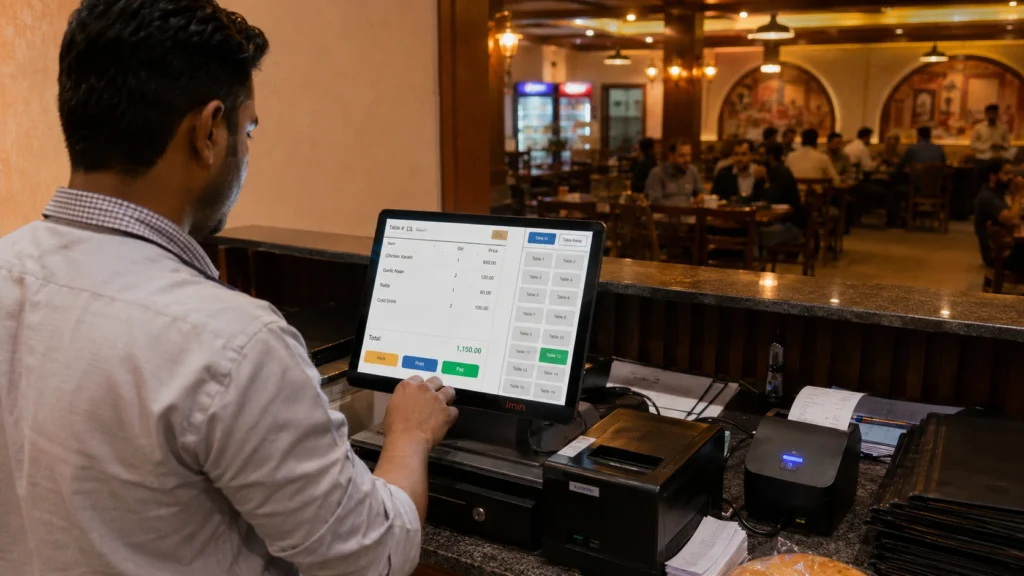
Restaurant POS Software Built for Sahiwal’s Food Businesses We built our restaurant POS software for the exact chaos that happens during a Friday dinner rush in Sahiwal. Orders piling up. A waiter is asking about table four while the kitchen wants confirmation on table two. One missed order and a customer walks out unhappy. Our POS software for restaurants in Sahiwal handles billing, table tracking, and kitchen order routing from a single screen, so your staff never has to guess what happened where. It works the same whether you run a dine-in restaurant, a takeaway counter, a delivery-only kitchen, or a small cafe. We set it up around how your business actually operates, not the other way around. Power cuts are common here. So we built the system to keep working offline, and it syncs your data automatically once the connection comes back. Some restaurants only need simple billing. Others run three counters and need everything synced in real time. We configure the setup based on what your restaurant actually needs, not a fixed package that forces you to pay for tools you will never use. And that is the part most POS providers skip. They sell you a license and leave you to figure out the rest. We walk you through setup ourselves and stay available if something needs adjusting after you go live. What You Get With Tecveq’s Restaurant POS System Every feature in our restaurant POS software solves a problem we have watched restaurant owners deal with over and over. Here is exactly what comes with it. Fast Billing & Checkout A slow checkout line loses customers before they even taste the food. Our billing screen is built for speed, so your cashier can ring up an order, apply a discount, and print a receipt in a few taps. No hunting through menus. No confusing item codes. You can also split bills, merge tables, and apply item-level discounts without calling anyone for help. And if the power goes out mid-transaction, billing keeps running because the system works offline first. Table & Order Management Your staff needs to know which tables are occupied, which are ready for the next order, and which are waiting on the kitchen. Our table management screen shows all of that at a glance. Waiters can assign orders to specific tables directly from a tablet or the counter screen. This cuts down on the back-and-forth that usually happens when a table changes an order or asks for something extra. Not every restaurant needs the same table layout. Which is why we set this up to match your actual floor plan during onboarding. Kitchen Order Ticket (KOT) Routing An order placed at the counter needs to reach the kitchen instantly, without a waiter walking back and forth to confirm it. Our KOT routing sends every order straight to the kitchen screen or printer the moment it is placed. The kitchen sees exactly what was ordered, which table it belongs to, and any special instructions attached. This alone eliminates most of the mixed-up orders that happen during a busy service. FBR-Integrated Tax Compliance Tax compliance should not mean extra paperwork at the end of every day. Our restaurant POS system generates FBR-compliant invoices automatically as part of the normal billing process. Every transaction is recorded the way it needs to be recorded. You do not need a separate tool or a manual entry step to stay compliant. This matters more than most restaurant owners realize until an audit comes up. We set the compliance settings correctly from day one, so you are not scrambling to fix records later. Inventory & Stock Tracking You cannot run a kitchen efficiently if you do not know what is running low until it runs out mid-service. Our inventory tracking updates stock levels automatically as items get sold, so you know exactly what needs reordering. It tracks ingredients down to the recipe level, not just finished menu items. That means when a dish sells, the system deducts the actual ingredients used, giving you a much more accurate picture of your real food cost. Restaurants that skip this step usually find out about a shortage the hard way, in the middle of dinner service. Sales & Profit Reports Numbers on a screen only matter if they tell you something useful. Our reporting dashboard breaks down sales by item, by time of day, and by staff member, so you can see what is actually working. You get profit margins per dish, not just total revenue. That is the number that tells you whether your best-selling item is actually making you money once ingredient costs are factored in. We built these reports to answer the questions restaurant owners actually ask us. Not generic sales totals that look good on paper but do not help you make decisions. ⚡ GET IN TOUCH Orders getting missed? Call us and get your POS set up today. 💬 Chat on WhatsApp 📞 Call 0307 3319555 Multi-Counter & Multi-Branch Live Sync Running two counters on separate systems is how restaurants end up with mismatched inventory numbers and orders that never made it to the kitchen. Our restaurant POS system connects every counter and every branch to one live system, so nothing gets tracked twice or missed entirely. Real-Time Sync Across Counters An order placed at counter one should show up instantly at counter two, not five minutes later after someone manually checks. Our system syncs every transaction across counters the moment it happens. If a customer orders at the takeaway counter and later adds items at the table, both counters see the updated order immediately. Stock levels update the same way. Sell an item at one counter, and every other counter reflects the new inventory count right away. This matters most during peak hours, when two or three staff members are ringing up orders at the same time. Without live sync, you end up overselling items that already ran out. With it, everyone is working off the same