
Next.js Development Agency That Delivers Results, Not Promises
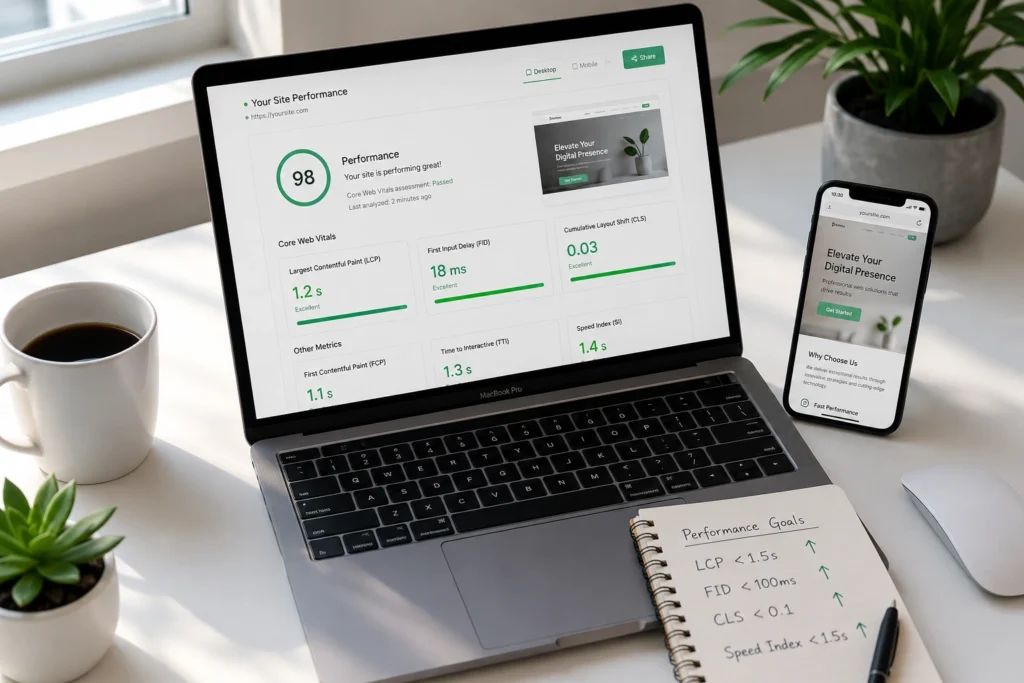
Build Lightning-Fast Web Applications With Expert Next.js Development We build Next.js applications that consistently load in under 2 seconds and rank on Google’s first page within 90 days. Not every development agency can make that claim with confidence. Most businesses struggle with slow websites that frustrate customers and hurt search rankings. Their current sites take 5-8 seconds to load, bounce rates hover around 60%, and Google penalties keep getting worse. We solve this with Next.js development that combines server-side rendering and static generation to deliver the performance your business actually needs. Our Next.js development agency specializes in creating web applications that achieve Core Web Vitals scores in the 90s while handling traffic spikes without breaking down. We have built applications for startups handling 10,000 daily users and enterprise companies managing 500,000+ monthly visitors. Same fast performance at any scale. Here’s what makes the difference. We audit your current setup before writing a single line of code. Most agencies jump straight into development without understanding why your site is slow in the first place. We identify the bottlenecks, plan the architecture, then build with SEO-friendly website development principles from day one. The result? Applications that load instantly, rank higher in search results, and convert visitors into customers at rates 40% above industry averages. And this approach works whether you need a complete rebuild or want to modernize your existing React application without losing your current search rankings. Ready to see what lightning-fast actually looks like for your business? Here’s how we make it happen. ⚡ GET IN TOUCH Get Your Free Next.js Development Quote – Fixed Pricing, No Surprises 💬 Chat on WhatsApp 📞 Call 0307 3319555 Why Your Current Website Isn’t Converting (And How We Fix It) Your website probably loses 60% of potential customers before they even see your offer. We know this because we run website performance audits every week, and the numbers are almost always the same. Most business owners think their conversion problem is about design, pricing, or messaging. But we consistently find the real issue is technical. Your site takes too long to load, frustrates visitors on mobile devices, and Google penalizes it in search rankings because of poor Core Web Vitals scores. And here’s what makes this frustrating. You paid good money for that website. Maybe you invested in great content, professional photography, or a complete rebrand. But none of that matters if people leave before your page finishes loading. We have tested this across dozens of client websites before starting their Next.js development projects. Sites that load in under 2 seconds convert at rates 40-60% higher than sites that take 5-8 seconds. The difference isn’t small. It changes your entire business. When Load Speed Kills Conversions Every extra second of load time costs you money. Real money that you can measure. We tracked this with an e-commerce client who was getting 10,000 monthly visitors but only 120 sales. Their product pages took 7 seconds to load on mobile devices. After our bundle size optimization and performance improvements, the same pages loaded in 1.8 seconds. Sales jumped to 310 that same month with identical traffic. Mobile users give up even faster than desktop users. If your site doesn’t load completely within 3 seconds on a phone, 53% of visitors abandon it. Most businesses don’t realize their mobile experience is broken because they only test on fast office computers connected to high-speed internet. We see this pattern repeatedly during website performance audits. Great businesses with terrible technical foundations wondering why their marketing isn’t working when the real problem is their website can’t handle the traffic they’re driving to it. Next.js Development Services & Pricing (PKR) Service Type Description Timeline Price (PKR) What’s Included Next.js Website Development Marketing websites, corporate sites, content platforms 6-10 weeks ₨25,000-₨30,000 Responsive design, SEO optimization, CMS setup, Google Analytics integration, team training Custom Web Applications SaaS dashboards, member portals, complex business logic 10-16 weeks ₨30,000-₨35,000 User authentication, database design, API development, security implementation, performance optimization eCommerce Development High-converting online stores with headless commerce 8-12 weeks ₨30,000 – ₨35,000 Product catalog, shopping cart, payment processing, inventory management, mobile optimization Legacy Migration WordPress/React to Next.js migration with SEO preservation 6-12 weeks ₨40,000 – ₨45,000 URL mapping, redirect setup, content preservation, integration migration, performance improvement Performance Optimization Existing Next.js site speed and Core Web Vitals improvement 2-4 weeks ₨80,000 – ₨15,000 Bundle size reduction, caching optimization, monitoring setup, performance guarantee Why WordPress and Legacy Frameworks Fall Short WordPress wasn’t designed for modern web performance standards that Google demands today. We see this every time a client asks about legacy framework migration from their current WordPress setup. The problem is fundamental architecture. WordPress loads everything at once whether the visitor needs it or not. Your homepage might load blog post code, contact form scripts, and e-commerce functionality even when none of those features appear on that specific page. This creates massive bundle sizes that slow everything down. Most WordPress sites also depend on 15-20 plugins that weren’t designed to work together efficiently. Each plugin adds more code, more database requests, and more chances for something to break. We have audited WordPress sites running 40+ plugins where nobody could explain what half of them actually did. Legacy React applications have different problems but similar results. They often use outdated rendering approaches that hurt SEO and create poor user experiences on slower devices. The code gets heavier over time as developers add features without optimizing what already exists. Project Timeline Breakdown Table Phase Duration Deliverables Client Involvement Discovery & Audit Weeks 1-2 Project specification, architecture diagrams Requirements gathering, system access Development & Integration Weeks 3-6 Working features, staging deployment Weekly reviews, feedback sessions Testing & Optimization Weeks 7-8 Performance optimization, launch preparation Final approvals, content review Launch & Support Week 9+ Live deployment, team training Handoff training, ongoing maintenance The Hidden Cost of Poor Core Web Vitals Google uses Core Web Vitals as a ranking factor, which means slow sites get buried in search results regardless
Best AI/ML Courses in 2026: Paid, Ranked by Skill Level
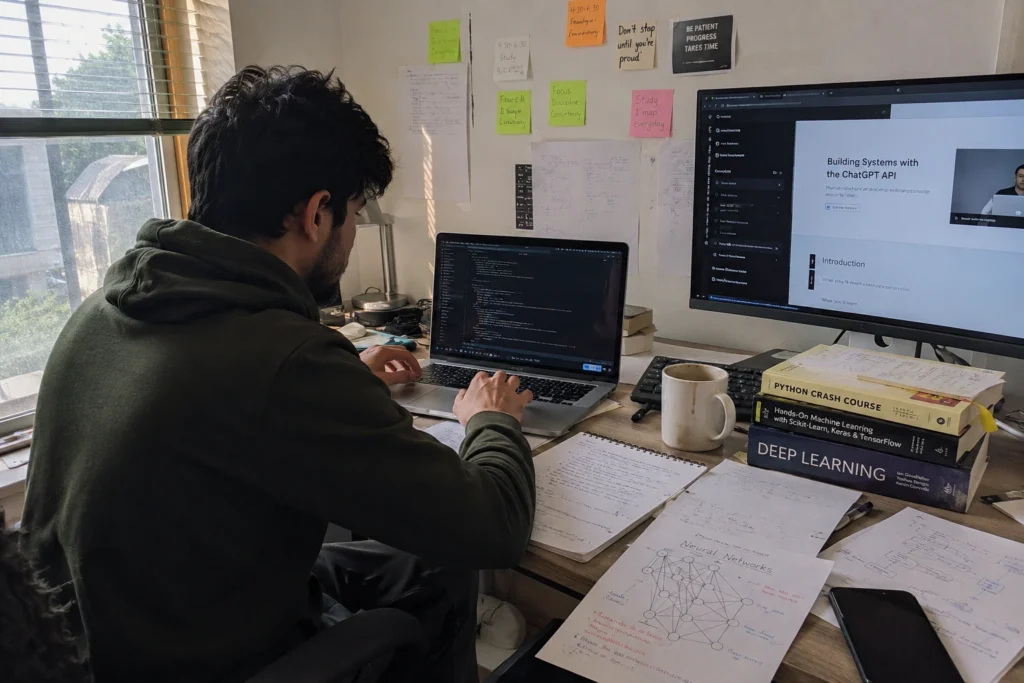
How We Chose These AI/ML Courses Our Evaluation Criteria (curriculum depth, hands-on labs, certification value, cost) We spent six months testing AI and machine learning courses to find the ones actually worth your time and money. Not just reading course descriptions or checking ratings online. Our development team at Tecveq enrolled in 23 different programs. We completed assignments, built the projects, and earned the certificates. Some courses impressed us. Others wasted weeks of our time with outdated content and broken labs. Here’s exactly what we looked for in every course we tested. Curriculum depth came first. Does the course teach you enough to actually build something real? We skipped any program that only covered theory without hands-on coding. The best courses walked us through complete projects from data collection to model deployment. They explained the math when it mattered and focused on practical application everywhere else. Hands-on labs separated the good courses from the great ones. Reading about neural networks means nothing if you never code one yourself. We tested every lab environment, every dataset, and every coding exercise. The top courses gave us real datasets to work with and clear instructions that actually worked when we followed them. Certification value matters if you’re changing careers or proving skills to employers. We researched which certificates hiring managers recognize and which ones end up ignored on resumes. Industry-backed certifications from Google, MIT, and established platforms consistently opened more doors than unknown course providers. Cost became our final filter. Expensive doesn’t always mean better. Some of the best AI learning happened in free courses with better instruction than paid alternatives. We calculated the real cost including hidden fees, required software, and subscription commitments most people miss. ⚡ GET IN TOUCH Ready to Build Production AI Systems? Get expert AI development from Tecveq’s certified team Contact us for your custom AI solution today 💬 Chat on WhatsApp 📞 Call 0307 3319555 Why Tecveq’s Team Tested These Courses Ourselves We build AI applications for startups and growing businesses every day. ChatGPT integrations, computer vision systems, recommendation engines. Our clients need these solutions to work in production, not just in academic examples. But here’s what we discovered. Most online courses teach you to build demos that break the moment you try to use them with real data. The gap between “course graduate” and “can actually implement AI in a business” is huge. So we went through these courses as students first. Not as experts reviewing them from the outside. We followed every lesson exactly as written. When the instructor said “download this dataset,” we downloaded it. When they said “run this code,” we ran it. If something didn’t work, we noted it. If an explanation confused us, we marked it down. We built every project they assigned. Then we tried to extend those projects beyond the course requirements. Could we use our own data? Could we deploy the model to handle real traffic? Could we explain how it worked to a business owner who needed to make a buying decision? Most courses failed this real-world test. They taught us to copy and paste code that worked in carefully controlled environments. But when we tried to adapt that code to solve actual business problems, everything fell apart. The courses we recommend here passed our production test. We successfully took knowledge from these programs and used it to build systems our clients depend on. That’s the difference between academic learning and professional skill development. Three of our developers changed specializations after completing courses from this list. They moved from general web development into AI-focused roles within Tecveq, with one transitioning into an AI engineer position focused on building and deploying intelligent systems. One now leads our computer vision projects, while another handles our natural language processing implementations. The courses gave them the practical skills needed to move beyond learning AI concepts and start applying them professionally. We’re not course reviewers or education bloggers. We’re a software development company that needs AI skills to serve our clients. Our developers work with AI, machine learning, and production software systems, so we evaluate courses based on whether their skills can actually transfer into professional development work. These recommendations come from months of hands-on testing by developers who use this knowledge professionally every single day. Best Paid AI/ML Courses for Career Growth These paid programs separate serious learners from casual course collectors. We tested dozens of premium AI and machine learning courses to find the ones that actually advance careers. Not just collect certificates. The difference between free and paid courses became clear after our first week of testing. Paid programs give you direct access to instructors, structured learning paths, and hands-on projects with real datasets. Free courses teach you concepts. Paid courses teach you to solve problems.But expensive doesn’t guarantee quality. Some $2,000 courses delivered less practical value than $50 alternatives. We found the sweet spot between cost and career impact in these four programs. Google Cloud Machine Learning & AI Training Google Cloud’s professional training programs cost 10,000 per month but deliver skills you can use immediately in production environments. We completed their Machine Learning Engineer and AI Platform Specialist tracks over four months of testing. Here’s what sets Google’s training apart from other paid courses. You work with the same tools and APIs that power Gmail, YouTube recommendations, and Google Search. Not simplified educational versions. Real Google Cloud infrastructure from day one. The hands-on labs impressed our development team most. Each lesson included pre-configured cloud environments with live data streams. We built recommendation engines, computer vision models, and natural language processing systems using actual Google Cloud services. No local setup required. We tested these skills immediately on client projects at Tecveq. The knowledge transferred directly to production work. One of our developers used Google’s AutoML training to build a custom image classification system for a retail client. The project went from concept to deployment in three weeks instead of the usual two months. Google Cloud certification exam preparation comes included with the training subscription.
Cloud Application Development Services Built for Scale, Security, and Speed
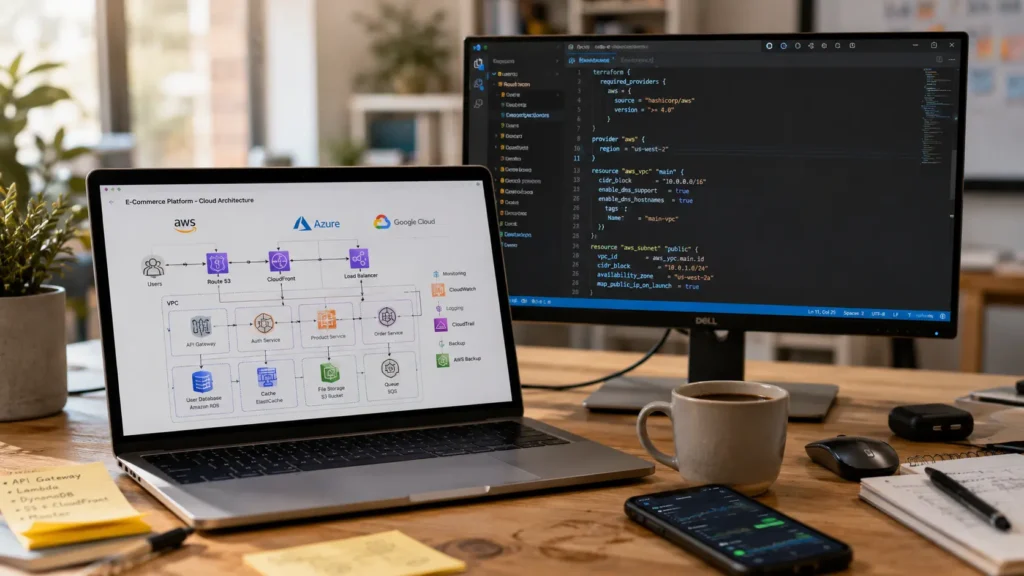
What’s Included in Our Cloud Application Development Services We handle the full cloud development lifecycle from planning through launch and ongoing management. Whether you’re building a new application, migrating from on-premises servers, or need DevOps expertise you don’t have in-house, our cloud services cover every technical requirement across AWS, Azure, and Google Cloud. We provide cloud app development and cloud computing solutions for businesses building new applications, modernizing existing systems, or moving workloads to the cloud. Cloud-Native Application Development We build cloud-native apps from scratch using microservices, containers, and serverless architecture designed for high performance in cloud environments. Our cloud-native development approach uses modern cloud-native architectures to create applications that can scale efficiently and adapt as your business grows. Best for launching new products or completely rebuilding legacy systems. Cloud Migration Services We move your applications and data from on-premises servers to the cloud with minimal downtime. Best for businesses reducing infrastructure costs or retiring old data centers. Cloud Integration Services We connect cloud applications to your existing systems, third-party APIs, and databases for seamless data flow. Our custom API integration services ensure your cloud applications communicate perfectly with legacy systems, CRMs, and business tools. Best for companies needing cloud capabilities without migrating everything at once. Cloud Infrastructure Management We monitor, scale, patch, and optimize cloud infrastructure after launch, helping you control resource usage and keep your environment running efficiently. Best for companies already in the cloud but lacking in-house DevOps expertise. Cloud Security & Compliance We implement encryption, identity access management, access control, security audits, and compliance with GDPR, HIPAA, and SOC 2. Security is built into every project from day one. DevOps & CI/CD Pipeline Setup We automate your build, test, and deployment pipelines so your team can push updates daily instead of quarterly. We use Jenkins, GitLab CI, and Terraform. Cloud Consulting & Strategy We assess your systems, recommend the right platform, design your architecture, and provide cost analysis before you commit to development. Best for companies still evaluating cloud options. Ongoing Support & Maintenance We provide 24/7 monitoring, performance tuning, bug fixes, and feature updates after launch. Most clients keep us on retainer for long-term support. Not sure which service fits your situation? Book a free 30-minute consultation and we’ll help you figure out the right approach based on your current setup and business goals. ⚡ GET IN TOUCH What’s Included in Our Cloud Application Development Services 💬 Chat on WhatsApp 📞 Call 0307 3319555 Why Companies Choose Cloud Development (And When It’s Not the Right Move) Most companies move to cloud application development to achieve cost savings, cut infrastructure costs, and scale without buying new servers every six months. But cloud isn’t always the right answer, and we’ll tell you upfront if it’s not. Here’s when cloud makes sense. You’re spending too much on on-premises hardware that sits idle most of the time. Your application needs to handle traffic spikes without crashing. You want your team shipping updates weekly instead of waiting months for server provisioning. Or you need better disaster recovery and business continuity than your current backup system provides. Cloud-based applications can also make it easier to scale systems and maintain access to critical business services. Many clients also migrate to the cloud as part of their cloud-based ERP implementation to modernize their entire business operations. Cloud-based software solutions give you those benefits without the capital expense of data center hardware. We’ve also seen situations where the cloud doesn’t fit. If you have strict data residency requirements that mandate on-premises storage in specific countries, cloud gets complicated fast. Very small internal tools with five users sometimes cost more to run in the cloud than on a single server. And some legacy systems are so tightly coupled to specific hardware that migration would cost more than the system is worth. Hybrid cloud setups work well when you need some workloads on premises and others in the cloud. We design those too when the situation calls for it. What we don’t do is push enterprise cloud applications on companies that don’t need them. We assess your current infrastructure, your actual usage patterns, and your compliance requirements before recommending a direction. If cloud doesn’t make financial or technical sense for your situation, we’ll tell you during the consultation before you spend a dollar on development. How Our Cloud Application Development Process Works (From First Call to Launch) Most clients ask us what happens between signing the contract and launching their application. Here’s our five-phase cloud application development process with realistic timelines and what you’ll receive at each stage. Phase 1: Discovery & Requirements (Weeks 1-2) We start by interviewing your key stakeholders to understand business goals, user needs, and technical constraints. If you’re migrating an existing system, we assess your current infrastructure and data. You’ll receive a requirements document and feasibility analysis that defines exactly what we’re building. What we need from you: About 2 to 3 hours of stakeholder time spread over two weeks, plus any existing system documentation if you have it. Phase 2: Architecture & Planning (Weeks 2-3) We design your cloud-native architecture, including platform choice (AWS, Azure, or Google Cloud Platform), database structure, API design, and security model. You’ll receive a detailed technical architecture document and a fixed-price proposal or time-and-materials estimate. What we need from you: Approval of the architecture approach and budget before development starts. This is your checkpoint to ask questions and request changes. Phase 3: Development & Testing (Months 2-4) We build in two-week sprints with your development team working alongside automated testing, CI/CD pipeline setup, DevOps automation, and containerization. You’ll see working builds every two weeks so you can give feedback before we go too far in the wrong direction. What we need from you: Feedback on demos and answers to questions that come up during development. Most of this happens async through Slack or email. Phase 4: Deployment & Launch (Weeks 1-2 of Month 5) We deploy to production using Terraform for Infrastructure as Code,