
AI Agent Development Services in Pakistan Built for Real Business Workflows
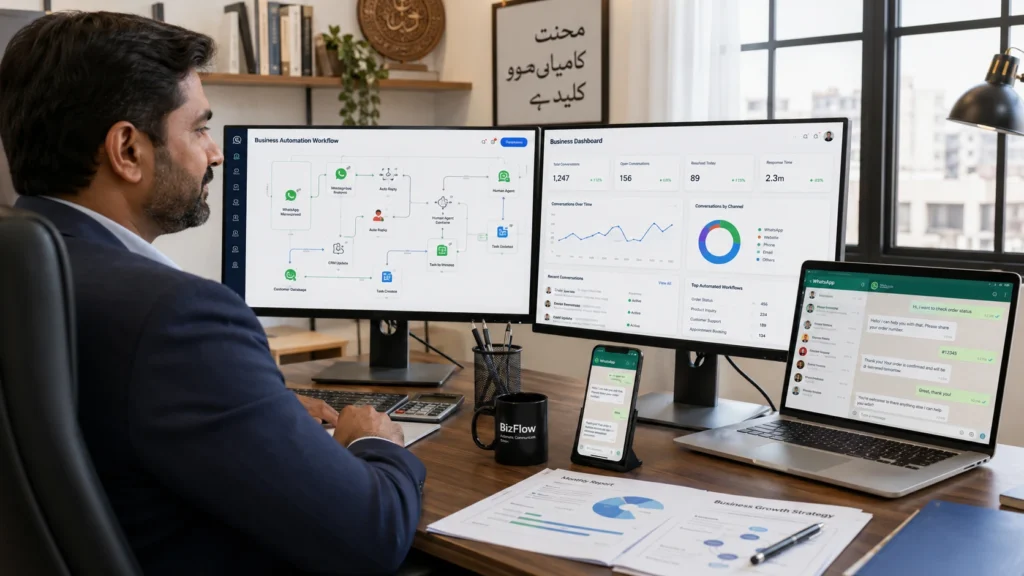
That difference is why we focus on ai agent development services in Pakistan that automate the repetitive tasks currently eating your team’s time. AI Agent Development Services in Pakistan Agents That Do the Work, Not Just Answer Questions A chatbot answers your customer’s question about order status. An AI agent checks your database, finds the order, updates the delivery time, sends a WhatsApp confirmation, and logs it in your CRM without anyone touching it. That’s the difference. We build ai agent development services in Pakistan around workflows like this one: the manual, repetitive tasks currently eating your team’s time. Most Pakistani businesses we talk to are drowning in manual follow-ups. Leads sit in spreadsheets. Queries pile up on WhatsApp. We take the exact workflow your team does by hand right now and turn it into something that runs itself. We use the same frameworks (LangChain, OpenAI, Claude) that international agencies charge Silicon Valley rates for. You get the same engineering, priced for the Pakistani market. Want to see this on your own workflow? Message us on WhatsApp or book a free 30-minute consultation. We’ll tell you what an agent would actually do for your business and what it costs in PKR before you pay us anything. Our ai agents for business are built using the same global frameworks international agencies use (LangChain, OpenAI, Claude), but priced and delivered for the Pakistani market. You get enterprise-grade automation without enterprise-grade invoices. Want to see how this works for your specific workflow? Message us on WhatsApp or book a free 30-minute consultation—we’ll show you exactly what an agent would do for your business and what it would cost in PKR. Still Running Your Business on Manual Follow-Ups, Spreadsheets, and WhatsApp Chaos? Your staff is replying to customer WhatsApp messages at 11 PM because that’s when inquiries come in. By morning, half of yesterday’s leads are already cold because no one had time to follow up while handling walk-ins and phone calls. Customer data lives in three places. One Excel sheet on the office computer. Another spreadsheet someone started on their laptop last month. And dozens of unread WhatsApp conversations sitting on your sales team’s personal phones. When a customer calls asking about their order status, your team has to check all three before they can answer. The work gets done. But it takes twice as long as it should. We see this exact pattern in small and medium businesses across Karachi, Lahore, and Islamabad. Someone manually copies order details from WhatsApp into a spreadsheet. Someone else chases JazzCash and EasyPaisa payment confirmations and updates them by hand. Your best employee spends two hours every afternoon sending follow-up messages that could run automatically while they sleep. None of this is because your team is slow. It’s because ai workflow automation hasn’t replaced the manual processes eating their time yet. And every hour your staff spends copying data or sending routine follow-ups is an hour they’re not closing deals or serving customers who actually need a human. Which Type of AI Agent Does Your Business Actually Need? The answer depends on what you’re trying to automate. A customer support problem needs a different agent than an internal workflow problem. We build five distinct types, each using specific frameworks chosen for what that agent has to do. Multi-Agent Systems We build collaborative frameworks using CrewAI or AutoGen where multiple specialized agents work together on complex workflows. One agent might qualify a lead, another pulls pricing from your database, and a third drafts the quote—all through agent orchestration where they hand tasks between themselves. This makes sense when your workflow crosses multiple departments or data sources and no single autonomous ai agent can handle the full process alone. Conversational & Customer Support Agents These conversational ai agents integrate directly with your CRM platforms like Salesforce, HubSpot, or Zoho to handle inbound customer queries, qualify sales leads, and manage support tickets through WhatsApp or your website. They pull customer history, answer questions using your actual product data, and route complex issues to your team when needed. Most Pakistani businesses start here because customer support automation delivers immediate time savings. Workflow & Task Automation Agents We build these using LangChain or ReAct frameworks to trigger actual business actions. They read incoming data, make decisions based on rules you set, retrieve information from multiple systems, and execute tasks like updating records, sending confirmations, or flagging exceptions for human review. These autonomous ai agents handle the repetitive work your team does manually every day between systems that don’t talk to each other. RAG & Knowledge Base Integration These agents connect to vector databases like Pinecone or Weaviate loaded with your company’s documents, policies, manuals, and historical data. When asked a question, the agent searches your actual knowledge base and answers using your information, not generic training data. This works well for businesses with deep technical documentation, legal knowledge, or product catalogs where accuracy matters more than speed. Enterprise LLM Fine-Tuning We customize foundation models from OpenAI, Gemini, or Claude and train them on your industry-specific data. Large language model agents fine-tuned for healthcare understand medical terminology and compliance requirements. Agents built for finance understand your reporting formats and regulatory language. This level of customization makes sense when your business vocabulary or workflows are specialized enough that generic models miss the nuances. What We Build: Our Core AI Agent Development Services Most clients come to us thinking they’re buying ‘an AI that answers questions.’ They leave with something bigger: a full system built around their actual workflow, wired into the tools they already use, and looked after as their business changes. We don’t build the agent and disappear. We map your process first. We design the architecture around how your team actually works not how a demo is supposed to look. Then we connect it to every system you use, and we stay on it after launch. The difference is in what happens after the agent goes live. We don’t just build
Best SaaS LMS in 2026: A Complete Feature Breakdown of tecveq lms

Education is shifting fast. Schools and institutions need a SaaS LMS that works the way students, teachers, and parents actually learn—easy to access, built around real classroom workflows, and designed for accountability. A learning management system is the digital backbone of an institution. It brings course content, assignments, quizzes, schedules, attendance, progress tracking, and communication into one learning platform so administrators, teachers, students, and parents can work from the same system. But most LMS platforms treat these as separate problems. TECVEQ solves them as one integrated system. This breakdown covers all 26 features across admin, teacher, student, and parent roles, including two capabilities most competitors don’t have: built-in AI detection for academic integrity and WhatsApp-based parent engagement that requires zero app downloads. If you’re evaluating the best SaaS LMS options for your school, academy, or training institute, you need to see what’s actually possible when a platform is built from the ground up for institutional accountability and real-world usability. This is a hands-on analysis of the platform itself, not generic comparison listicle content. For institution-specific guidance, explore our best lms for schools 2026: Why Tecveq is smarter choice for K-12 education. Let’s walk through exactly what TECVEQ does and why it matters. ⚡ GET IN TOUCH Stop Missing Student Absences — Get Real-Time Alerts to Teachers & Principals 💬 Chat on WhatsApp 📞 Call 0307 3319555 What Is TECVEQ LMS and Who Is It Built For? Most LMS platforms try to be everything to everyone. They end up being clunky for everyone. TECVEQ takes a different approach by building one system that actually works for four completely different user groups: administrators who need institutional control, teachers who need classroom simplicity, students who need to focus on learning, and parents who need to stay connected without downloading another app. TECVEQ LMS is a role-based learning management system designed specifically for schools, academies, and training institutes that need their entire community on one platform. Unlike generic software, this platform recognizes that an admin’s workflow looks nothing like a student’s workflow, so the interface changes completely based on who logs in. Why Schools Choose a SaaS LMS A SaaS LMS removes much of the infrastructure work associated with traditional software. Instead of installing and maintaining the platform on local servers, institutions access the system through the web. This can simplify deployment, updates, and access for administrators, teachers, and students. For growing schools and training institutes, the cloud-based model also makes it easier to provide a consistent platform across departments and locations. Core Purpose of the Platform Here’s what TECVEQ actually does at the foundation level. It replaces the chaos of managing classes, assignments, schedules, attendance, and parent communication across multiple tools. You get everything in one place where every user sees only what they need to see and can do only what they need to do. The system handles the operational side of running a school: admins create classrooms and assign subjects in bulk, teachers schedule classes and track student work, students submit assignments and take quizzes, and parents see their child’s progress without logging into anything at all. No sync problems between different platforms. No missing information because something didn’t integrate properly. And this is where TECVEQ stands apart from other learning management system software. It includes AI-generated assignment detection built directly into the grading workflow and automatic notifications to teachers and principals when a student bunks class. These are features that competitive LMS platforms either don’t have or charge extra for through third-party integrations. The platform focuses on the actual problems schools face: keeping track of who’s attending, catching academic integrity issues early, and getting parents involved without requiring them to be tech-savvy. Four User Roles at a Glance: Admin, Teacher, Student, Parent Each role has its own complete workspace. Not everyone sees the same buttons and dashboards. This is what makes TECVEQ different from systems where you have to hide features and permissions in nested menus. Role Main Responsibilities Key TECVEQ Features Admin Manage the institution and monitor operations User management, class scheduling, subject assignment, reports, attendance alerts Teacher Manage classes and student work Assignments, quizzes, attendance, student reports, AI-detection alerts Student Complete learning activities and track progress Assignments, quizzes, timetable, attendance, academic reports Parent Monitor the child’s progress WhatsApp attendance, assignment reports, quiz results, web portal The admin dashboard manages the entire institution. You see all students, all teachers, and all classes at once. You create proficiency levels, assign subjects in bulk to entire classrooms or one student at a time, schedule classes with specific teachers and topics, and monitor attendance across the whole school. You also get real-time alerts when students are absent or bunking, and that notification goes directly to both the teacher and the principal. The admin panel is built for someone running a school, not using general-purpose software. Teacher Workspace is completely different. Teachers see only their classes, their students, and their schedule. They create assignments and quizzes, track which students submitted work and which didn’t, mark attendance, and view individual student performance. They also get the AI-detection notification when a student submits an assignment that looks AI-generated, so they can flag it for review before grading. Teachers focus on teaching, not navigating a complex admin interface. Course Creation & Learning Materials Teachers need more than a place to upload individual assignments. A complete learning platform should give them a structured way to organize subjects, learning materials, assignments, quizzes, and supporting resources. TECVEQ brings these classroom activities into the same environment, giving teachers a central place to manage the work connected to their classes. The student dashboard shows what students actually need. Class schedule, current assignments, quizzes to complete, attendance percentage, and announcements from teachers and admin. They upload completed assignments, attempt quizzes, and track their progress by subject. The student experience is designed to be straightforward so learning stays the focus. Parent Portal is the standout feature most LMS software doesn’t include. Parents don’t download an app or create a password. They text “Hi” to a WhatsApp