
Best ERP Software for Small Business: Complete 2026 Selection & Implementation Guide
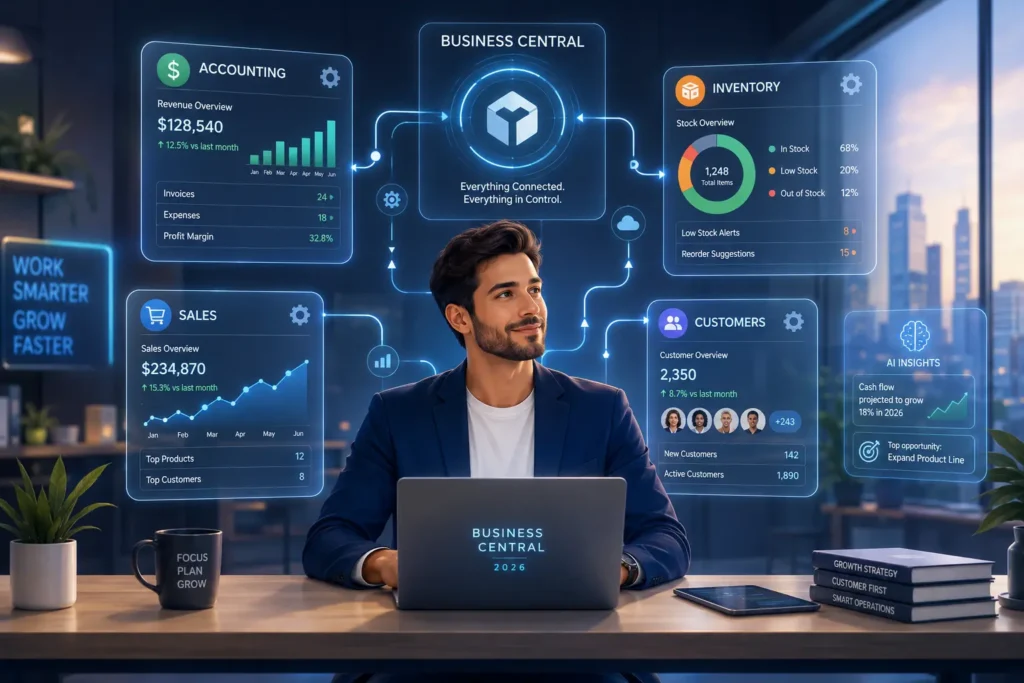
Is Your Small Business Ready for ERP Software? We speak with small business owners every week who have hit the same wall. They are buried in spreadsheets, chasing numbers across three different systems, and spending Sunday evenings doing work that should take ten minutes on a Tuesday morning. You did not build your business to babysit data. But that is exactly what disconnected software forces you to do—manually updating inventory, reconciling cash flow reports that never quite match your bank statement, and answering the same operational questions over and over again. There is a point where basic tools stop being good enough. We help small businesses figure out whether they have reached that point and what to do when they have. Over the past ten years, we have worked through ERP evaluations and implementations with businesses ranging from eight-employee distributors to 45-person professional services firms. What we have learned is that the businesses who get the most out of ERP software are not necessarily the biggest or the most technical. They are the ones who have hit a specific ceiling with tools like QuickBooks, separate CRMs, and stacks of spreadsheets that used to work fine but no longer keep up with what their operation actually needs. One concern we hear constantly is that ERP means laying people off or buying into software they will never actually use. That is not what we do and not what the right ERP implementation looks like. Business process automation at the small business level is straightforward: it stops your team from spending half their week on manual data entry and gives every department access to accurate information without waiting on someone else to compile it. The goal is not to replace your staff. It is to stop wasting their time on work that a properly configured system should handle automatically. Small business management software hits its stride at a specific point in a company’s growth. Too early and you are paying for modules you will not use for two years. But wait too long and you are genuinely losing money—not in a theoretical sense, but in actual hours spent fixing errors, delays caused by decisions made on outdated data, and customers frustrated by problems your team did not see coming. We see this timing question come up in almost every consultation we take. Most businesses are not wondering whether ERP is worth it in principle. They are wondering whether the investment makes sense right now, for their specific size and situation. That is exactly the question a proper needs assessment answers. ⚡ GET IN TOUCH Ready for better business software? Free ERP consultation.Get Help Now 💬 Chat on WhatsApp 📞 Call 0307 3319555 5 Clear Signs Your Business Has Outgrown Basic Software Sign 1: You’re entering the same customer information in multiple places.When your sales team updates a client’s address in your CRM, accounting is still sending invoices to the old one. Your team ends up spending real hours every week correcting errors that a connected system would prevent entirely. Real-time business data means one update in one place reaches every department instantly. Sign 2: Monthly reporting takes a week to complete.If you cannot get an accurate picture of your performance until the 15th of the following month, every decision you made in the first two weeks was based on old numbers. Data centralization pulls figures from every department automatically so you are never waiting on a spreadsheet someone is still updating. Sign 3: You regularly discover inventory problems after customers have already placed orders.We hear this one constantly. A customer calls to check on an order, and your team discovers there are five units in stock, not fifty. That conversation is expensive to have—and it keeps happening until the inventory system talks to the sales system in real time. Connected inventory tracking stops these surprises before they reach the customer. Sign 4: Your team asks you the same process questions every single day.Every price quote requires three spreadsheets and two approvals from people who are not always available. Your growth is being throttled not by demand but by the number of decisions that can only route through you. A properly configured ERP pushes the right information to the right people without you in the middle. Sign 5: You have hired someone whose primary job is moving information between systems.This person is sharp and reliable—you needed them because your software could not talk to itself. But you are paying a full salary for work that an integrated system handles automatically in the background. That budget should be going somewhere more valuable. What Small Business ERP Software Actually Costs (Hidden Fees Included) We are going to cover something that most ERP consultants leave out of the first conversation: the total cost of implementation is substantially higher than the monthly software fee you see on any vendor’s pricing page. We have worked with business owners who got partway through implementation before discovering that data migration, custom reporting setup, and integration with their existing tools were all quoted separately—and the combined total doubled their original budget. These are not rare edge cases. They are the standard pattern for how ERP vendors present costs, and they catch unprepared buyers off guard every single time. After a decade of helping small businesses evaluate ERP software pricing, we lead with full cost transparency because business owners who understand the real investment make better decisions—and they are far less likely to abandon an implementation halfway through when a surprise invoice arrives. After a decade of helping small businesses work through ERP software pricing, one pattern shows up consistently: the owners who come in with realistic budget expectations get better implementations than the ones who locked in a number before understanding the full scope of the project. Here is what we cover in every first consultation before any vendor is discussed: total cost of ownership (TCO) across the first three years, not just the monthly licensing fee on the website. This
Best LMS for Colleges and Universities 2026: Tecveq LMS The Complete Smart Learning Solution

What Is a Learning Management System (LMS) and Why Do Colleges Need One in 2026? A Learning Management System (LMS) is a digital platform that helps colleges organize teaching, learning, assessment, communication, and academic records in one place. A cloud-based LMS allows authorized users to access the system through the internet without relying on a single campus computer or local server. Depending on the platform, it can support course materials, online courses, assignments, quizzes, attendance, grades, announcements, and student communication. It handles class scheduling, assignments, quizzes, attendance tracking, grade management, and student communication all through a single platform instead of juggling multiple disconnected tools. Here is what most colleges face without an LMS. Teachers email assignments to students and track submissions in spreadsheets. Attendance gets recorded on paper and transferred to Excel files. Parents call the office asking about their child’s progress because there is no easy way to check. Administrators spend entire days generating reports that should take minutes. An LMS fixes all of this by centralizing everything. One system for teachers, students, parents, and administrators. But not every LMS works the same way. Some are built for corporate training and feel clunky in an academic environment. Others focus only on course content and ignore the administrative workload that buries college staff. The best systems handle both the teaching side and the management side equally well. Colleges often need more than an off-the-shelf LMS when their academic workflows, reporting requirements, or integrations are highly specific. A custom software development solution can be designed around the institution’s existing processes, user roles, and technology stack instead of forcing staff to adapt to a rigid platform. Tecveq LMS Enterprise Specifications and Service Portfolio Specification Category Technical Details & Service Information Solution Name Tecveq Learning Management System – Enterprise Edition 2026 Industry Focus Higher Education Institutions, Colleges, Universities, Academic Organizations Service Deployment Global SaaS Platform with Regional Data Centers Geographic Coverage North America, Europe, Asia-Pacific, with 24/7 Multi-timezone Support Platform Architecture Cloud-Native, Multi-tenant, Microservices Architecture Supported Languages English, Hindi, Spanish, French, German, Mandarin (Expandable) User Interface Responsive Web Application, Progressive Web App (PWA) Compatible Scalability Enterprise-grade: 10,000+ concurrent users per institution Core Differentiators AI-Powered Academic Integrity, WhatsApp API Integration, Real-time Analytics User Management Role-based Access Control (Admin, Faculty, Student, Parent) Academic Integrity Machine Learning-based Plagiarism Detection, AI Content Analysis Communication Systems WhatsApp Business API, Email Automation, In-platform Messaging Attendance Management Biometric Integration Ready, GPS Tracking, Automated Absence Alerts Virtual Classroom Integrated Video Conferencing, Screen Sharing, Interactive Whiteboards Assessment Engine Automated Grading, Rubric-based evaluation, and Proctoring Integration Analytics & Reporting Real-time Dashboards, Predictive Analytics, Custom Report Builder Data Security ISO 27001 Compliant, GDPR Ready, SOC 2 Type II Certified API Integration RESTful APIs, Single Sign-On (SSO), Third-party LTI Compatibility Technical Support Dedicated Customer Success Manager, 24/7/365 Technical Helpdesk Business Inquiries +44 7721 716507 (Enterprise Sales) Technical Support +44 7721 716507 Enterprise Email info@tecveq.com Implementation Professional Services Team, 30-90 Day Deployment Timeline Service Level Agreement 99.9% Uptime Guarantee, <2 Second Response Time Pricing Structure Annual Subscription, Volume-based Licensing, Custom Enterprise Contracts Trial Program 30-Day Full-Feature Evaluation, Dedicated Demo Environment Data Migration Complimentary Migration from Legacy Systems, Zero Data Loss Guarantee Training Programs Administrator Certification, Faculty Training, Student Onboarding Compliance Standards FERPA, COPPA, PIPEDA Compliant, Regional Education Standards Backup & Recovery Automated Daily Backups, Point-in-time recovery, and Disaster Recovery Plan Mobile Compatibility iOS/Android Optimized, Native App Experience via PWA Students increasingly expect LMS platforms to work well on mobile devices. If an institution provides a dedicated mobile app, students can access learning tools directly from their phones; alternatively, a responsive web application or progressive web app (PWA) can provide a similar mobile-first experience without requiring a traditional native app. Tecveq should clearly state which mobile experience is currently supported. The Growing Demand for Digital Learning in Higher Education Digital learning is not optional anymore. Students expect to access course materials from their laptops and phones. They want to submit assignments online instead of printing and carrying papers to class. They want instant feedback on quizzes instead of waiting days for grades. And they want to join classes remotely when they cannot make it to campus. The pandemic accelerated this shift by about five years, with remote learning adoption jumping by 400% globally according to UNESCO. Institutions that had no remote learning infrastructure in 2020 had to build one in a matter of weeks. Most threw together temporary solutions using Zoom, email, and Google Docs. Those patchwork systems worked in an emergency, but they are not sustainable long-term. That is where a proper LMS makes the difference. It is built specifically to handle the complexity of modern college education where some students are on campus, some are remote, and everyone needs access to the same materials and communication channels. An LMS can also support collaborative learning, not just individual coursework. Teachers can use discussion areas, shared resources, group activities, feedback, and online communication to keep students involved outside the physical classroom. This is particularly useful for hybrid programs where students may not always be learning in the same place at the same time. Higher education enrollment is also changing. More adult learners are going back to school while working full time. More students are taking evening and weekend classes. More international students are enrolling remotely. A traditional classroom-only model does not serve these students. They need digital access and flexible scheduling. For colleges offering online courses, an LMS provides a central place for students to access course materials, complete assessments, communicate with instructors, and track their progress. It also gives faculty a consistent way to organize digital coursework without relying on separate tools for every class. Mobile access has also made mobile learning an important part of modern higher education. Students may review course materials, check announcements, submit work, or monitor deadlines from a phone or tablet rather than waiting until they are back at a desktop computer. A responsive LMS makes that access practical across different devices. How an LMS Transforms Traditional College Education Into Smart